We have made substantial improvements to the previously released AI Helper to make it more useful for anyone who wants to start a new Task Board or Template.
Creating New Boards
The AI Helper is always available when you want to start a new Task Board:
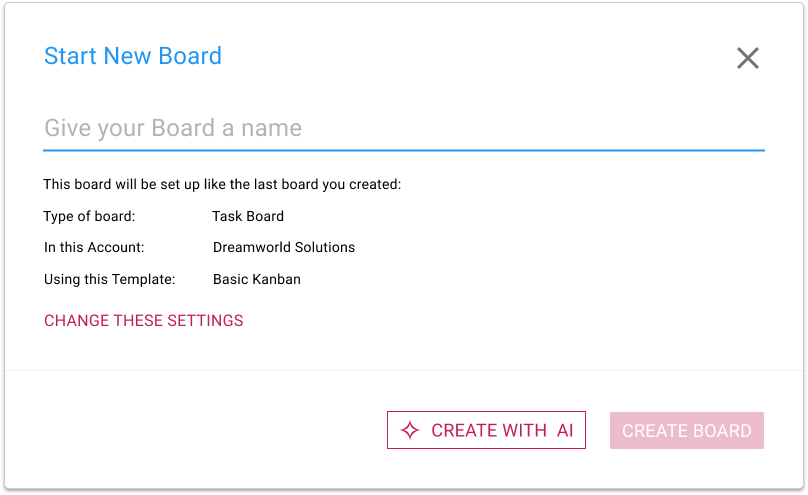
What’s different now is that clicking on the CREATE WITH AI button will open a new AI Helper pane on the right side of the window:
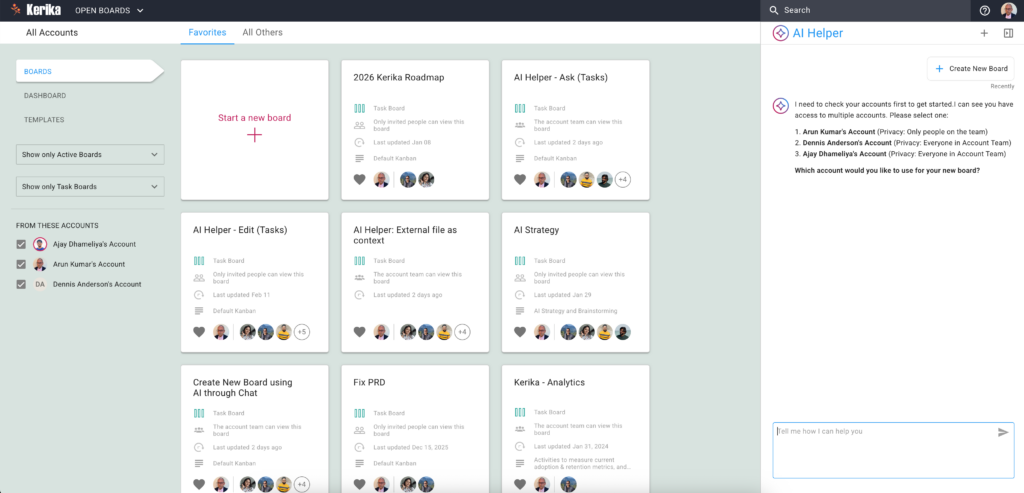
If you have access to multiple accounts — for example, if you are working with different organizations or companies that all have their own Kerika accounts — the AI Helper will first ask you which account you want to create the new board in.
(If you are working in a single account, which is true for the vast majority of Kerika users, the AI Helper skips this step.)
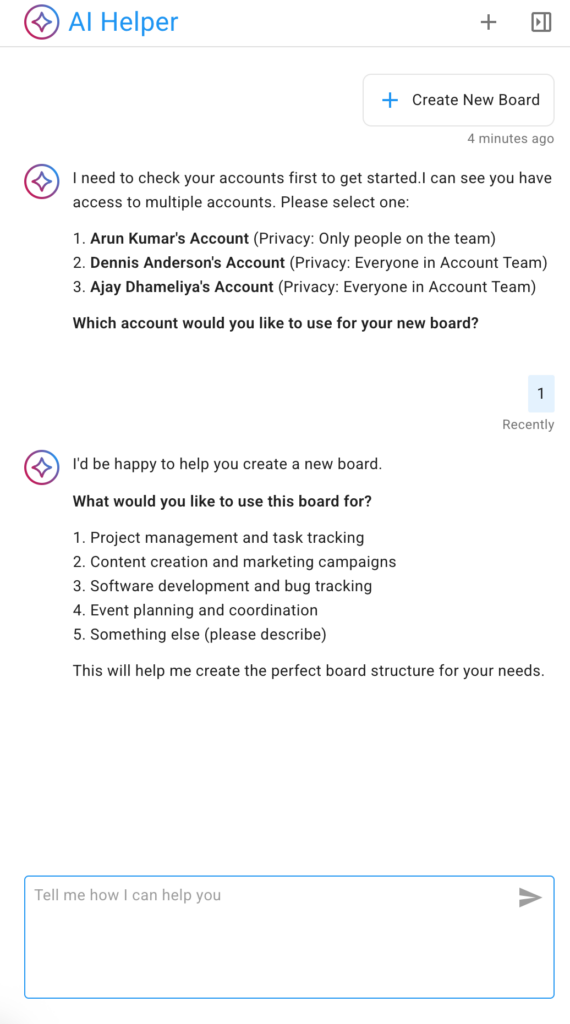
The AI Helper offers some suggested areas, as shown above. You can choose one, or simply provide more specifics about the kind of board you want to create.
In the example below the user selects the first suggested category: project management and task tracking:
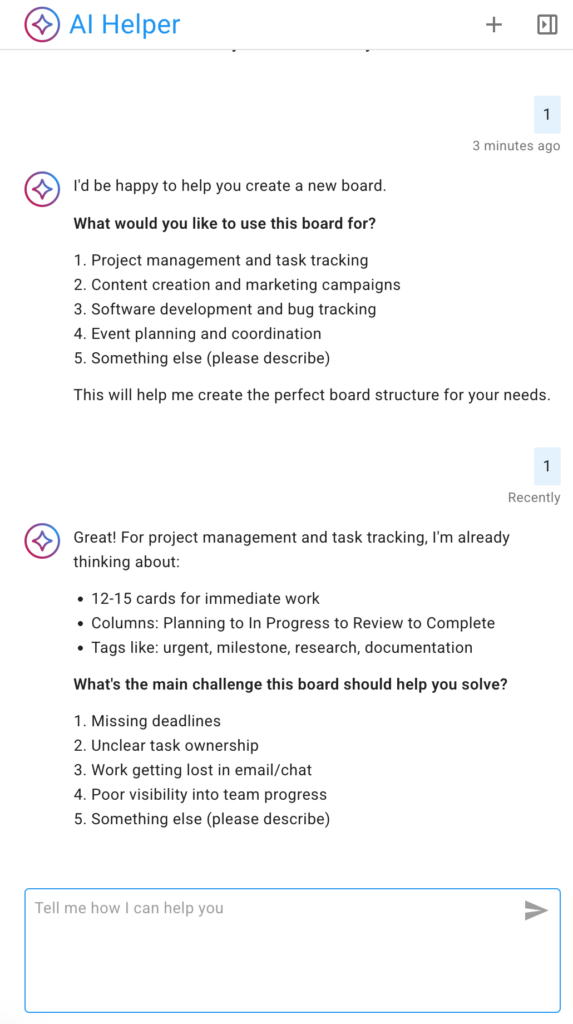
Unlike our first (experimental) version of an AI Helper, the new version is much more interactive: it provides suggestions and prompts to help the user think about what the new board should do, and, in particular, what kinds of management and collaboration problems they are currently facing.
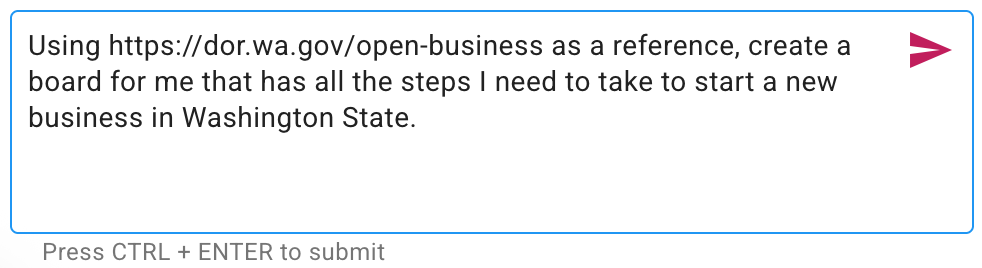
If you have something very specific in mind, you can skip the back-and-forth with the AI Helper and provide a specific request, like this example for a board that contains all the steps necessary to start a new business in Washington State:
Given a specific enough request, the AI Helper can quickly suggest a board that will meet the user’s needs:
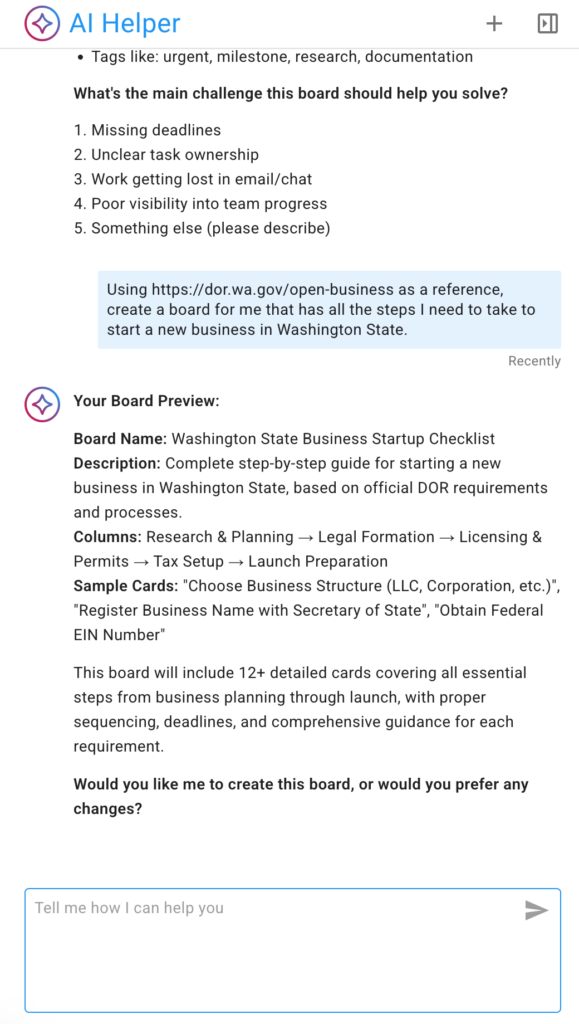
The AI Helper doesn’t immediately create a new board; instead, if first offers a preview so the user can confirm the new board will meet their needs.
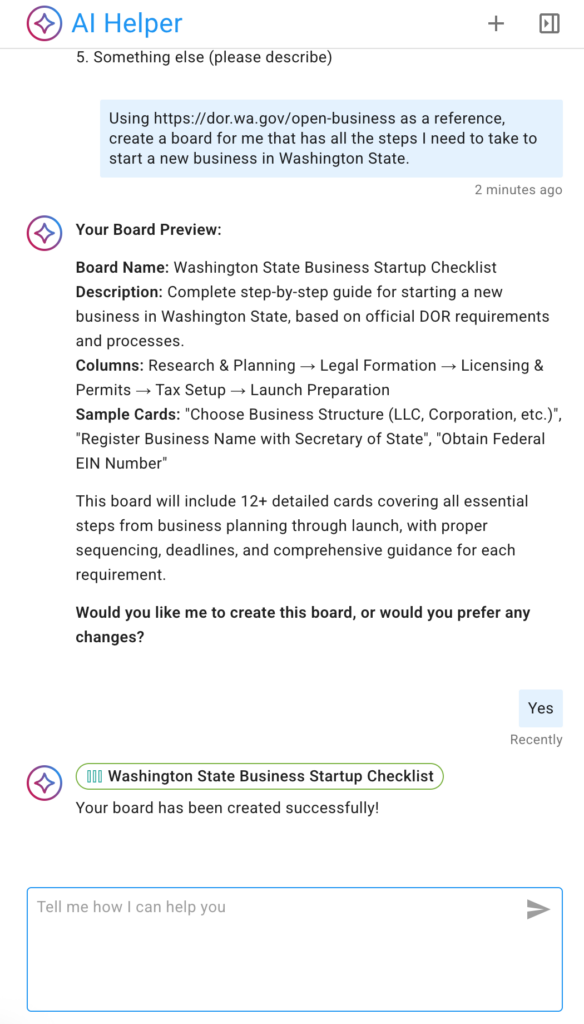
If the preview looks good, the user can ask the AI Helper to make the new board (this step can take a little time):
Once the new board is created, the AI Helper give a quick link to it:
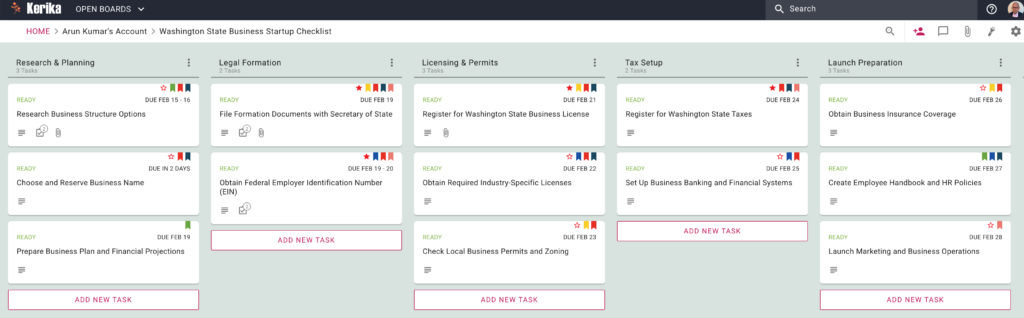
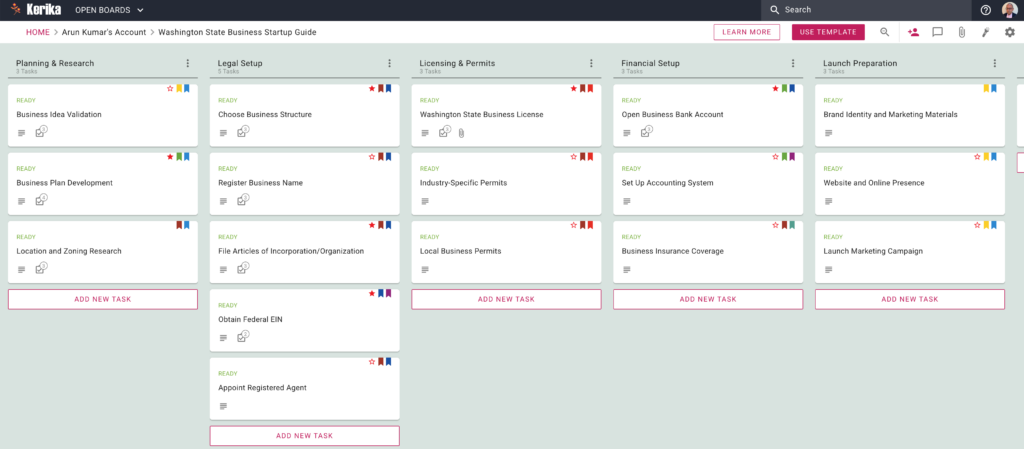
Here’s the new board created by the AI Helper: as you can see, the AI has also created appropriate and helpful tags, assigned the work to the user (since the user hadn’t said anything in their request about working with a team), and even estimated how long each task might take and assigned due dates accordingly.
Creating Templates
Creating templates works in the exact same way: for example, the user could have asked for a template to be created using the same reference source (Washington State’s Department of Revenue Guide for Starting Businesses).
This is what the output looks like:
Mobile & Tablet
The AI Helper is available on phones and tablet as well; the user interface is, naturally, a little different to accommodate the more limited screenshot
Please give this a try and let us know what you think!