Kerika’s AI Helper just got better: you can now import a variety of files that contain the tasks you want to include in building a new Task Board.
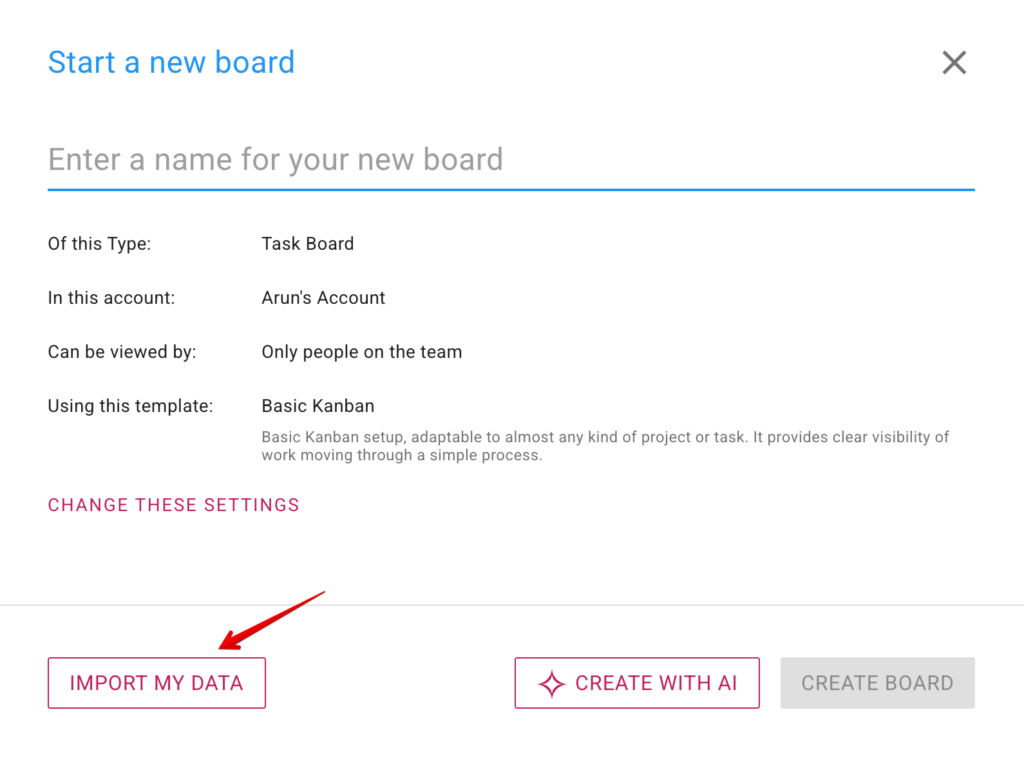
What had previously been an IMPORT FROM TRELLO button is now a more general IMPORT MY DATA. Clicking on it brings up your import options: from Trello, as before, and now also by uploading a file:
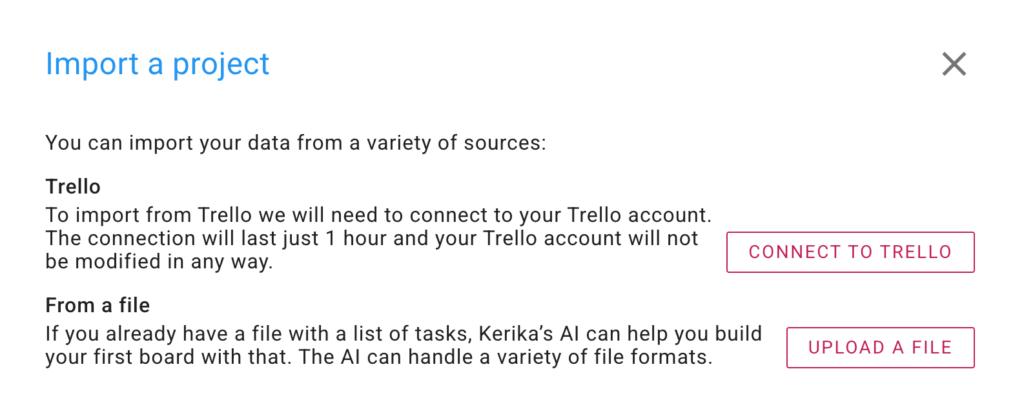
For refugees from Trello, the CONNECT TO TRELLO option is the best way to bring all, or just some, of your Trello boards into Kerika. Pressing this button results in Trello asking if it is OK for Kerika to have access to your Trello account for an hour. (Actually, we just need a few minutes, but Trello’s minimum access is 1 hour.)
If you have tasks in a Microsoft Word or Excel document, the UPLOAD A FILE option is best for you: pick a file and Kerika’s AI Helper will read it and figure out how to make a board with its contents.
Give it a try and let us know what you think!