Monthly Archives: June 2026

How to Start a New Business in Mississippi with Kerika’s Step-by-Step Template

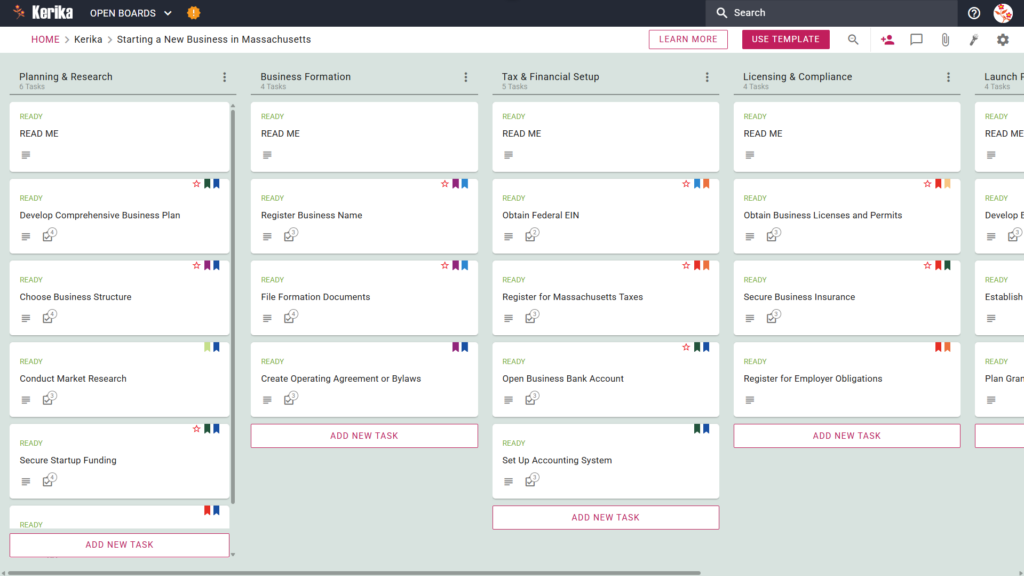
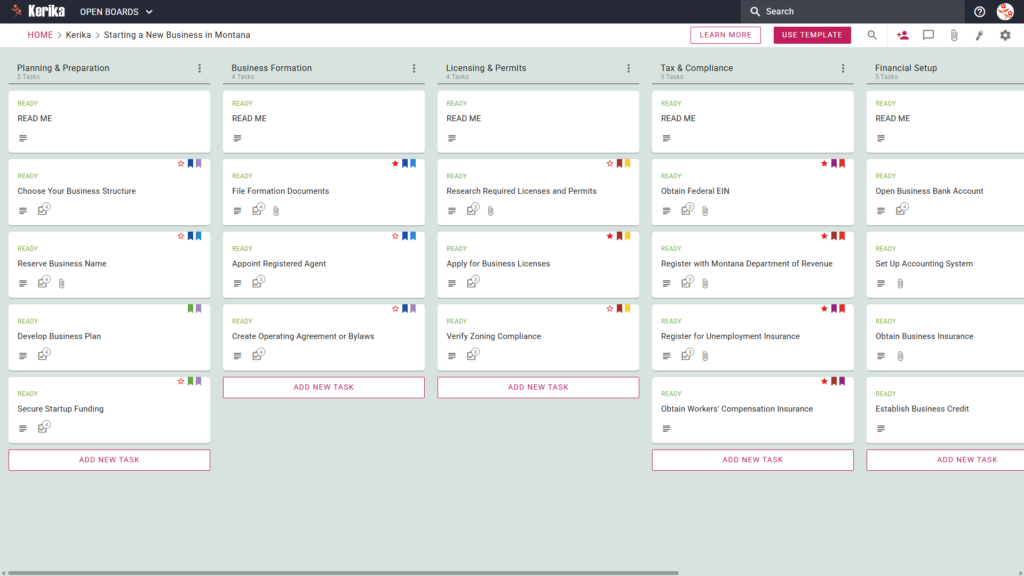
Banner titled "Starting a New Business in Mississippi" featuring a screenshot of a Kerika Kanban board with task columns for Planning & Research, Business Formation, Tax & Financial Setup, Licensing & Compliance, and Launch Preparation.

Click the image above to open the live template in a new tab

Launching a business means conquering a mountain of state-specific filings, legal hurdles, and logistical friction. In Mississippi, the administrative overhead of navigating registration requirements and tax compliance can stall your momentum before you even serve your first customer.

But don’t worry, this guide is here to help! We have engineered this template to transform the complex journey of business formation into a manageable, visual workspace. By providing a clear roadmap, we ensure you stay focused on building your brand while the template handles the heavy lifting of organization and deadline tracking.

Ready to launch your Mississippi dream? Let’s get started!

1. Who Can Use This

This template is built to support the diverse needs of founders at every level of the startup ecosystem:

  • Solo Entrepreneurs: Individuals looking for a clear, high-level roadmap to handle everything from market research and site selection to the final state tax registration without missing a single detail.
  • Partnership Founders: Small teams that require a “single source of truth” to divide formation responsibilities. This workspace allows partners to collaborate in real-time on critical governing documents like operating agreements or bylaws.
  • Startup Teams: Larger groups that need to synchronize efforts across multiple roles, from managing vendor and supplier relations to executing a comprehensive brand identity and grand opening strategy.

2. What it includes

The Starting a New Business in Mississippi template provides a comprehensive starting point with a pre-configured, visual layout:

  • A Five-Column Workflow: Your progress is tracked through the Planning & Research, Business Formation, Tax & Financial Setup, Licensing & Compliance, and Launch Preparation columns.
  • Planning & Formation: Pre-configured cards include Develop Comprehensive Business Plan, Choose Business Structure, and File Formation Documents.
  • Tax & Licensing: Dedicated cards are ready for Obtain Federal EIN, Register for Mississippi Taxes, and Obtain Business Licenses and Permits.
  • Financial Setup & Launch: To ensure a successful opening, the template includes cards for Open Business Bank Account, Set Up Accounting System, and Plan Grand Opening and Launch Strategy

3. When You Should Use This

This workspace provides the most value in high-stakes environments where organization and security are critical:

  • Beginning Your Entrepreneurial Journey: Use this template when you need a repeatable, reliable process to navigate official requirements from start-a-business, the official resource site from the Mississippi State government.
  • Navigating State Compliance: This is the perfect solution when you need to ensure compliance with Mississippi state law from day one. It helps you avoid the risk of missing critical obligations, like registering for Mississippi Taxes.
  • High-Stakes Document Security: Use this when your business launch requires strict access control. Kerika is the only task management tool that leaves file ownership entirely with you by storing sensitive legal and tax documents in your own Google Drive, OneDrive, or Box account.

4. How To Use It

Managing your startup logistics is straightforward with these core Kerika features:

  1. The READ ME Card: At the top of every column, you will find a “READ ME” card. Check these first; they contain the specific rules and criteria that must be met before any task can be moved to the next stage of the workflow.
  2. Advancing the Workflow: As you complete formation milestones, simply drag your task cards from left to right (e.g., from Business Formation to Tax & Financial Setup) to keep the entire team updated on your progress.
  3. The CHECKLIST Tab: Open any card and use the CHECKLIST tab to manage granular sub-tasks. Checking these off one-by-one ensures that even small details, such as specific permit types, are never overlooked.
  4. The ATTACHMENTS Tab: Use the ATTACHMENTS tab to upload formation documents or tax forms directly to the relevant card. These files remain in your secure cloud storage (Google Drive, OneDrive, or Box), keeping your sensitive data under your control.

Conclusion

Using a visual board for your Mississippi business launch keeps the process professional and organized, effectively eliminating the confusion of messy email chains. Because Kerika integrates seamlessly with Google Workspace and Microsoft 365, access rights are managed for you automatically.

When you add team members, Kerika ensures they get the read+write access they need to complete tasks, while external consultants or board directors can be added as Visitors with read-only access. By centralizing your documents and tasks in one secure, visual workspace, you ensure your organization maintains the highest professional standards from day one.

Need Something Different?

If this template isn’t exactly what you need, let us know at support@kerika.com, and we will create a custom version for you, free!
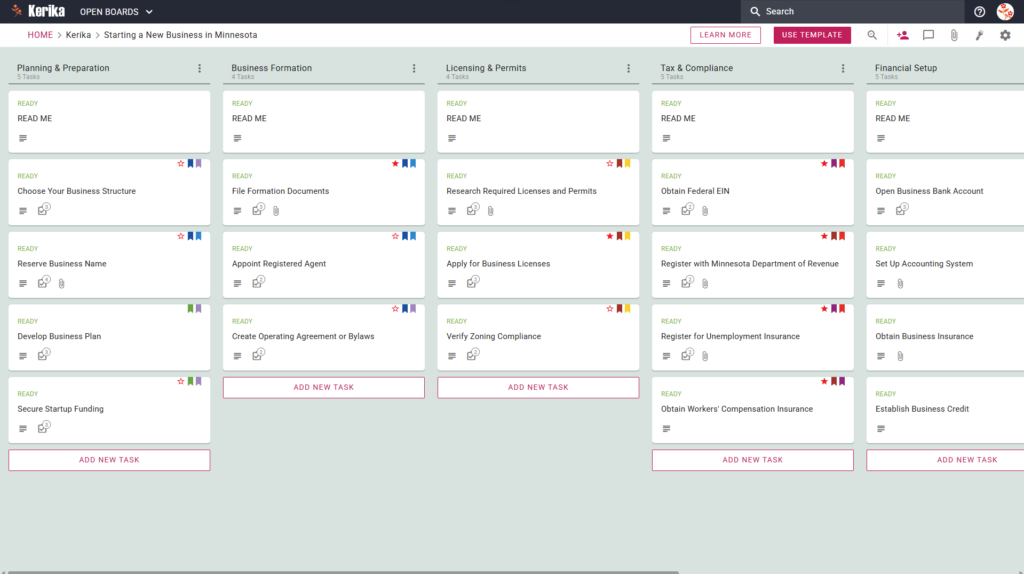
How to Launch Your Company with Kerika’s Starting a New Business in Minnesota Template

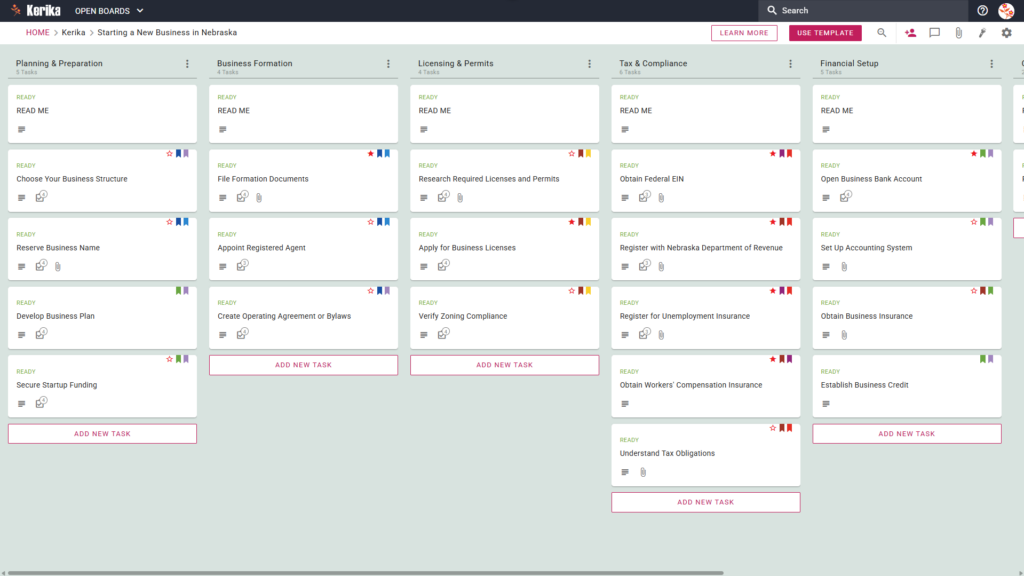
Banner titled "Starting a New Business in Minnesota" featuring a screenshot of a Kerika Kanban board with task columns for Planning & Preparation, Business Formation, Licensing & Permits, Tax & Compliance, and Financial Setup.

Click the image above to open the live template in a new tab

Starting a company in Minnesota involves a variety of logistical hurdles, from initial state filings to ensuring long-term compliance with local regulations. For many entrepreneurs, the friction lies in managing the administrative overhead while trying to build a brand. Navigating state-specific requirements can feel like juggling dozens of moving parts at once, and missing a single step can lead to costly delays.

But don’t worry, this guide is here to help! We designed this template to simplify the complex process of business formation in the North Star State. It provides a visual, structured roadmap that ensures you remain focused on your growth goals rather than getting lost in a mountain of paperwork. Ready to reclaim your time and productivity? Let’s get started!

1. Who Can Use This

This template is built to support the diverse needs of founders as they navigate the Minnesota business landscape:

  • Solo Entrepreneurs If you are starting out alone, you can use this template to manage every detail of your launch. It acts as a digital personal assistant, ensuring you track every task from name reservation to tax registration without feeling overwhelmed by the sheer volume of “to-dos.”
  • Partnership Founders When multiple owners are involved, clear communication is vital. Minnesota requires specific filings for LLPs or General Partnerships, and this board serves as your single source of truth. Partners can divide responsibilities one handling the legal filings while another manages the financial setup ensuring everyone knows exactly which steps are complete.
  • Startup Teams As teams grow, collaboration across different workstreams becomes more complex. Growing teams can use this template to collaborate across areas like finance, licensing, and operations. It keeps all project-related discussions and documents in one accessible place, preventing the “knowledge silos” that often plague new ventures.

2. What it includes

The Starting a New Business in Minnesota template provides a comprehensive, visual workflow designed to track your progress from your initial idea to your first day of trade. The board is organised into seven key columns:

  • Planning & Preparation: Lay the groundwork by choosing your business structure, using the Reserve Business Name task, and building out your formal business plan.
  • Business Formation: Manage the essential legalities. This includes tasks to Appoint Registered Agent, File Formation Documents, and Create Operating Agreement or Bylaws.
  • Licensing & Permits: Research and apply for the specific state and local licences required for your industry, including the crucial task to Verify Zoning Compliance.
  • Tax & Compliance: This column is the heart of your state obligations. It includes mandatory tasks to: Obtain Federal EIN, Register with Minnesota Department of Revenue, Register for Unemployment Insurance, Obtain Workers’ Compensation Insurance
  • Ongoing Operations: This ensures your business remains in good standing long after the launch, with tasks like File Annual Renewal.
  • Completed: The final destination for every task on your board, providing a satisfying visual record of everything you have achieved.

3. When You Should Use This

This workspace provides the most value in environments where organisation and strict state compliance are non-negotiable:

  • Beginning Your Entrepreneurial Journey: Use this template from day one to ensure no legal steps are missed. It provides a repeatable, reliable process that keeps your launch consistent and professional.
  • Navigating State Compliance: This is essential when following the official requirements found at the Office of the State Of Minnesota Secretary of State website. The template helps you translate those complex state requirements into actionable, manageable tasks.
  • High-Stakes Document Security: Business formation involves sensitive data your Articles of Incorporation and EIN Confirmation Letters should not live in a third-party database. Kerika stores your documents in your own Google Drive or OneDrive, ensuring you retain full ownership and control of your most sensitive filings.
  • Long-Term Maintenance: Beyond the initial launch, the template helps you manage Annual Renewals, ensuring you never miss a deadline that could jeopardise your company’s legal status.

4. How To Use It

Managing your Minnesota business launch is straightforward with these steps:

  1. The READ ME Card: You will find a “READ ME” card at the top of columns. Always check these first; they contain specific rules and guidance on the criteria that must be met before you move a task to the next stage of the workflow.
  2. Advancing the Workflow: As your tasks progress, simply drag the cards from left to right. Your ultimate goal is to move every card into the Completed column.
  3. The CHECKLIST Tab: Open any card and navigate to the CHECKLIST tab to manage sub-tasks. You can check these off one-by-one to ensure specific details, such as filing dates or specific financial figures, are never overlooked.
  4. The ATTACHMENTS Tab: Use the ATTACHMENTS tab to upload formation documents, licences, or insurance certificates directly to the relevant card. Because these files stay in your secure cloud storage, they are instantly accessible to your entire team.

Conclusion

Using a visual workflow ensures your Minnesota business launch is supported by organised, professional preparation. Because Kerika integrates seamlessly with Google Workspace and Microsoft 365, access rights are managed automatically.

Internal team members get the full access they need to build the business, while external advisors such as your Accountant or Attorney can be added as Visitors. In Kerika, visitors are free, allowing you to collaborate with professionals without increasing your software costs. Moving to a visual board eliminates messy email chains and ensures your new Minnesota venture maintains the highest professional standards from day one.

Need Something Different?

If this template isn’t exactly what you need, let us know at support@kerika.com, and we will create a custom version for you, free!
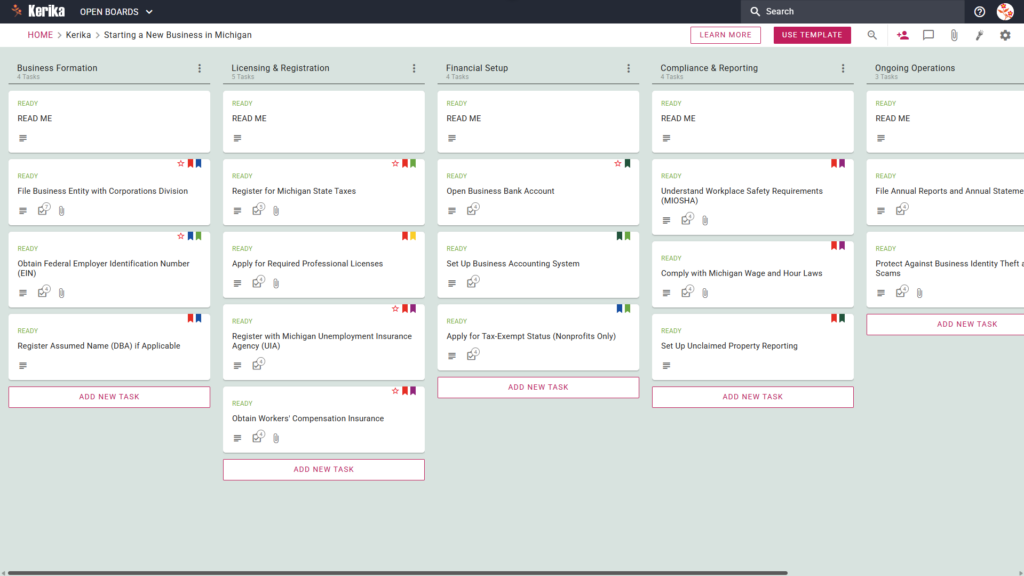
How to Streamline Your Michigan Business Launch with Kerika’s New Template

Banner titled "Starting a New Business in Michigan" featuring a screenshot of a Kerika Kanban board with task columns for Business Formation, Licensing & Registration, Financial Setup, Compliance & Reporting, and Ongoing Operations.

Click the image above to open the live template in a new tab

Starting a business in Michigan is an exciting milestone, but the regulatory hurdles and bureaucratic requirements can quickly become overwhelming. Between state-specific registrations and local compliance rules, it is easy to feel lost in a sea of paperwork and deadlines. This complexity often stalls momentum before the business even opens its doors.

But don’t worry, this guide is here to help. We designed the Michigan Business Launch template to transform these hurdles into a clear, manageable roadmap. By providing a visual workspace for every critical step, we help you navigate the process with confidence. Ready to turn your vision into a reality? Let’s get started!

1. Who Can Use This

  • Solo Entrepreneurs: If you are launching on your own, you need a way to keep track of every registration milestone, such as filing your Articles of Organization, without getting buried in details. This visual workspace ensures you don’t miss a single Michigan state requirement while managing the transition from “idea” to “entity” by yourself.
  • Partnership Founders: For those starting a business with a partner, clear communication is vital. This template serves as a single source of truth for tracking shared compliance responsibilities, ensuring both founders stay aligned on progress and legal requirements in the State of Michigan.
  • Startup Teams: Larger teams need a centralized hub to coordinate complex launches. This template allows teams to assign specific tasks and monitor the entire workflow, from initial formation to daily operations, in real-time, ensuring everyone from HR to Finance understands the compliance landscape.

2. What it includes

The Starting a New Business in Michigan template provides a comprehensive starting point with a pre-configured, visual layout.

  • A Five-Column Workflow: Your progress is tracked through the Business Formation, Licensing & Registration, Financial Setup, Compliance & Reporting, and Ongoing Operations columns.
  • Business Formation: Pre-configured cards include File Business Entity with Corporations Division, Obtain Federal Employer Identification Number (EIN), and Register Assumed Name (DBA) if Applicable.
  • Licensing & Registration: Dedicated cards are ready for Register for Michigan State Taxes, Apply for Required Professional Licenses, Register with Michigan Unemployment Insurance Agency (UIA), and Obtain Workers’ Compensation Insurance.
  • Financial Setup & Compliance: To ensure a successful opening, the template includes cards for Open Business Bank Account, Set Up Business Accounting System, Understand Workplace Safety Requirements (MIOSHA), and Comply with Michigan Wage and Hour Laws

3. When You Should Use This

This workspace provides the most value in high-stakes environments where organization and security are critical:

  • Beginning Your Entrepreneurial Journey: Use this template when you need a repeatable, reliable process to navigate official requirements from starting-a-business, the official resource site from the Michigan State government.
  • Navigating State Compliance: This is the perfect solution when you need to ensure compliance with Michigan state law from day one. It helps you avoid the risk of missing critical obligations, like registering with the Michigan Unemployment Insurance Agency (UIA) or obtaining Workers’ Compensation Insurance.
  • High-Stakes Document Security: Use this when your business launch requires strict access control. Kerika is the only task management tool that leaves file ownership entirely with you by storing sensitive legal and tax documents in your own Google Drive, OneDrive, or Box account.

4. How To Use It

  1. The READ ME Card: At the top of each column, you will find a “READ ME” card. Always check these first; they provide the specific rules and criteria that must be met before you move a task to the next stage. For example, a rule might state: “Do not move tasks to the Licensing column until your Federal EIN is confirmed.”
  2. Advancing the Workflow:Managing your progress is simple. As you meet each milestone, move the task cards from left to right across the board. This visual progression helps you see exactly how close you are to completing your Michigan business setup and prevents the “bottleneck” feeling of having too many unfinished administrative tasks.
  3. The CHECKLIST Tab: To ensure no detail is overlooked, open any card and navigate to the CHECKLIST tab. Here, you can manage sub-tasks and check them off one-by-one. This is perfect for tracking the small but vital steps required for complex filings, ensuring every date and figure is accurate.
  4. The ATTACHMENTS Tab: Use the ATTACHMENTS tab to upload important documents, such as Michigan Form 518 (Registration for Michigan Taxes) or proof of filing, directly to the relevant cards. Kerika stores these files securely in your own Google Drive or OneDrive, ensuring you always have easy access to your official records in a secure, centralized location.

Conclusion

Using a visual Kanban board for your business setup simplifies the daunting task of a Michigan launch into a structured, manageable process. As a strategist, I know that the real challenge isn’t just starting, it’s maintaining the “friction of governance” as you scale. By organizing your data early, you reduce this friction.

Because Kerika keeps your files secure in your own cloud storage like Google Drive or OneDrive you maintain full control over your sensitive business data. The platform also makes team collaboration effortless, allowing you to share the workload while keeping everyone on the same page. Your Michigan business launch is entirely manageable when you have the right tools to guide you.

Need Something Different?

If this template isn’t a perfect fit for your unique situation, we are here to help. Simply email us at support@kerika.com, and we will create a free custom version tailored to your specific business needs.

How to Start a New Business in Massachusetts with Kerika’s Expert Template

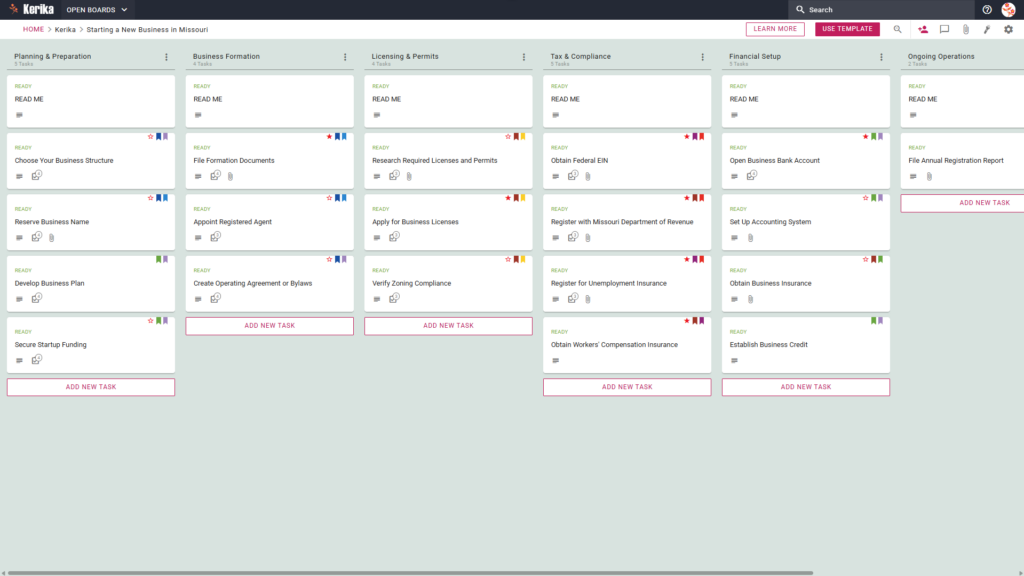
Banner titled "Starting a New Business in Massachusetts" featuring a screenshot of a Kerika Kanban board with task columns for Planning & Research, Business Formation, Tax & Financial Setup, Licensing & Compliance, and Launch Preparation.

Click the image above to open the live template in a new tab

Starting a business in the Commonwealth involves navigating a complex web of state-specific regulations and filings. Navigating the Commonwealth’s specific filing requirements shouldn’t keep you up at night, yet the administrative burden often feels like a barrier to your entrepreneurial dreams.

We have designed this template to transform that anxiety into a clear, manageable plan. By providing a visual workspace for organising every phase of your launch from selecting a structure to finalising your marketing we ensure you never miss a beat. But don’t worry, this guide is here to help!

Ready to turn your vision into a legal reality? Let’s get started!

1. Who Can Use This

This template is designed to support different types of founders as they navigate the complexities of state compliance:

  • Solo Entrepreneurs: If you are managing every detail of your new venture alone, this template acts as your personal project manager. It provides a clear roadmap to ensure no administrative requirement is overlooked while you focus on growth.
  • Partnership Founders: For co-founders who need a shared source of truth, this board coordinates legal agreements and responsibilities. It keeps all stakeholders aligned on the progress of critical formation documents.
  • Startup Teams: This layout is perfect for groups needing to delegate specialised tasks like marketing and financial setup. It allows the team to collaborate efficiently across different operational areas without losing sight of the big picture.

2. What it includes

We have designed this template to provide a comprehensive, pre-configured layout to guide you through the business lifecycle:

  • Planning & Research: Focuses on initial strategy, including tasks like Conduct Market Research and  Select Business Location.
  • Business Formation: Covers legal registration, including Register Business Name and creating operating agreements.
  • Tax & Financial Setup: Dedicated to obtaining an EIN, setting up accounting systems, and opening Open Business Bank Account.
  • Licencing & Compliance: Manages the acquisition of Business Licences and Permits and ensures you Secure Business Insurance.
  • Launch Preparation: Finalises brand identity and allows you to Plan Grand Opening and Launch Strategy.

3. When You Should Use This

This workspace provides the most value in high-stakes environments where organization and security are critical:

  • Beginning Your Entrepreneurial Journey: Use this template when you need a repeatable, reliable process to navigate official requirements from guide-to-starting-a-business-in-massachusetts, the official resource site from the Massachusetts State government.
  • Navigating State Compliance: This is the perfect solution when you need to ensure compliance with Massachusetts state law from day one. It helps you avoid the risk of missing critical obligations, like registering for Massachusetts Taxes.
  • High-Stakes Document Security: Use this when your business launch requires strict access control. Kerika is the only task management tool that leaves file ownership entirely with you by storing sensitive legal and tax documents in your own Google Drive, OneDrive, or Box account.

4. How To Use It

Managing your board prep is straightforward with these steps:

  1. The READ ME Card: You will find “READ ME” cards at the top of every column. These are essential starting points that contain our specific rules for moving tasks between stages, ensuring you meet the necessary criteria before progressing.
  2. Advancing the Workflow: As you complete different phases of your setup, move the task cards from left to right. For example, once your Business Formation is complete, you can begin moving cards into the Tax & Financial Setup column to signal the next phase of the project.
  3. The CHECKLIST Tab: For detailed items like “File Formation Documents”, open the card and navigate to the CHECKLIST tab. This allows you to manage specific sub-tasks one-by-one, ensuring no small detail is missed during the registration process.
  4. The ATTACHMENTS Tab: Use the ATTACHMENTS tab to store your certificates of organisation or EIN confirmation letters. By attaching them directly to the relevant cards, you keep your documents organised within your own secure Google Drive or OneDrive account while keeping them accessible to the whole team.

Conclusion

Using a visual Kanban board for your business setup eliminates the chaos of scattered spreadsheets and emails. Kerika manages access rights and integrates directly with your cloud storage, keeping sensitive legal documents secure while providing your team with the transparency they need. 

Because Kerika connects seamlessly with your files, when a user’s role is changed in Kerika, their file access in the connected Google Drive or OneDrive is updated instantly. By using this structured approach, you ensure your organisation maintains professional standards from day one.

Need Something Different?

If this template isn’t exactly what you need, let us know at support@kerika.com, and we will create a custom version for you, free!
How to Launch Your Venture with Kerika’s ‘Starting a New Business in Maryland’ Template

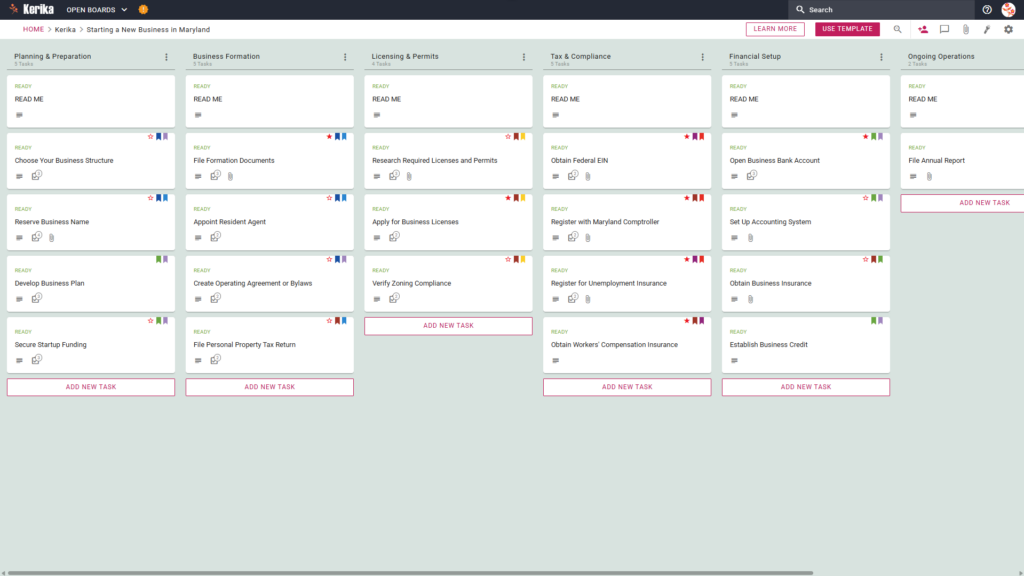
Banner titled "Starting a New Business in Maryland" featuring a screenshot of a Kerika Kanban board with task columns for Planning & Preparation, Business Formation, Licensing & Permits, Tax & Compliance, Financial Setup, and Ongoing Operations.

Click the image above to open the live template in a new tab

Starting a venture in Maryland is an ambitious milestone, but the administrative overhead can often feel like a massive logistical hurdle. Navigating the specific requirements of the Maryland Comptroller and the legalities of choosing a business structure creates significant friction for many founders.

This complexity can lead to delays or critical gaps in your governance framework. But don’t worry, this guide is here to help! We have designed this template to simplify your regulatory roadmap and provide a structured workspace for your entire team.

Ready to turn your business idea into a reality? Let’s get started!

1. Who Can Use This

This template is built to support different types of founders as they navigate the Maryland regulatory landscape:

  • Solo Entrepreneurs: This workspace allows individuals to stay organised and manage every regulatory detail without needing a large administrative support team.
  • Partnership Founders: For those launching with a partner, the board acts as a single source of truth to track shared responsibilities and prevent overlapping efforts.
  • Startup Teams: Visual collaboration allows growing teams to move through the formation process efficiently, ensuring everyone is aligned as the organisation grows.

2. What it Includes:

The Starting a New Business in Maryland template provides a comprehensive starting point with a pre-configured, visual layout:

  • A Six-Column Workflow: Your progress is tracked through the Planning & Preparation, Business Formation, Licensing & Permits, Tax & Compliance, Financial Setup, and Ongoing Operations columns.
  • Planning & Formation: Pre-configured cards include Choose Your Business Structure, Develop Business Plan, and File Formation Documents.
  • Licensing, Tax & Compliance: Dedicated cards are ready for Apply for Business Licenses, Register with Maryland Comptroller, and Obtain Workers’ Compensation Insurance.
  • Financial Setup & Operations: To ensure a successful opening, the template includes cards for Open Business Bank Account, Set Up Accounting System, and File Annual Report.

3. When You Should Use This:

This workspace provides the most value in high-stakes environments where organization and security are critical:

  • Beginning Your Entrepreneurial Journey: Use this template when you need a repeatable, reliable process to navigate official requirements from Start Your Business – Maryland Business Express, the official resource site from the Maryland State government.
  • Navigating State Compliance: This is the perfect solution when you need to ensure compliance with Maryland state law from day one. It helps you avoid the risk of missing critical obligations, like registering with the Maryland Comptroller or obtaining Workers’ Compensation Insurance.
  • High-Stakes Document Security: Use this when your business launch requires strict access control. Kerika is the only task management tool that leaves file ownership entirely with you by storing sensitive legal and tax documents in your own Google Drive, OneDrive, or Box account.

4. How To Use It

Managing your business launch is straightforward when you follow these steps within the Kerika platform:

  1. The READ ME Card: You will find a READ ME card at the top of every column. Think of these as process gates or quality control checkpoints; always check these first for the specific criteria that must be met before moving tasks.
  2. Advancing the Workflow: Move your task cards from left to right as milestones are met. This ensures your team only focuses on “ready” materials and avoids the chaos of jumping ahead before your legal foundation is laid.
  3. The CHECKLIST Tab: Open every card and navigate to the CHECKLIST tab to manage sub-tasks. You can check these off one-by-one to ensure that no small detail, such as a specific Maryland filing fee or figure, is ever overlooked.
  4. The ATTACHMENTS Tab: Use the ATTACHMENTS tab to store sensitive documents like your Articles of Organisation. Kerika is the only task management tool that leaves file ownership entirely with you by storing documents in your own Google Drive or OneDrive account.

Conclusion

Using a visual board for your business launch allows you to eliminate messy email chains and maintain high-level business credibility. Because Kerika integrates seamlessly with Google Workspace and Microsoft 365, your document access and security are managed automatically.

When you change a user’s role in Kerika, their file access in your cloud storage is updated instantly. Internal team members get the read+write access they need to build the business, while legal counsel or external partners can be added as Visitors with read-only access.

By following this structured workflow, you ensure your new venture maintains the highest professional standards from day one. It transforms a complex bureaucratic process into a manageable, transparent series of successful steps.

Need Something Different?

If this template isn’t exactly what you need, let us know at support@kerika.com and we will create a custom version for you, free!
How to Start a New Business in Maine with Kerika’s Visual Template

Banner titled "Starting a New Business in Maine" featuring a screenshot of a Kerika Kanban board with task columns for Planning & Preparation, Business Formation, Licensing & Permits, Tax & Compliance, Financial Setup, and Ongoing Operations.

Click the image above to open the live template in a new tab

Starting a new business in the Pine Tree State can feel like a massive logistical hurdle, especially when you are faced with the administrative overhead of navigating Maine’s specific rules and paperwork. For many founders, the real friction lies in understanding the sequence of filings missing one local permit or state tax registration can derail your momentum before you even serve your first customer. 

But don’t worry, this guide is here to help! We designed this template to simplify the complex process of business formation, providing a visual, structured workspace for your entire team. Ready to launch your Maine business with confidence? Let’s get started!

1. Who Can Use This

This template is built to support various types of professionals and organisations looking to establish a firm legal and operational footing in Maine:

  • Solo Entrepreneurs: Individuals looking for a clear roadmap to handle every task on their own without missing critical state requirements.
  • Partnership Founders: Small groups needing a shared workspace to divide responsibilities and track progress collaboratively.
  • Startup Teams: Growing teams that require a “single source of truth” for complex state compliance and setup to ensure nothing falls through the cracks.

2. What it includes

The template provides a comprehensive starting point with a pre-configured, visual layout designed to manage the specific workflow of a Maine startup. Based on our experience consulting with small businesses, we have structured the Six-Column Workflow to cover every angle:

  • Planning & Preparation: Focus on foundational steps such as choosing a business structure, reserving your name, and securing startup funding.
  • Business Formation: Track the filing of formation documents, appointing a Registered Agent, and creating essential governance documents like operating agreements.
  • Licensing & Permits: Maine requires a careful eye on both state and local requirements. This column helps you manage research for state licences and navigate municipal complexities like Zoning Compliance, which often varies significantly between Maine towns.
  • Tax & Compliance: Handle essential registrations including your Federal EIN and unemployment insurance. Crucially, this section includes the mandatory task to Register with Maine Revenue Services.
  • Financial Setup: Organise the opening of business bank accounts, setting up accounting systems, and establishing business credit.
  • Ongoing Operations: This column ensures your business stays in good standing for the long haul by tracking recurring requirements, such as the need to File Annual Report with the Secretary of State.

3. When You Should Use This

This workspace provides the most value in high-stakes environments where organization and security are critical:

  • Beginning Your Entrepreneurial Journey: Use this template when you need a repeatable, reliable process to navigate official requirements from Start a Business | Office of Business Development, the official resource site from the Maine State government.
  • Navigating State Compliance: This is the perfect solution when you need to ensure compliance with Maine state law from day one. It helps you avoid the risk of missing critical obligations, like registering with Maine Revenue Services or obtaining Workers’ Compensation Insurance.
  • High-Stakes Document Security: Use this when your business launch requires strict access control. Kerika is the only task management tool that leaves file ownership entirely with you by storing sensitive legal and tax documents in your own Google Drive, OneDrive, or Box account.

4. How To Use It

Managing your business launch is straightforward with these Kerika features. In our experience, this visual clarity is what prevents the “compliance panic” that many new founders face when deadlines loom.

  1. The READ ME Card: You will find a “READ ME” card at the top of every column. Always check these first; they contain specific rules and criteria that act as a quality gate before you advance your tasks.
  2. Advancing the Workflow: Simply drag and drop task cards between columns as milestones are achieved. This eliminates the “email chain nightmare” where status updates get lost in buried threads, everyone can see exactly where the launch stands at a glance.
  3. The CHECKLIST Tab: Open any card and navigate to the CHECKLIST tab to manage granular sub-tasks. This is where you track the “nitty-gritty” details, such as specific municipal filing dates or document requirements, so no detail is ever missed.
  4. The ATTACHMENTS Tab: Use the ATTACHMENTS tab to upload formation documents or licences directly to the relevant card. These files stay secure in your own Google Drive or OneDrive account, ensuring your sensitive legal documents are never trapped in a proprietary silo.

Conclusion

Using a visual board ensures your Maine business launch is supported by professional, organised preparation. By moving to a visual system, you can eliminate messy email chains and keep all your formation documents in one central, accessible place.

Because Kerika integrates seamlessly with Google Workspace and Microsoft 365, access rights are managed automatically. Team members receive the read+write access they need to build the business, while external advisors like your accountant or lawyer can be added as “Visitors” with read-only access to review your progress without altering your workflow.

Need Something Different?

If this template isn’t exactly what you need, let us know at support@kerika.com and we will create a custom version for you, free!
Resizing the width of cards on the desktop

A minor feature enhancement: now you can make the card details dialog wider, if you prefer, on the desktop: just move your mouse to the right or left-edge of the dialog that’s shown when you open a card on a Kerika Task Board, and you will see the cursor change to indicate that you can drag the edge to the left of right:

Image shows the mouse at the right edge of a card details dialog on the desktop, where it has changed its appearance to indicate that the edge of the dialog can be dragged sideways to change the width of the dialog.

Copying cards as Markdown

A feature that some of our more technical users may appreciate: you can now copy the contents of a card on a Kerika Task Board as markdown. To use this feature, use the right-mouse button, and the new option for Copy as Markdown:

Screenshot shows the options available when the user uses a right-mouse-button click on a card on a Kerika Task Board. The option for "Copy as Markdown" is highlighted.

You can paste the markdown it straight into ChatGPT, Claude, or your favorite AI tool to generate code, summaries, or replies without any manual formatting.

Starting a New Business in Louisiana: A Step-by-Step Template to Launch with Confidence

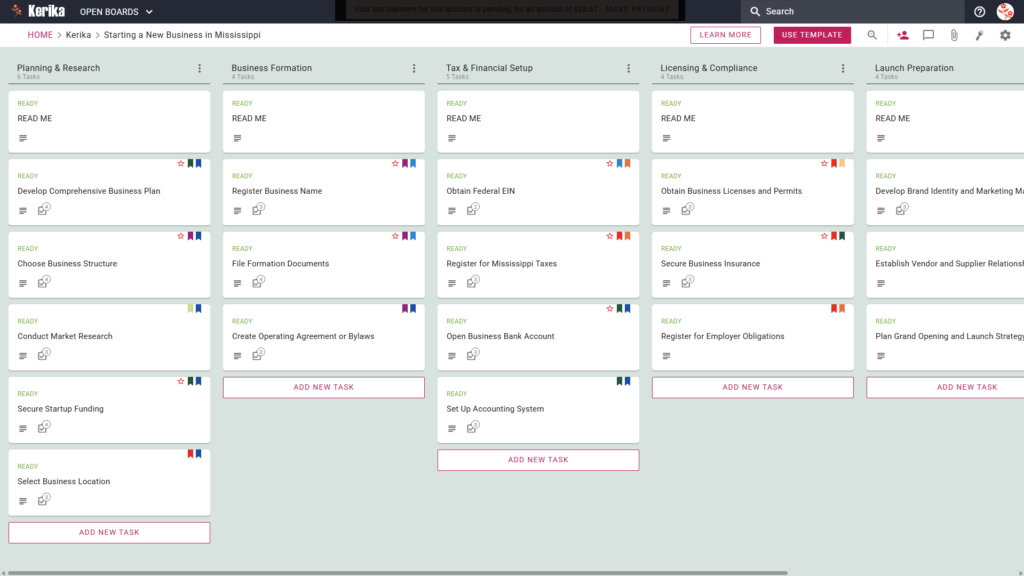
Banner titled "Starting a New Business in Louisiana" featuring a screenshot of a Kerika Kanban board with task columns for Planning & Preparation, Business Formation, Licensing & Permits, Tax & Compliance, and Financial Setup.

Click the image above to open the live template in a new tab

Organising a new business can feel like a massive logistical hurdle, especially when you are faced with the administrative overhead of state-specific regulations. In Louisiana, the real friction often lies in navigating the various legal filings, tax registrations, and licensing requirements. Managing these moving parts across messy email chains or static lists can lead to missed deadlines and unnecessary stress.

But don’t worry, this guide is here to help! This template serves as your operational backbone, simplifying the complex journey of business formation. It provides a visual, structured workspace for your entire team, allowing you to track every requirement from initial planning to ongoing operations. By using a visual board, you gain an immediate status update at a glance, eliminating the need for constant progress meetings. Ready to reclaim your time and productivity? Let’s get started!

1. Who Can Use This

This template is built to support the diverse range of entrepreneurs looking to establish a presence in the Pelican State:

  • Solo Entrepreneurs You can use this as a clear roadmap to navigate state requirements alone, ensuring you follow a structured path without needing an expensive consultant.
  • Partnership Founders Small teams needing a “single source of truth” to divide responsibilities, assign tasks, and collaborate without losing track of document versions.
  • Startup Teams Growing organisations that need to coordinate complex licensing, tax setups, and financial requirements while maintaining high professional standards.

2. What it includes

The Starting a New Business in Louisiana template provides a comprehensive starting point with a pre-configured, visual layout:

  • A Six-Column Workflow: Your progress is tracked through the Planning & Preparation, Business Formation, Licensing & Permits, Tax & Compliance, Financial Setup, and Ongoing Operations columns.
  • Planning & Formation: Pre-configured cards include Choose Your Business Structure, Develop Business Plan, and File Formation Documents.
  • Licensing, Tax & Compliance: Dedicated cards are ready for Apply for Business Licenses, Register with Louisiana Department of Revenue, and Obtain Workers’ Compensation Insurance.
  • Financial Setup & Operations: To ensure a successful opening, the template includes cards for Open Business Bank Account, Set Up Accounting System, and File Annual Report.

3. When You Should Use This

This workspace provides the most value when organisation and compliance are non-negotiable:

  • Transitioning to Formal Registration: Use this when you are ready to move from a casual idea to a formal legal entity and need a repeatable process to follow.
  • Navigating State Requirements: This is the ideal tool when dealing with specific mandates from the Louisiana State government, helping you keep track of unique local filings.
  • Ensuring Compliance: Use the template to ensure no critical tax, zoning, or insurance step, such as obtaining Workers’ Compensation Insurance (found within the Tax & Compliance column) is missed during the busy launch phase.

4. How To Use It

Managing your business launch is straightforward with these features:

  1. The READ ME Card You will find a “READ ME” card at the top of every column. Always check these first. They contain specific rules on the criteria that must be met before you consider a stage complete or move tasks to the next column.
  2. Advancing the Workflow As you complete your milestones, move task cards from left to right. This visual progression ensures the entire team knows exactly which stage the business is in whether you are still in Business Formation or have moved into Financial Setup.
  3. The CHECKLIST Tab Open every card and navigate to the CHECKLIST tab to manage specific sub-tasks. You can check these off one-by-one to ensure no detail, such as a specific filing date or fee amount, is ever overlooked.
  4. The ATTACHMENTS Tab Use the ATTACHMENTS tab to upload your formation documents, tax certificates, or bylaws directly to the relevant card. This keeps your most important legal documents in a secure, centralised location where they are easily accessible.

Conclusion

Using this template ensures your business launch is supported by professional, organised preparation. Kerika is the only task management tool that leaves file ownership entirely with you by storing documents in your own Google Drive, Microsoft 365, or Box account. This ensures your board acts as a digital mission control where you retain full control over your intellectual property.

Kerika manages access rights effectively: you can grant team members the read+write access they need to complete tasks, while keeping other stakeholders as Visitors with read-only access. By moving to a visual board, you eliminate messy email chains and ensure your new organisation maintains the highest professional standards from day one.

Need Something Different?

If this template isn’t exactly what you need, let us know at support@kerika.com and we will create a custom version for you, free!
A simpler way to get support

We had a way for people to enter support requests as tickets on Freshdesk, but very few people ever used this feature. (We like to think that’s because Kerika has very few bugs :-))

But there has always been a simpler way to get in touch with us, built right into the app: when you click on the “?” icon at the top right corner of the app (on desktop), a menu appears:

Screenshot showing the top-right area of the Kerika desktop app, with an arrow pointing to the question mark icon that accesses help.

Screenshot showing the menu that appears when a user clicks on the question mark icon at the top-right corner of the Kerika desktop app. The menu options are for Keyboard Shortcuts, Video Tutorials, Kerika's Blog, and Contact Kerika. An arrow points at the Contact Kerika option.

On mobile, go to Home and click on your profile picture on the top-left, and you will see GET HELP on the dialog that appears: