Global, distributed, agile: words that describe Kerika, and WIKISPEED.
WIKISPEED is a volunteer based green automotive-prototyping company that’s distributed around the world and coming together on a Kerika board to design and build safe, low-cost, ultra-efficient, road-legal vehicles.
We first visited WIKISPEED in the summer of 2012, as part of our research into the needs of distributed, agile teams.
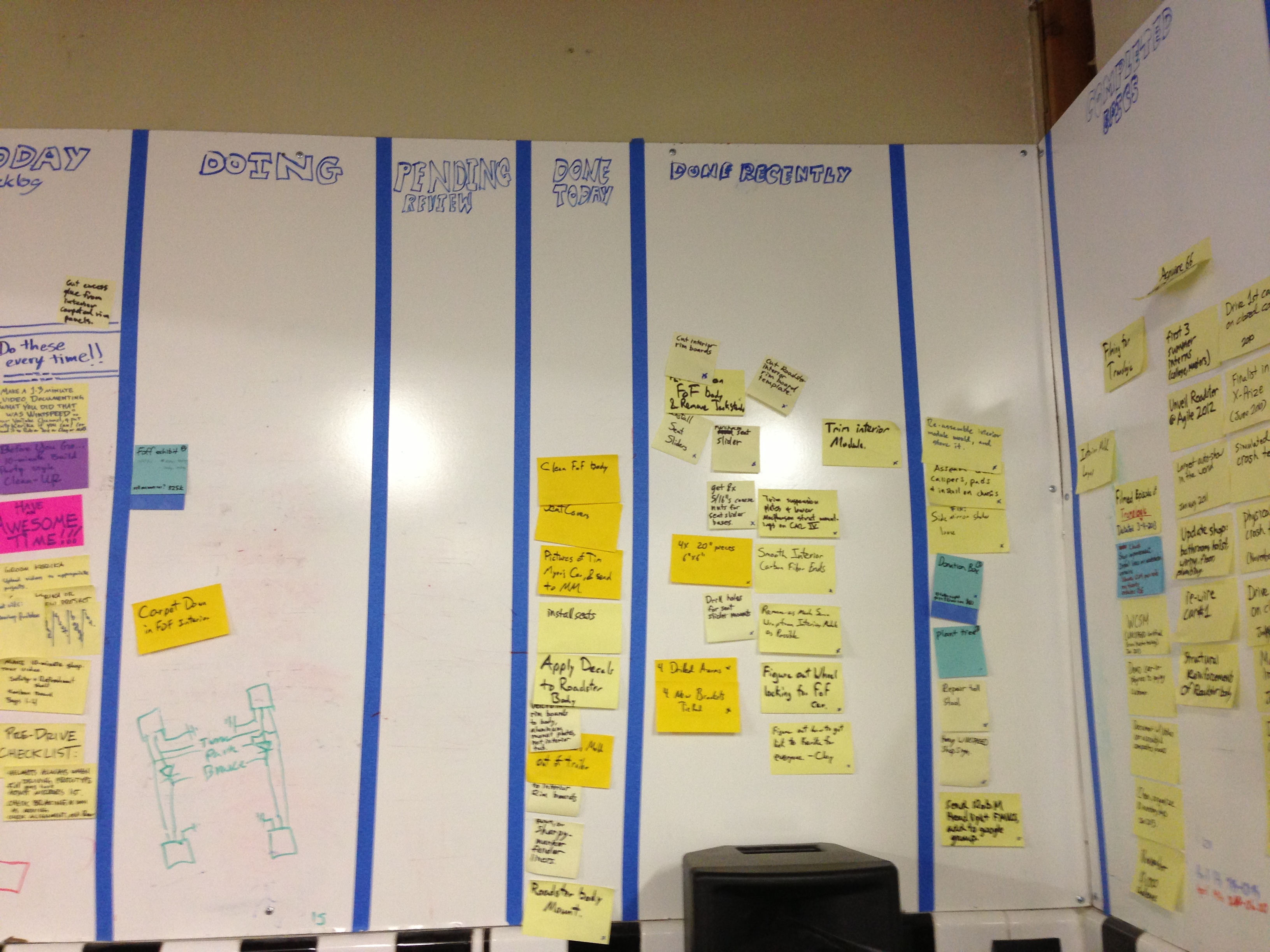
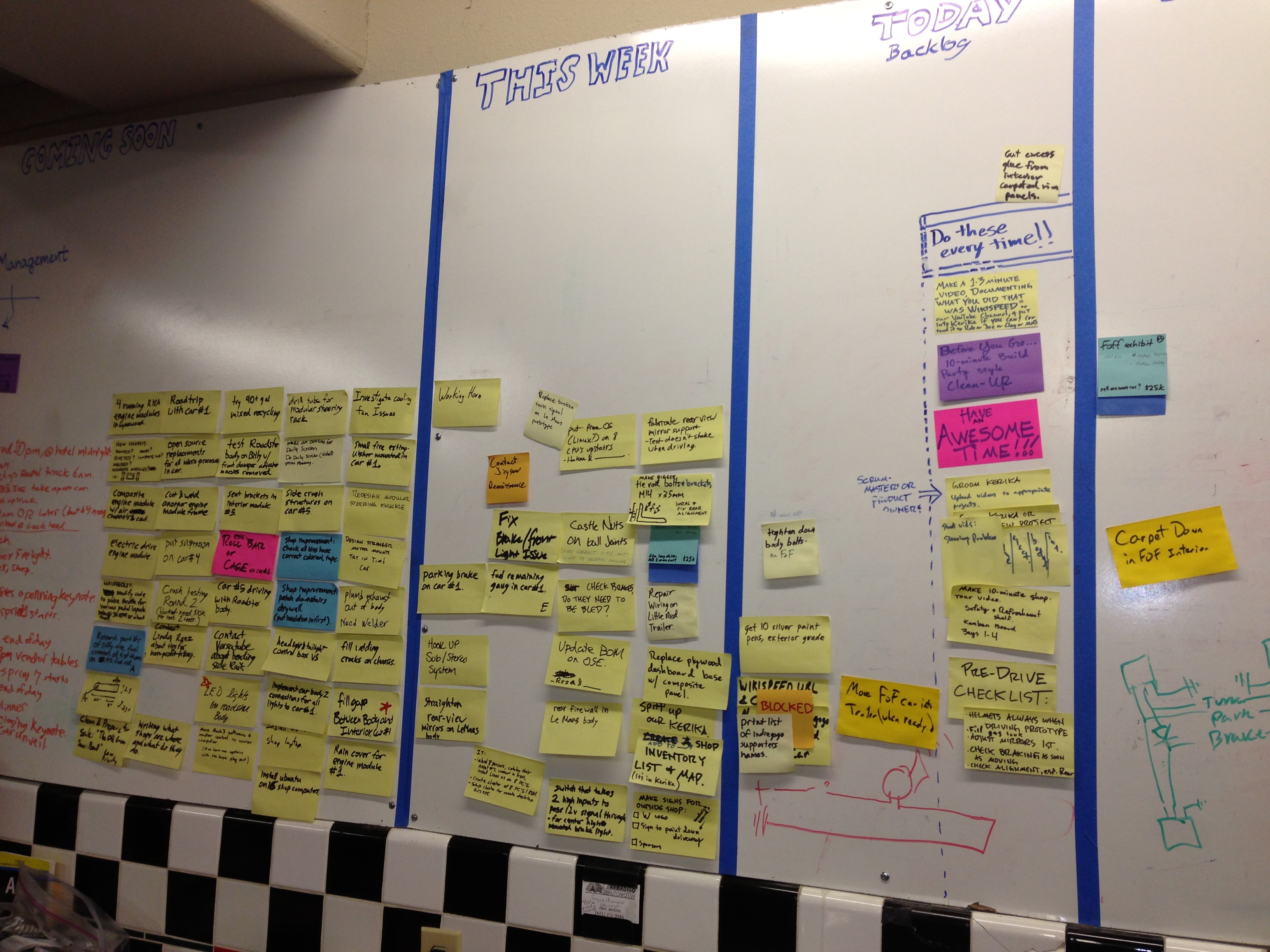
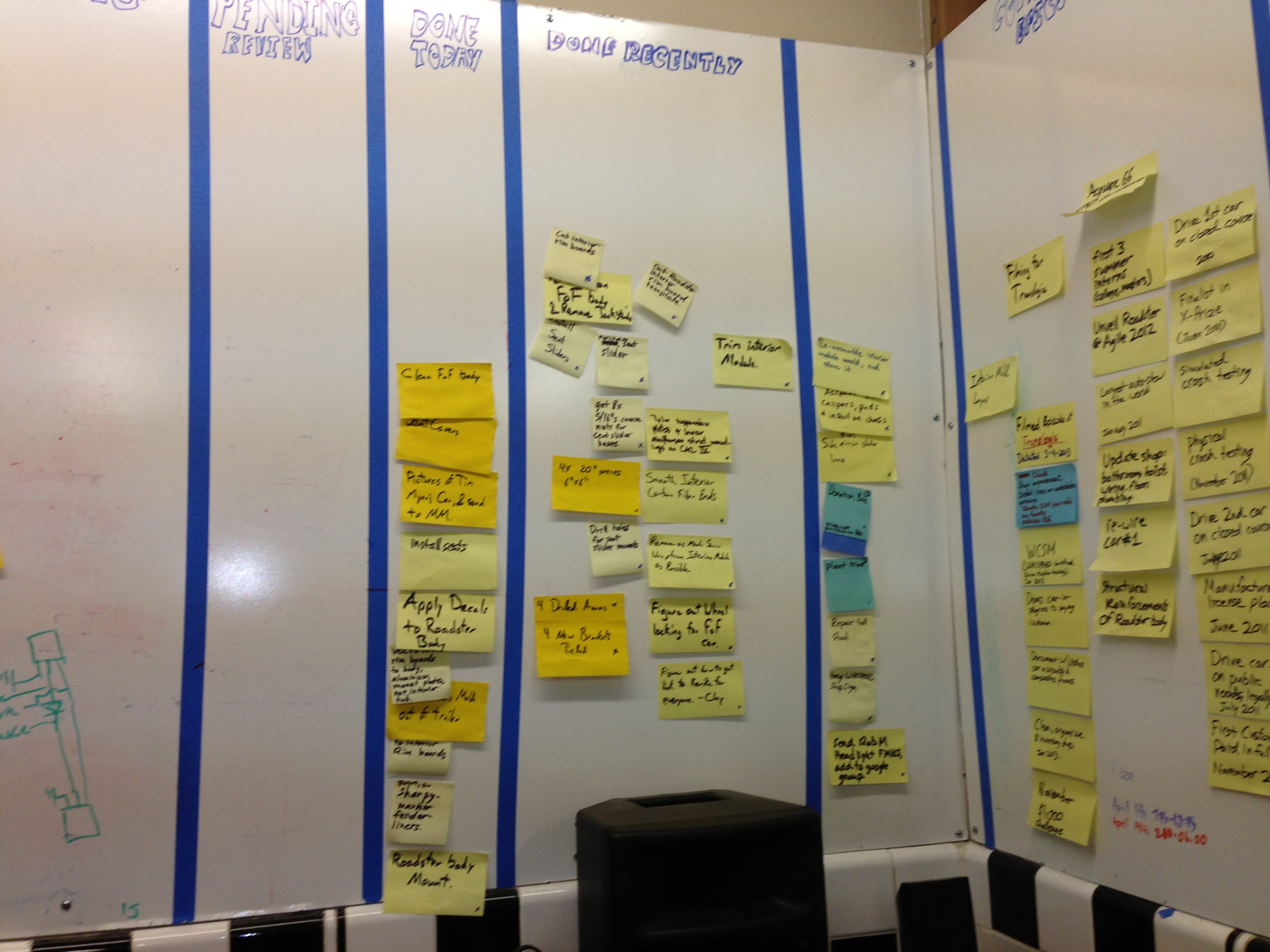
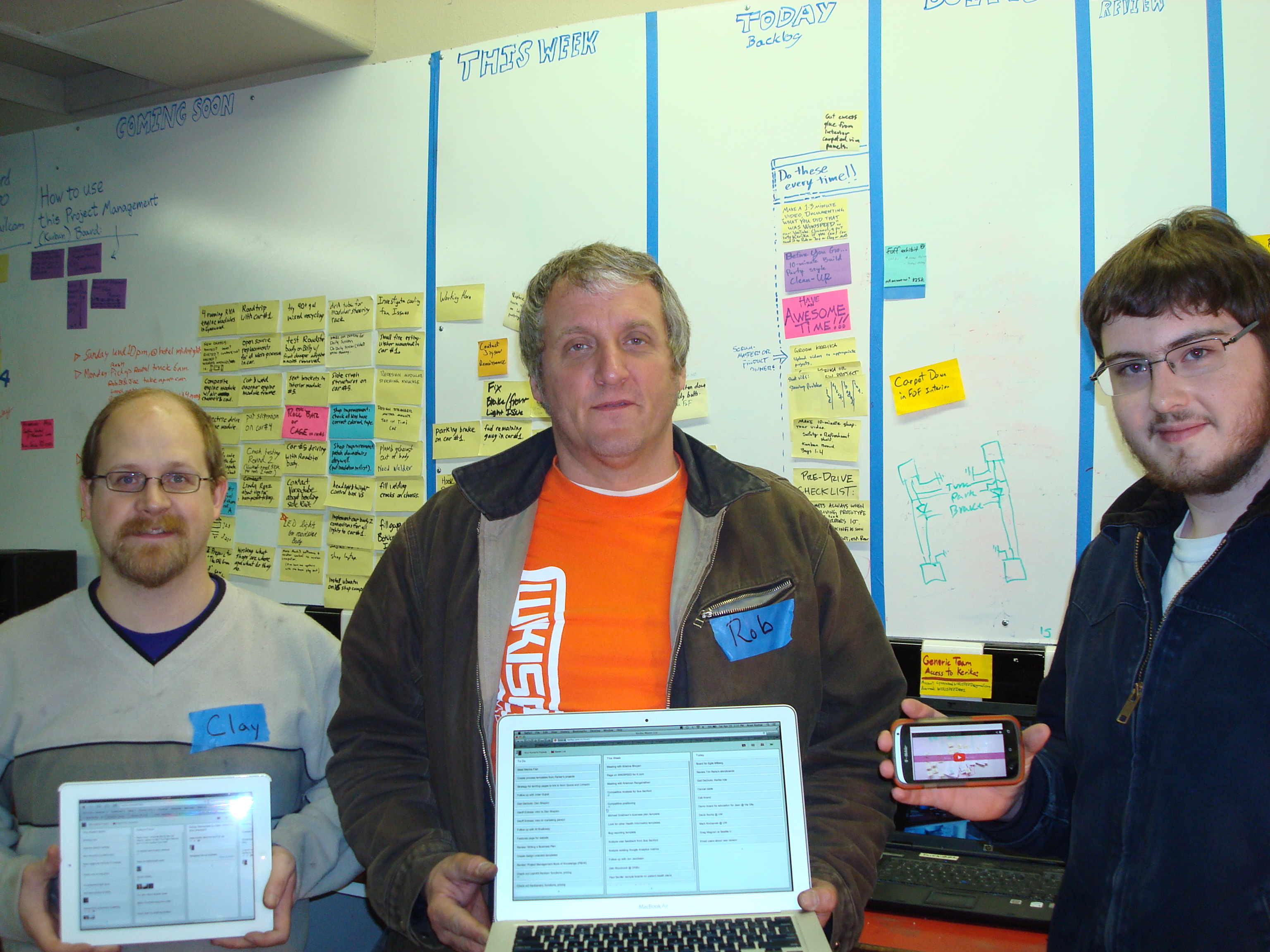
We found huge walls covered with sticky notes:
Dedicated volunteers….
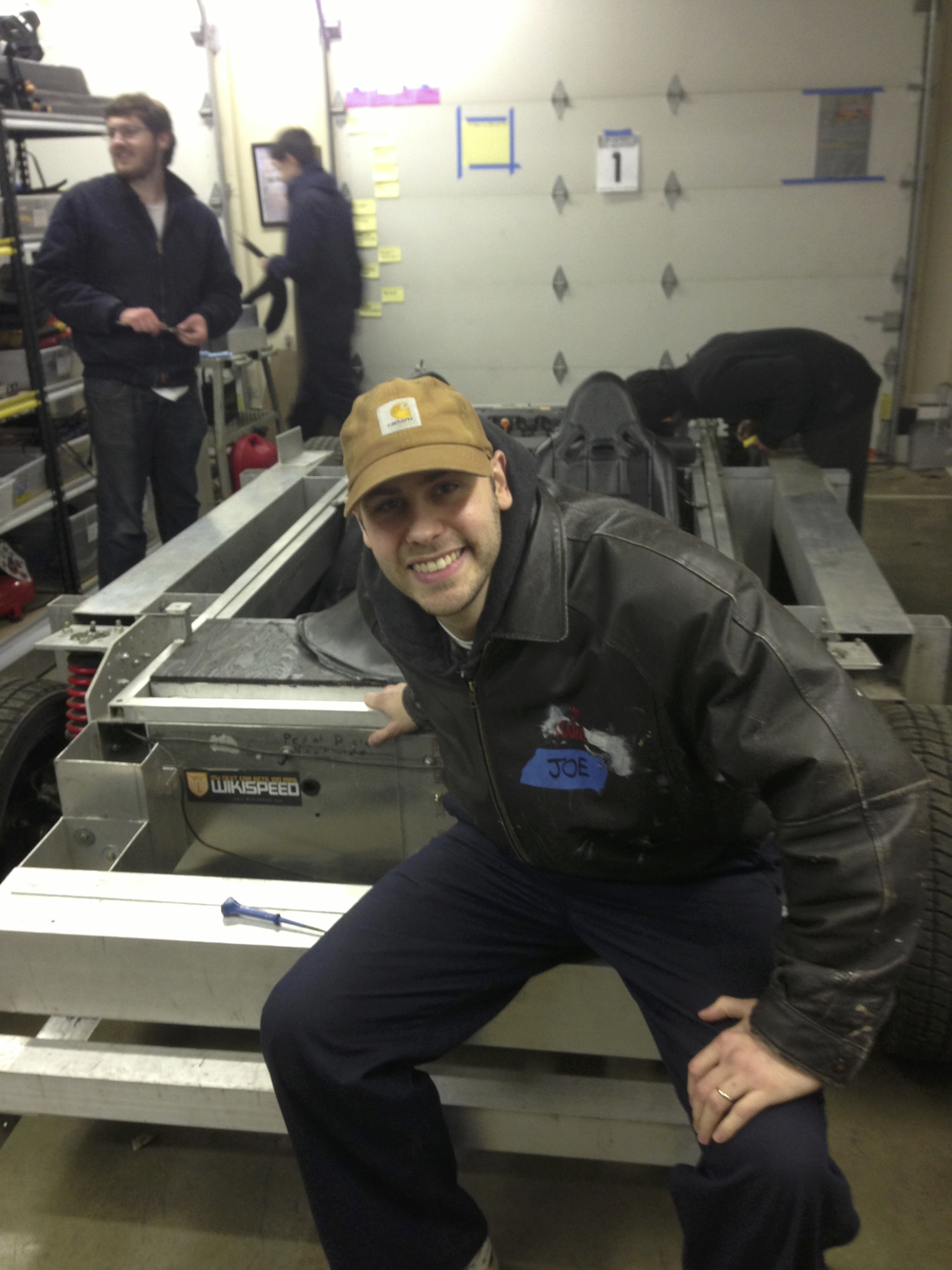
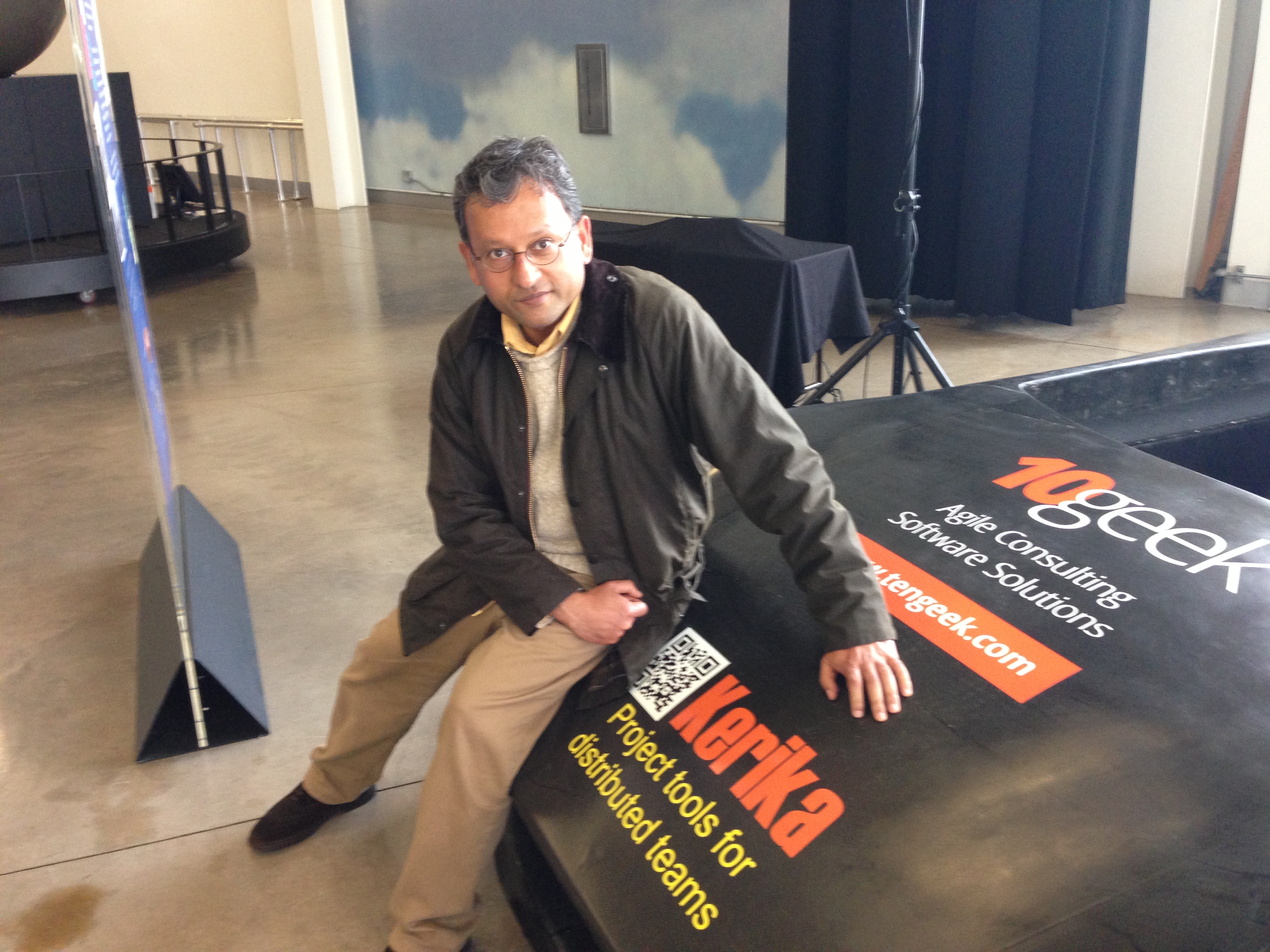
And the irrepressible Mr. Joe Justice himself:
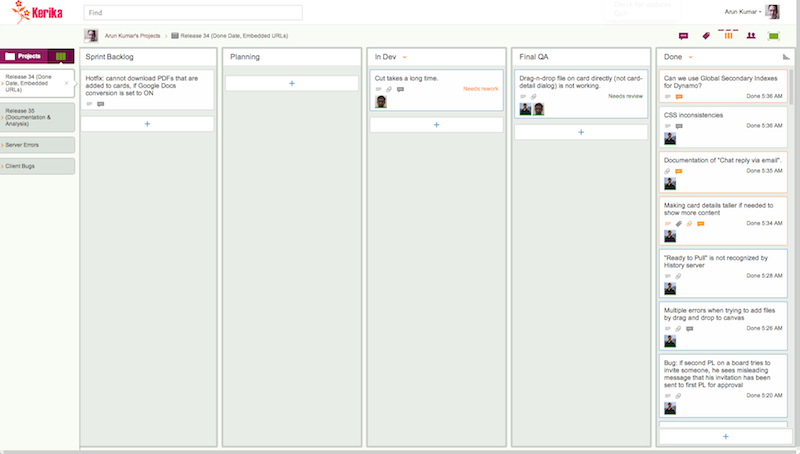
Today, WIKISPEED uses Kerika’s Scrum Boards to organize itself (you can see them at kerika.com/wikispeed):
This transformation has helped knit together folks from around the world: the Kerika boards are now used by WIKISPEED volunteers in the United States, Canada, Europe and New Zealand to communicate and collaborate. A great example of how Kerika can help bring together a globally distributed agile team!
(And, by the way, Kerika was a proud sponsor of the WIKISPEED car that was built for the Future of Flight Aviation Center in Everett, Washington ;-))
A month ago we wrote about how Kerika makes it really easy to spot bottlenecks in a development process – far easier, in our opinion – than relying upon burndown carts.
That blog post noted that the Kerika team itself had been struggling with code reviews as our major bottleneck. Well, we are finally starting to catch up: over the past two days we focused heavily on code reviews and just last night nearly 80 cards got moved to Done!
Talk to old-timers at Microsoft, and they will wax nostalgic about Windows Server 2003, which many of the old hands describe as the best Windows OS ever built. It was launched with over 25,000 known bugs.
Which just goes to show: not all bugs need to be fixed right away.
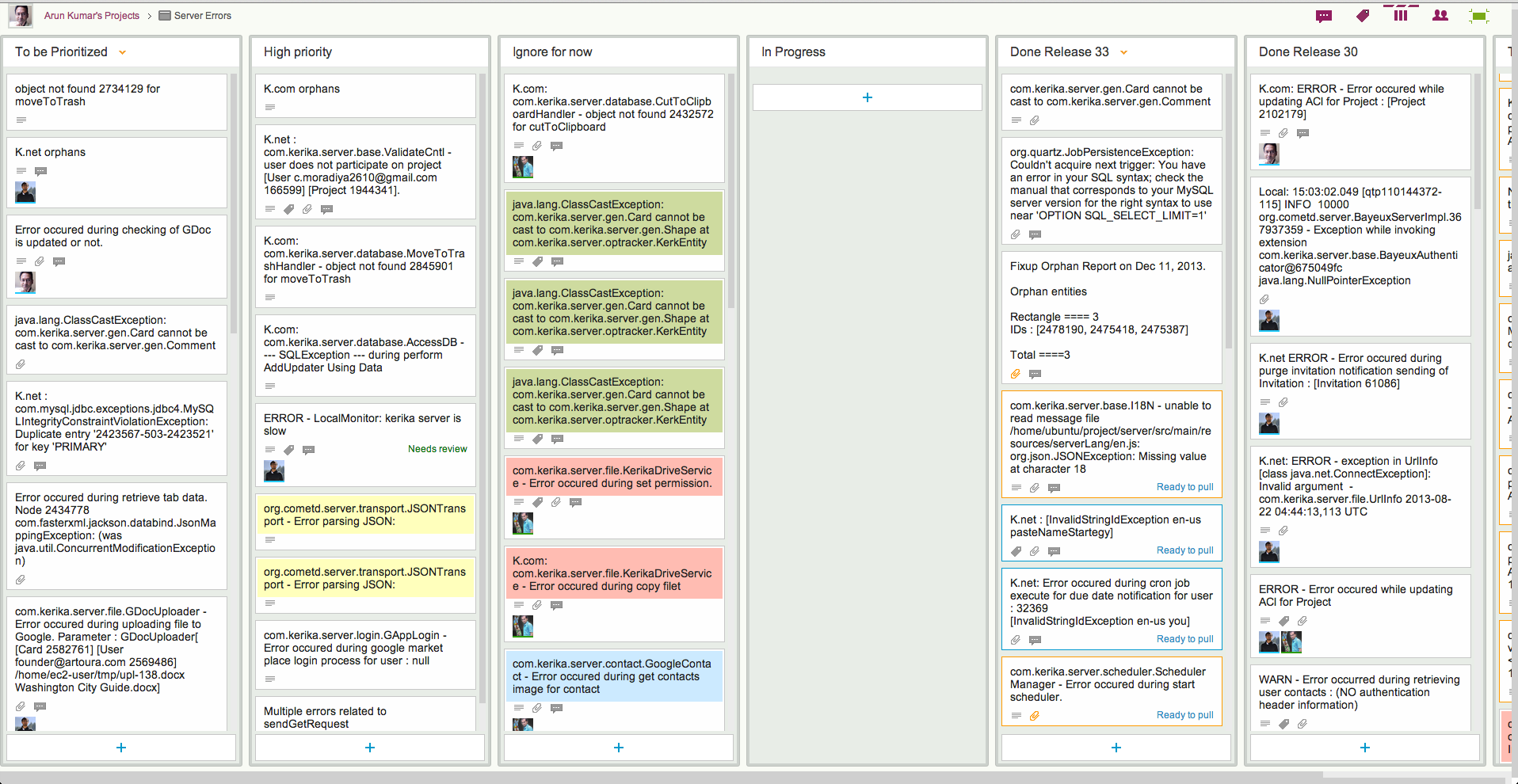
Here at Kerika we have come up with a simple prioritization scheme for bugs; here’s what our board for handling server-related bugs looks like:
How we prioritize errors (click to enlarge)
This particular board only deals with exceptions logged on our servers; these are Java exceptions, so the cards may seem obscure in their titles, but the process by which we handle bugs may nonetheless be of interest to others:
Every new exception goes into a To be Prioritized column as a new card. Typically, the card’s title includes the key element of the bug – in this case, the bit of code that threw the exception – and the card’s details contain the full stack trace.
Sometimes, a single exception may manifest itself with multiple code paths, each with its own stack trace, in which case we gather all these stack traces into a single Google Docs file which is then attached to the card.
With server exceptions, a full stack trace is usually sufficient for debugging purposes, but for UI bugs the card details would contain the steps needed to reproduce the bug (i.e. the “Repro Steps”).
New server exceptions are found essentially randomly, with several exceptions being noted in some days and none in other days.
For this reason, logging the bugs is a separate process from prioritizing them: you wouldn’t want to disturb your developers on a daily basis, by asking them to look at any new exceptions they are found, unless the exceptions point to some obviously serious errors. Most of the time the exceptions are benign, and perhaps annoying, rather than life-threatening, so we ask the developers to examine and prioritize bugs from the To be Prioritized column only as they periodically come up for air after having tackled some bugs.
Each bug is examined and classified as either High Priority or Ignore for Now.
Note that we don’t bother with a Medium Priority, or, worse yet, multiple levels of priorities (e.g. Priority 1, Priority 2, Priority 3…). There really isn’t any point to having more than two buckets in which to place all bugs: it’s either worth fixing soon, or not worth fixing at all.
The rationale for our thinking is simple: if a bug doesn’t result in any significant harm, it can usually be ignored quite safely. We do about 30 cards of new development per week (!), which means we add new features and refactor our existing code at a very rapid rate. In an environment characterized by rapid development, there isn’t any point in chasing after medium- or low-priority bugs because the code could change in ways that make these bugs irrelevant very quickly.
Beyond this simple classification, we also use color coding, sparingly, to highlight related bugs. Color coding is a feature of Kerika, of course, but it is one of those features that needs to be used as little as possible, in order to gain the greatest benefit. A board where every card is color-coded will be a technicolor mess.
In our scheme of color coding, bugs are considered “related” if they are in the same general area of code, which provides an incentive for the developer to fix both bugs at the same time since the biggest cost of fixing a bug is the context switch needed for a developer to dive into some new part of a very large code base. (And we are talking about hundreds of thousands of lines of code that make up Kerika…)
So, that’s the simple methodology we have adopted for tracking, triaging, and fixing bugs.
We updated Kerika today with a great new Search feature that lets you find anything you want, across every card, canvas and project board, across your entire Kerika world!
Search works across your entire Kerika world: every project board and template to which you have access. This includes projects where you are part of the team, of course, but it also includes public projects created by other folks, like the Foundation for Common Good in the UK, and the transnational WIKISPEED project.
Basic Search will work for most people, most of the time, but we have also built a very powerful Advanced Search feature that lets you zoom in any card on any board or template, using a variety of criteria.
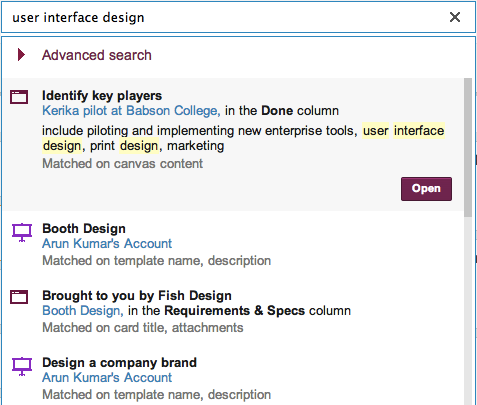
Here’s an example of Basic Search:
Example of basic search
The most likely (top-ranked) item is shown at the top of the list, and is automatically selected so that you can quickly go to it if you are feeling lucky ;-)
For each item that matched your search, Kerika provides a ton of useful metadata:
It tells you the name of the card, project or template that matched. (In the example above, it is Identify key players.)
If the match was on a card, it tells you the name of the project (or template) board on which the card is located, and the name of the column where the card is located. (In the example above, it is Kerika pilot at Babson College.)
It shows a small snippet of the search match, so you can decide whether it is what you were looking for.
It even tells you what attribute (aspect) of the card matched your search. (In the example above, the card matched on some text within a canvas that was attached to the card.)
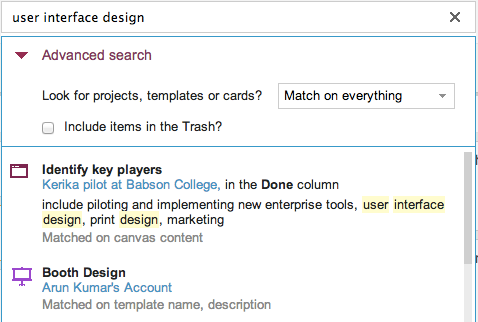
If you want to really zoom in on a particular piece of information, use the Advanced Search feature:
Accessing Advanced Search
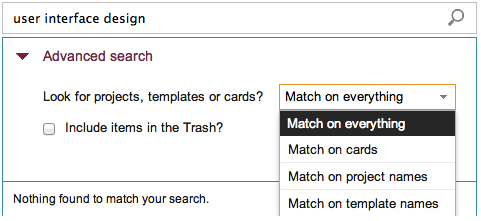
The first step towards zooming in is to narrow your search, by focusing on project names, template names, or individual cards:
Accessing Advanced Search
Focusing your Advanced Search
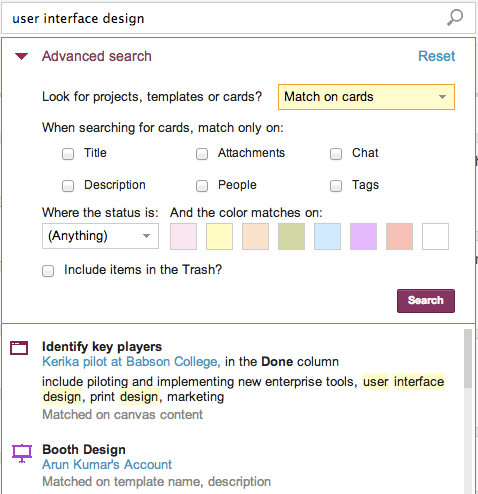
If you are searching for specific cards, you can further narrow your search to focus on titles, descriptions, chat, attachments, people, status, color, and tags:
Options for searching for cards
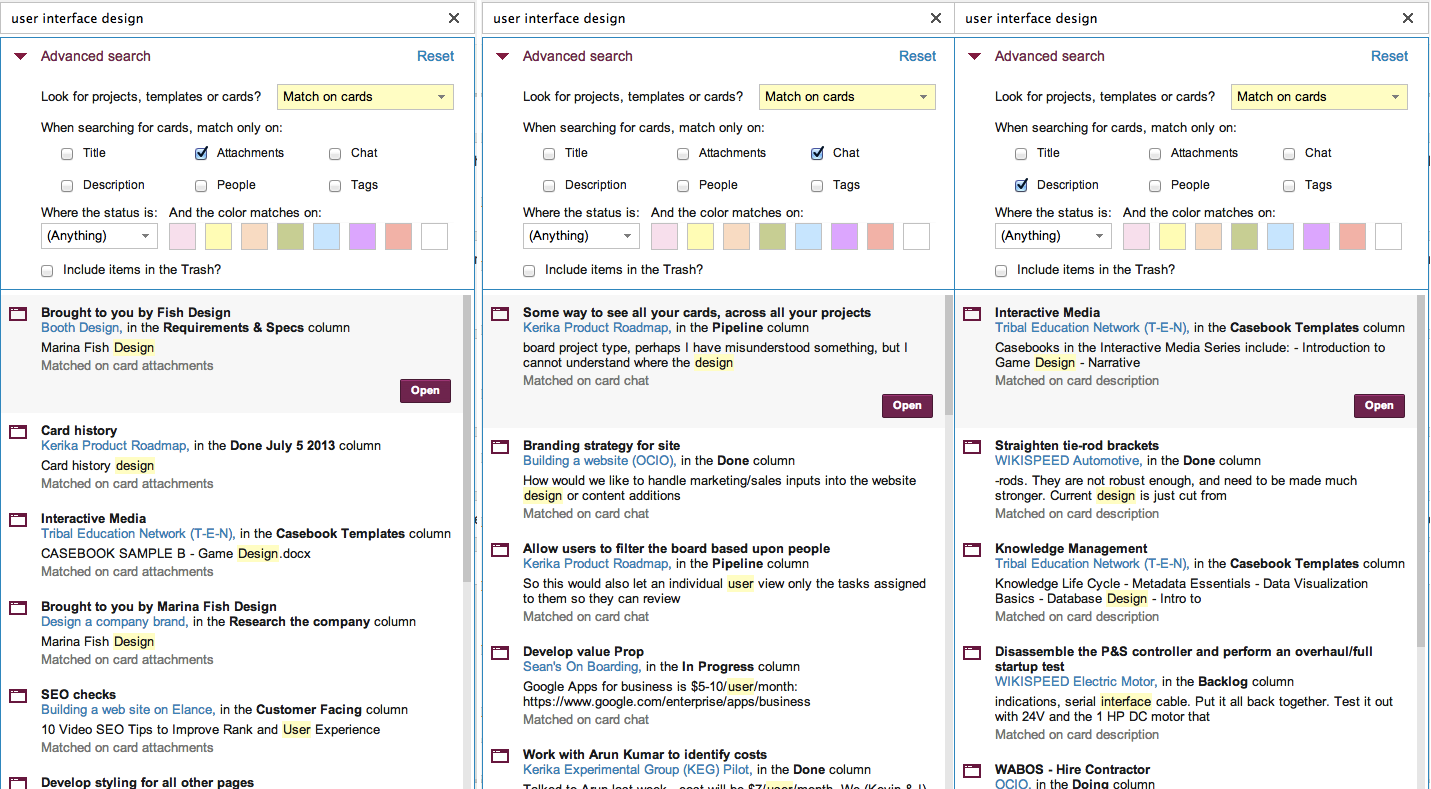
Searching by different aspects (or facets) can give very different results, as this composite of three searches shows (click on image to enlarge):
Searching by facets (Click to enlarge)
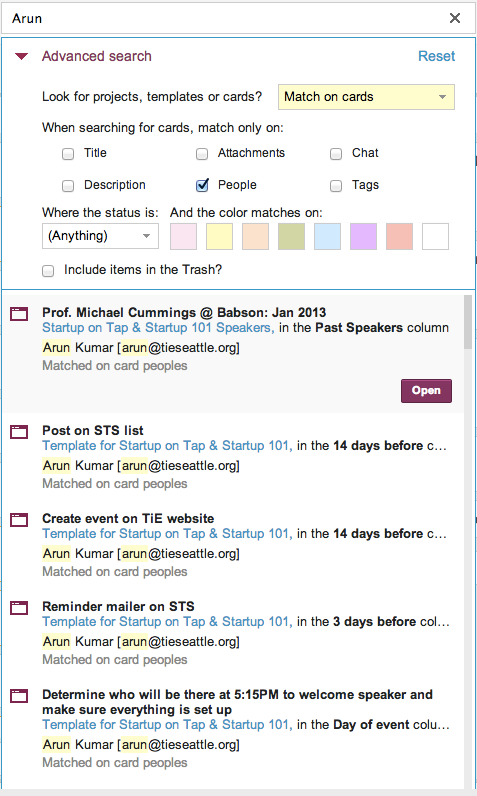
Other options include searching by people; here, for example, we are trying to find all the cards that are assigned to a specific person:
Searching for People
Any combination of facets is possible: for example, you could search for all cards assigned to someone that are waiting for review.
So, that’s Search in Kerika, the only task board designed specially for distributed teams!
One great advantage of a visual task board like Kerika is that it is a really fast and easy way to identify bottlenecks in your workflow, far better than relying upon burndown charts.
Here are a couple of real-life examples:
Release 33 and Release 34 are both Scrum iterations, known as “Sprints”.
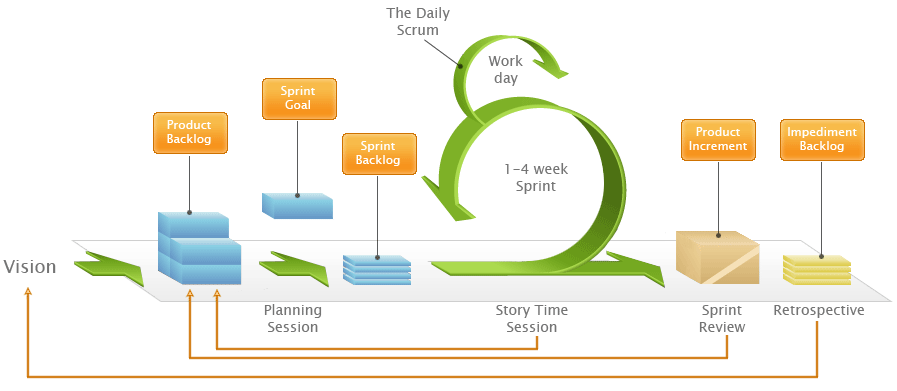
How Scrum works
Both iterations take work items from a shared Backlog – which, by the way, is really easy to set up with Kerika, unlike with some other task boards ;-) And for folks not familiar with Scrum, here’s a handy way to understand how Scrum iterations progressively get through a backlog of work items:
We could rely upon burndown charts to track progress, but the visual nature of Kerika makes it easy to identify where the bottlenecks are:
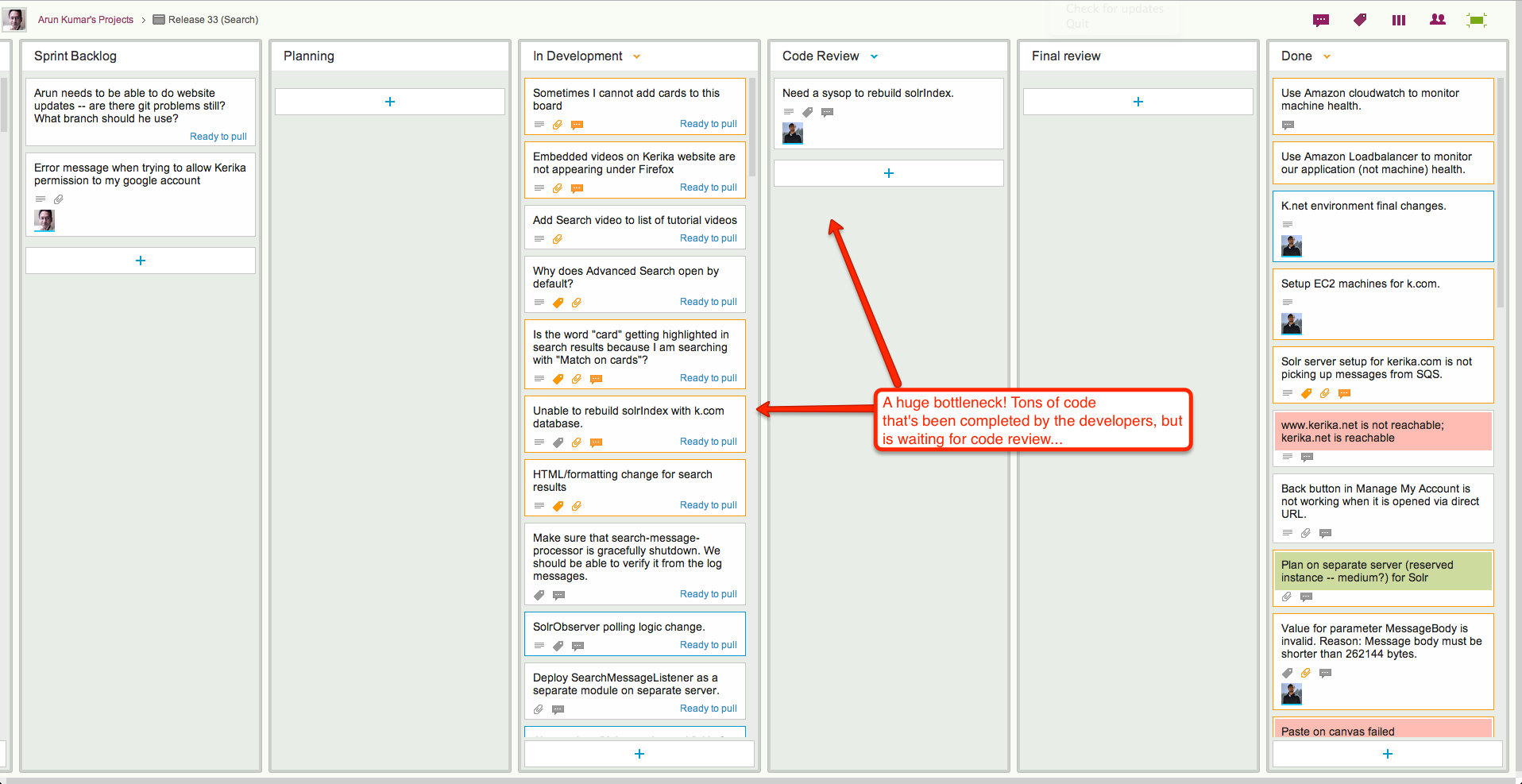
In Release 33, the bottleneck is obviously within the Development phase of the project:
Release 33: a bottleneck in Development
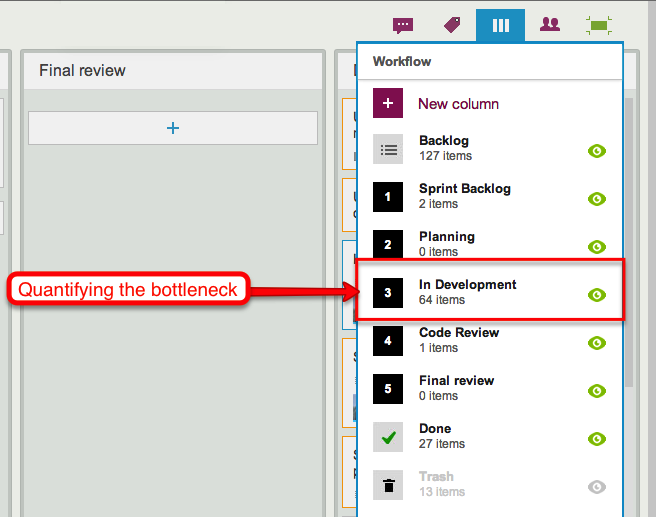
When we take a look at the Workflow display, it’s easy to quantify the problem:
Quantifying the bottleneck in Release 33
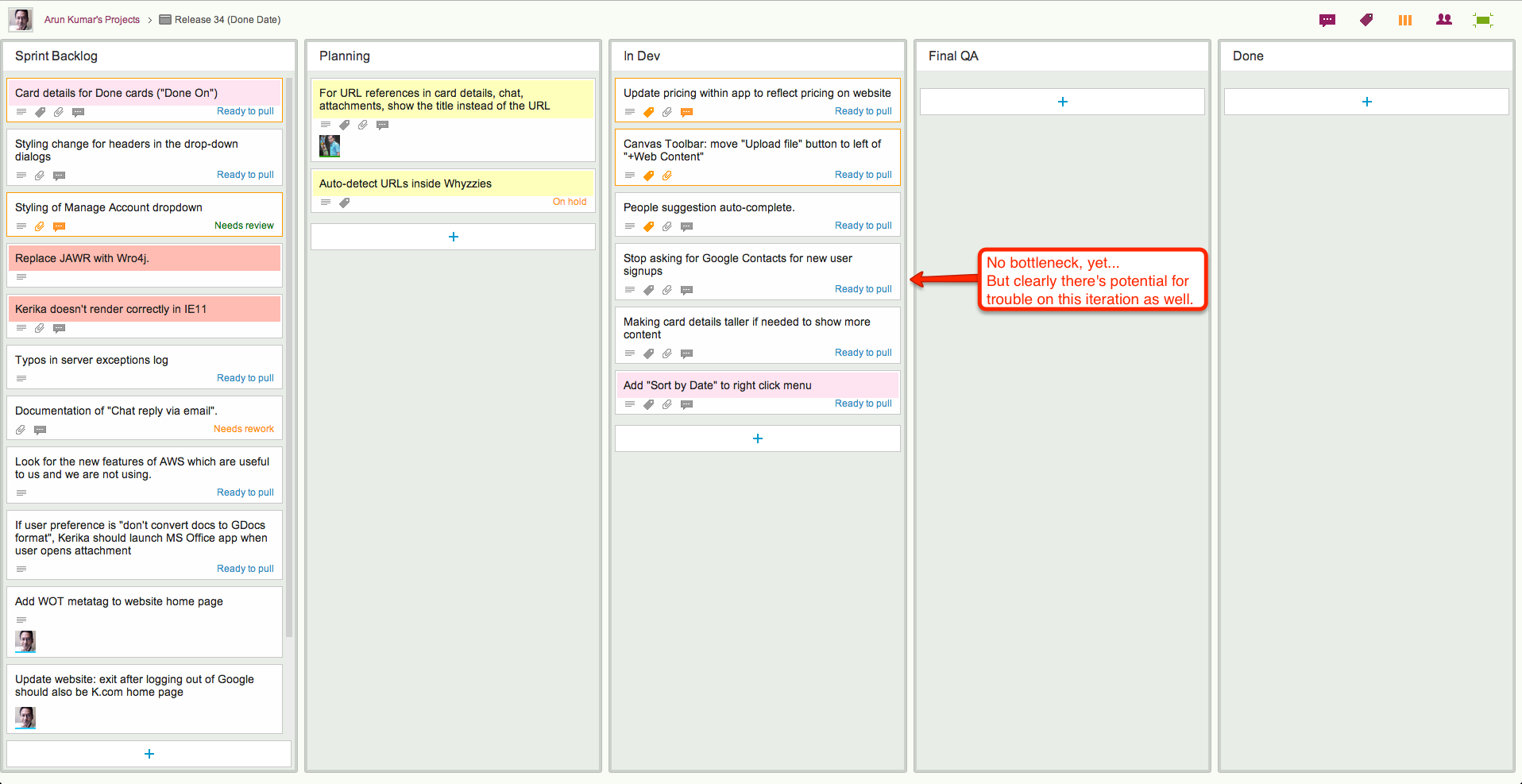
By way of contrast, here’s Release 34, another Scrum iteration that’s working off the same Backlog:
Release 34: a smaller bottleneck
This iteration doesn’t have the same bottleneck as Release 33, but warning signs are clear: if we can’t get our code reviews done fast enough, this version, too, will have a develop a crunch as more development gets completed but ends up waiting for code reviews.
In both cases, Kerika makes it easy to see at a glance where the bottleneck is, and that’s a critical advantage of visual task boards over traditional Scrum tools.