The AI Helper can now help you write better Task Details and chat messages: when you are editing a task’s details or writing a chat message, an AI button appears on the extended toolbar we recently implemented. Clicking on the AI icon brings up the AI Helper and immediately asks it to help you with your writing:
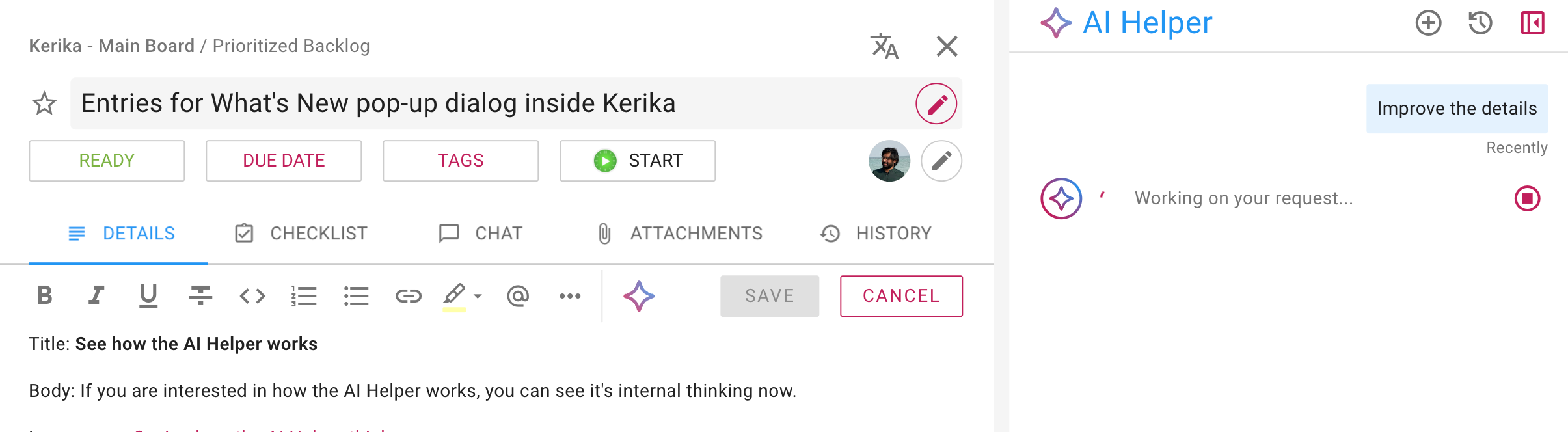
Here’s what the AI Helper suggested in this example:
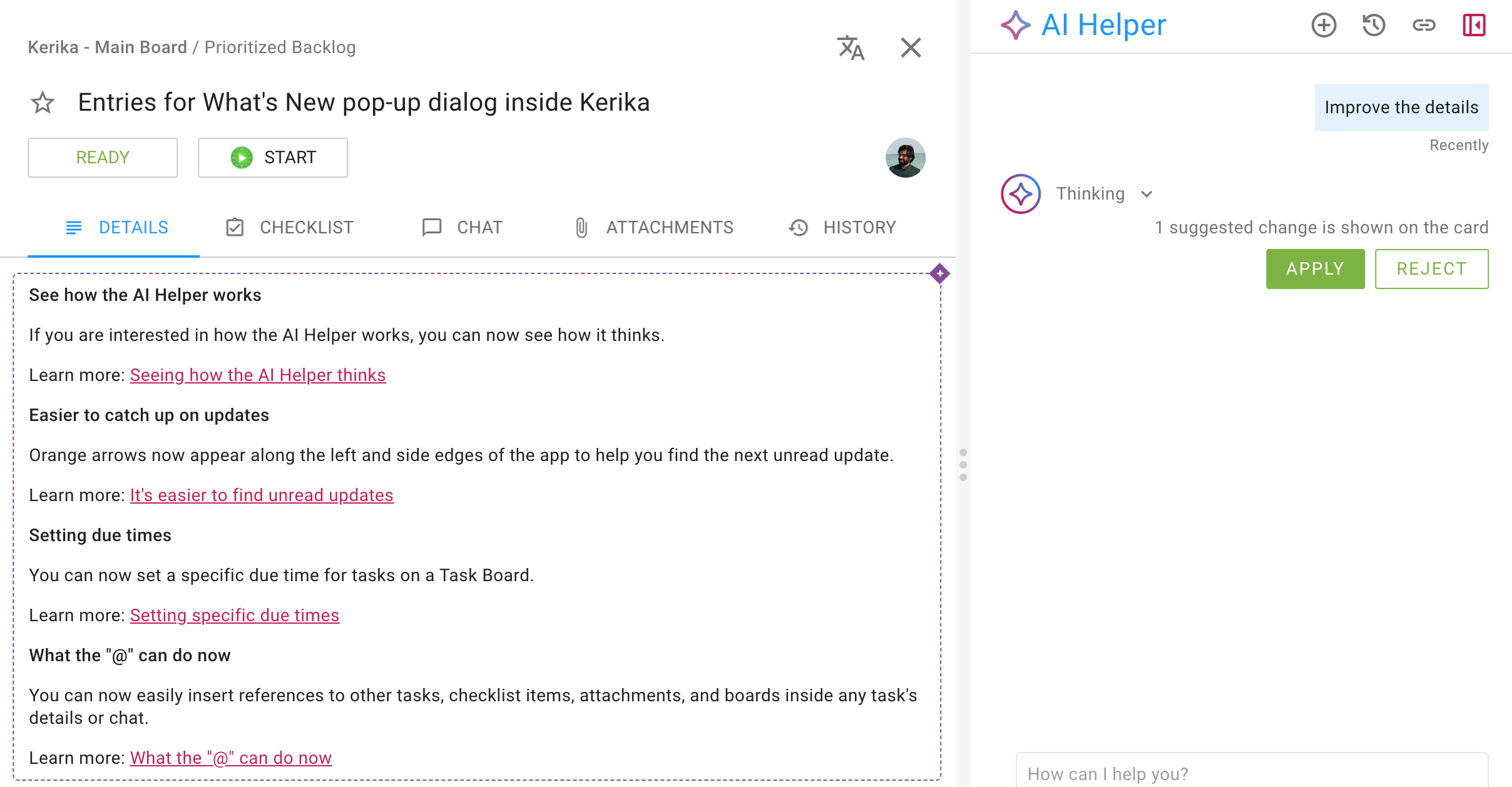
There are APPLY and REJECT buttons shown in the AI Helper pane; you can use these if a quick scan of the proposed new text is sufficient to make a decision.
If you want a more fine-grained look at the changes, you can hover your mouse over the proposed new text in the Task Details:
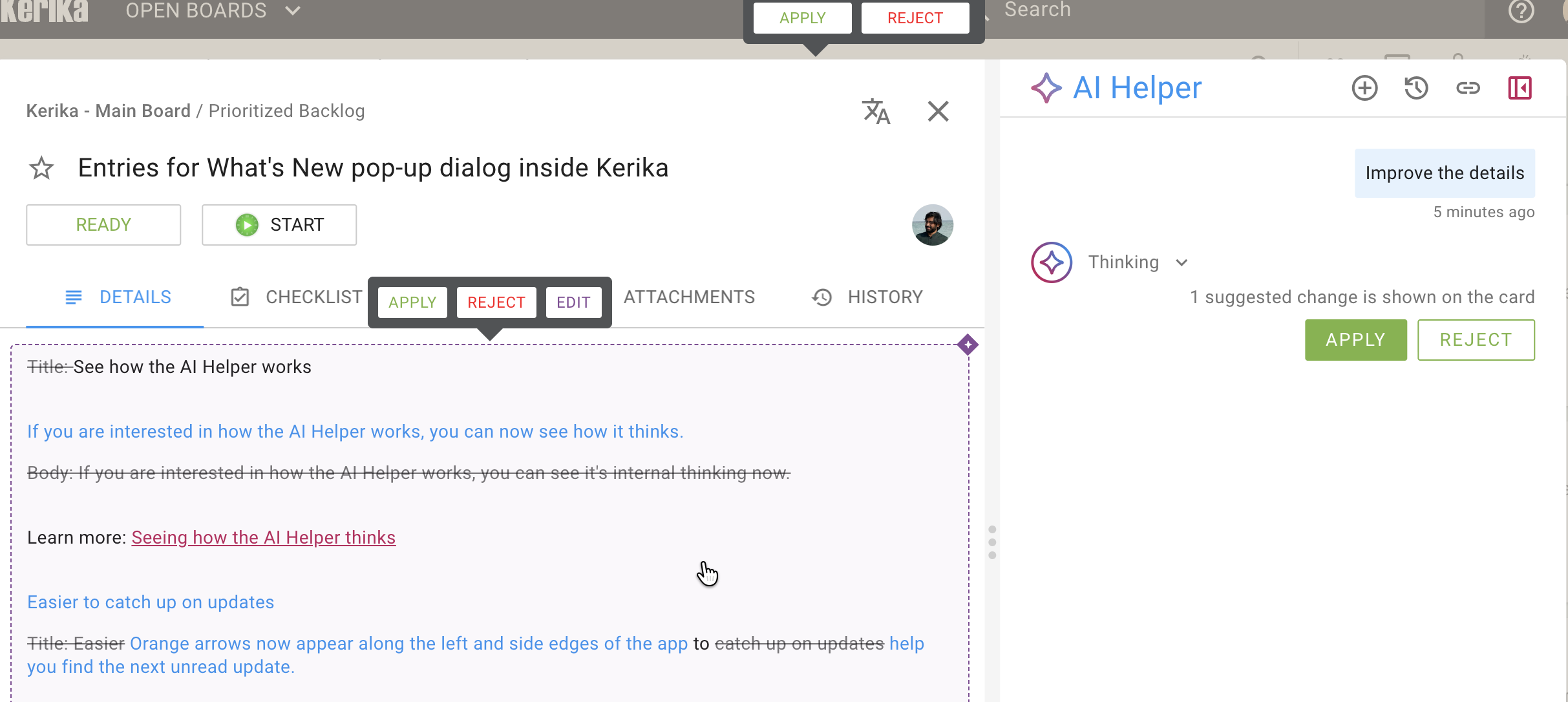
Text that the AI Helper thinks should be removed is shown with a strikethrough; text that the AI Helper thinks should be added is shown using blue font.
How this helps you
We have always been a multilingual team, distributed across two continents, and while our internal working language is English, not everyone is as fluent in this language as their coworkers. This is a common scenario for our users as well: we have users in nearly every country, and we support 38 languages!
In multilingual teams, people who don’t speak the dominant language as well as their coworkers may feel hesitant at times to contribute their thoughts, if they feel they may be misunderstood. This new feature directly address that concern: they can write a first draft quickly without having to worry about correct grammar and usage, and then a single-mouse click will invoke the AI Helper that will immediately work on reviewing and improving the text.
Give it a try and let us know what you think!