Tag Archives: Global

Using the AI Helper to improve your Task Details and Chat

The AI Helper can now help you write better Task Details and chat messages: when you are editing a task’s details or writing a chat message, an AI button appears on the extended toolbar we recently implemented. Clicking on the AI icon brings up the AI Helper and immediately asks it to help you with your writing:
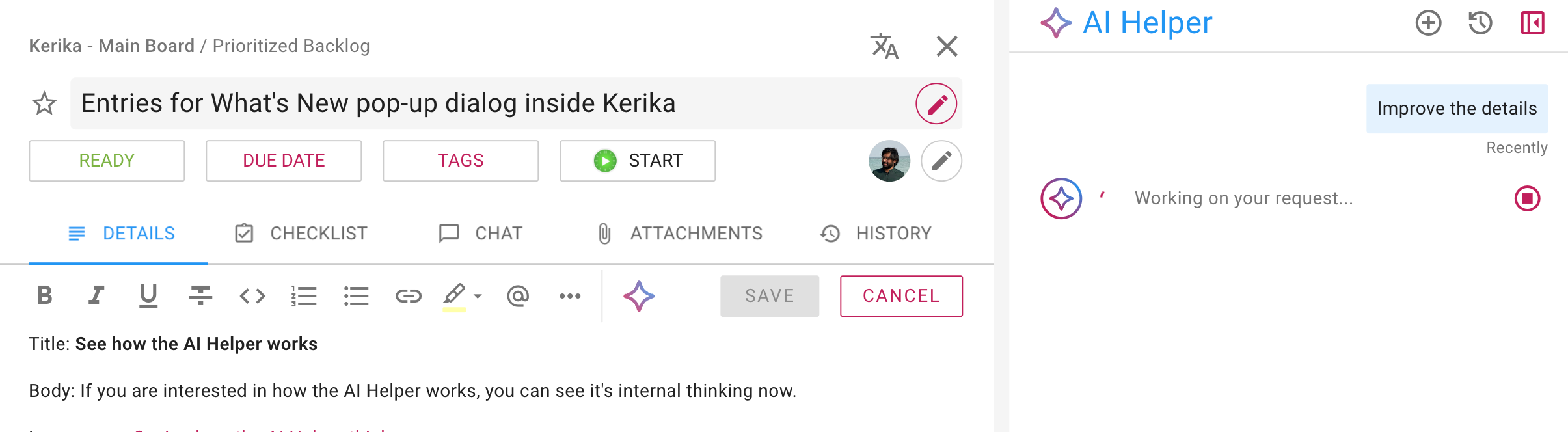
Screenshot showing the AI Helper working on reading the existing task details.

Here’s what the AI Helper suggested in this example:
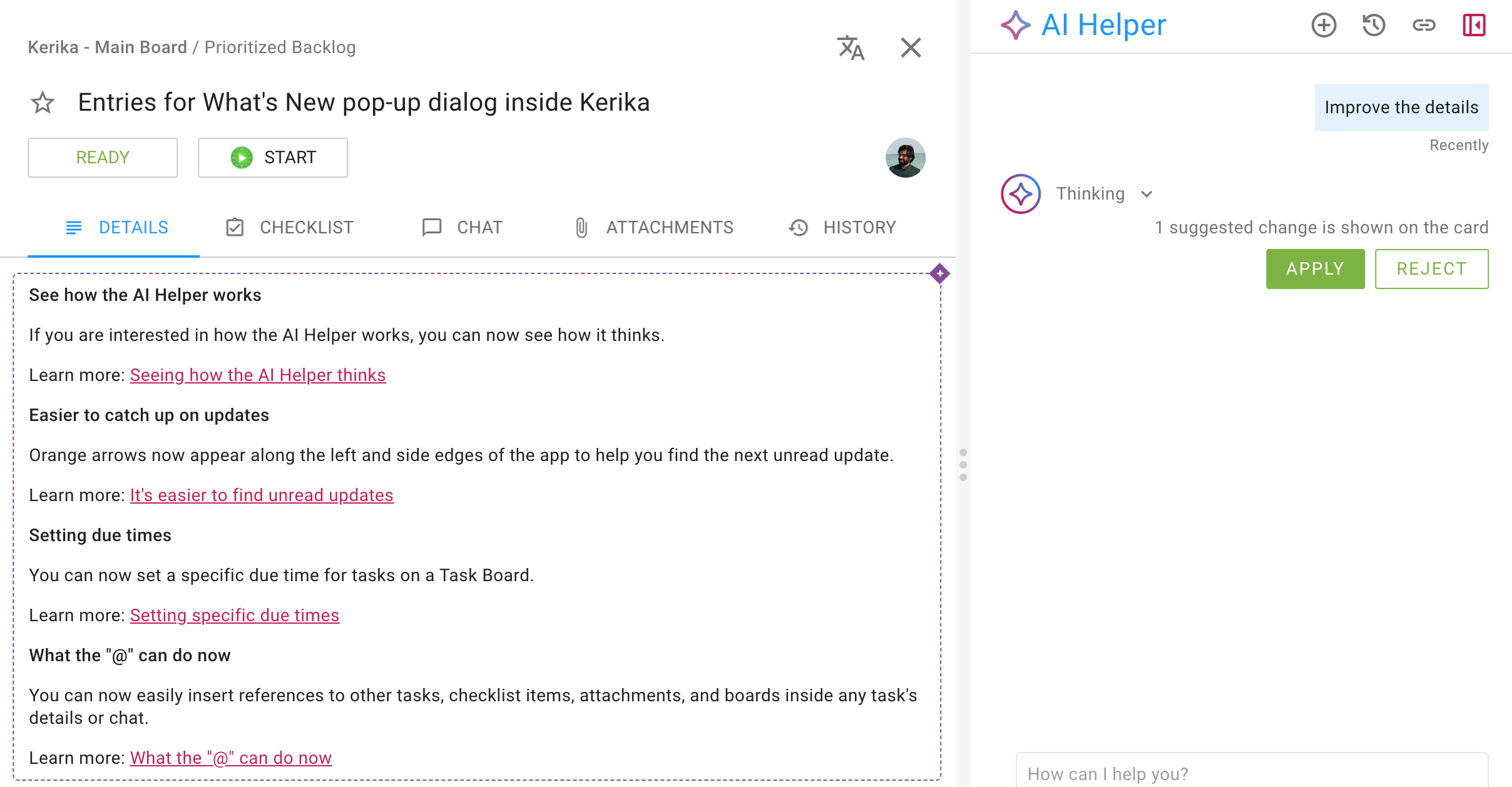
Screenshot showing how AI Helper suggestions for improved task details.

There are APPLY and REJECT buttons shown in the AI Helper pane; you can use these if a quick scan of the proposed new text is sufficient to make a decision.

If you want a more fine-grained look at the changes, you can hover your mouse over the proposed new text in the Task Details:
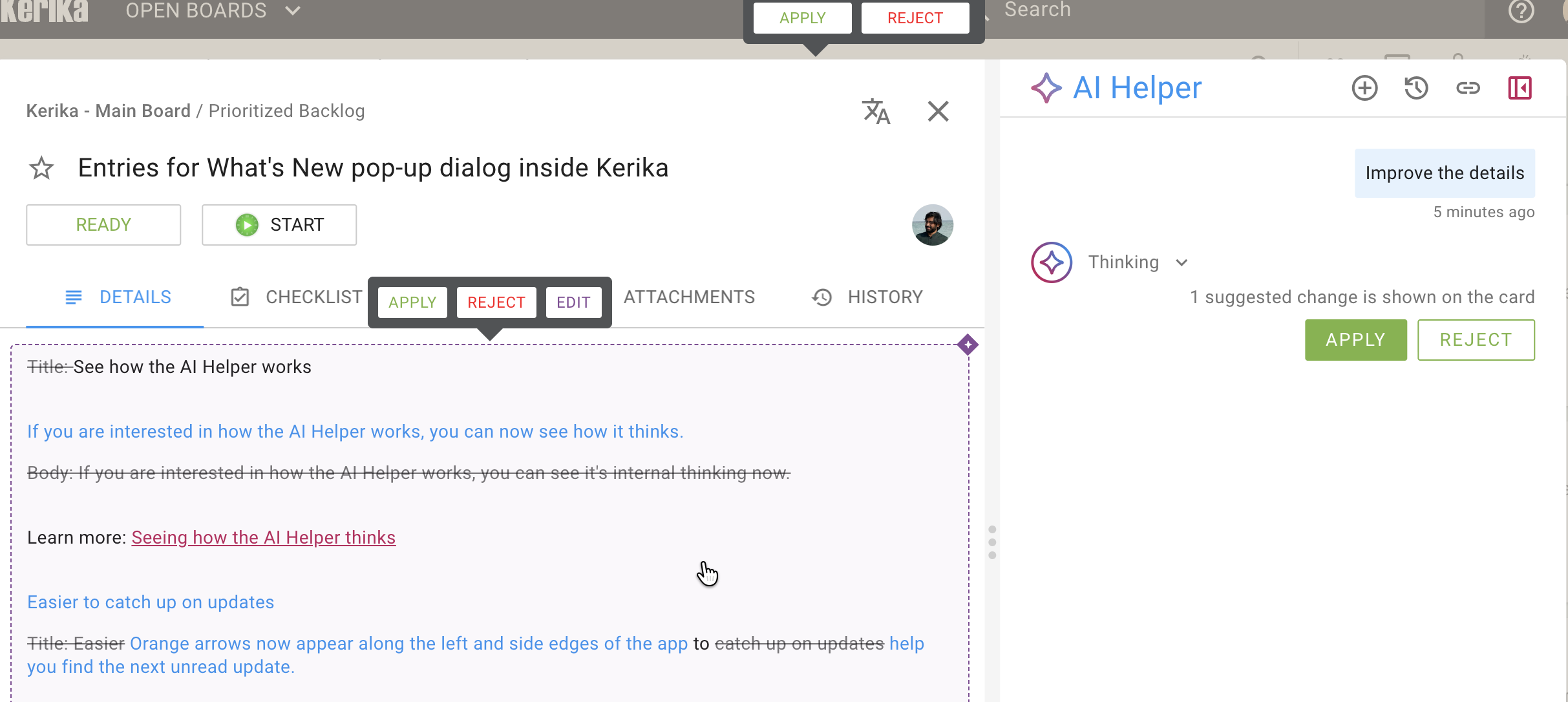
Text that the AI Helper thinks should be removed is shown with a strikethrough; text that the AI Helper thinks should be added is shown using blue font.

How this helps you

We have always been a multilingual team, distributed across two continents, and while our internal working language is English, not everyone is as fluent in this language as their coworkers. This is a common scenario for our users as well: we have users in nearly every country, and we support 38 languages!

In multilingual teams, people who don’t speak the dominant language as well as their coworkers may feel hesitant at times to contribute their thoughts, if they feel they may be misunderstood. This new feature directly address that concern: they can write a first draft quickly without having to worry about correct grammar and usage, and then a single-mouse click will invoke the AI Helper that will immediately work on reviewing and improving the text.

Give it a try and let us know what you think!
Setting specific Due Times

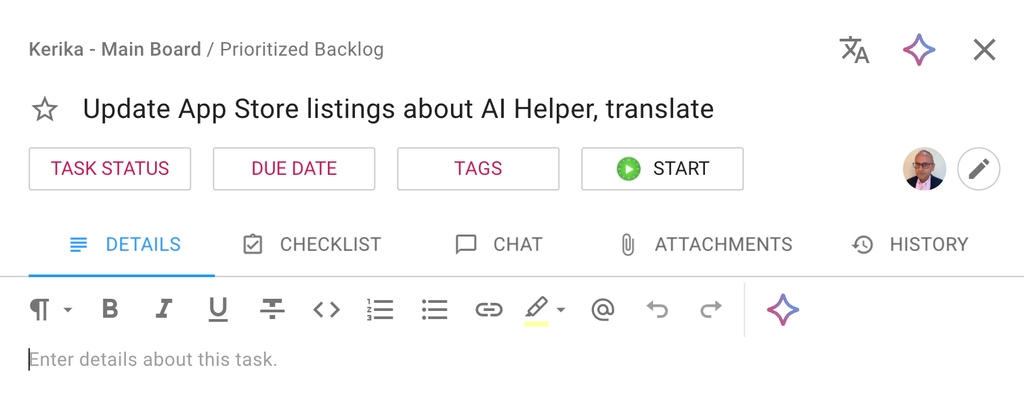
We have improved the process of setting a due date on a task on a Task Board in two important ways:

Partial screenshot of a task details dialog.

It’s easier to select common due dates

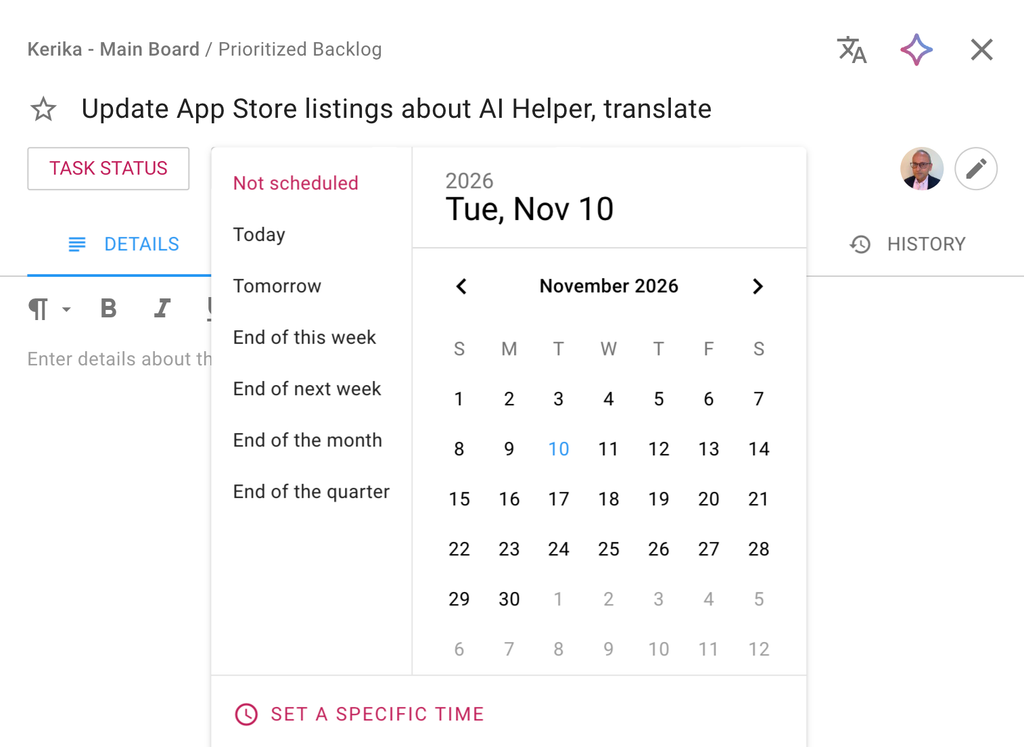
Screenshot showing options for quickly selecting a due date

The due dates that people set most often, are now available as quick choices:

  1. Today
  2. Tomorrow
  3. End of this week
  4. End of next week
  5. End of the month
  6. End of the quarter

These require just one click to set the due date.

Setting Due Time

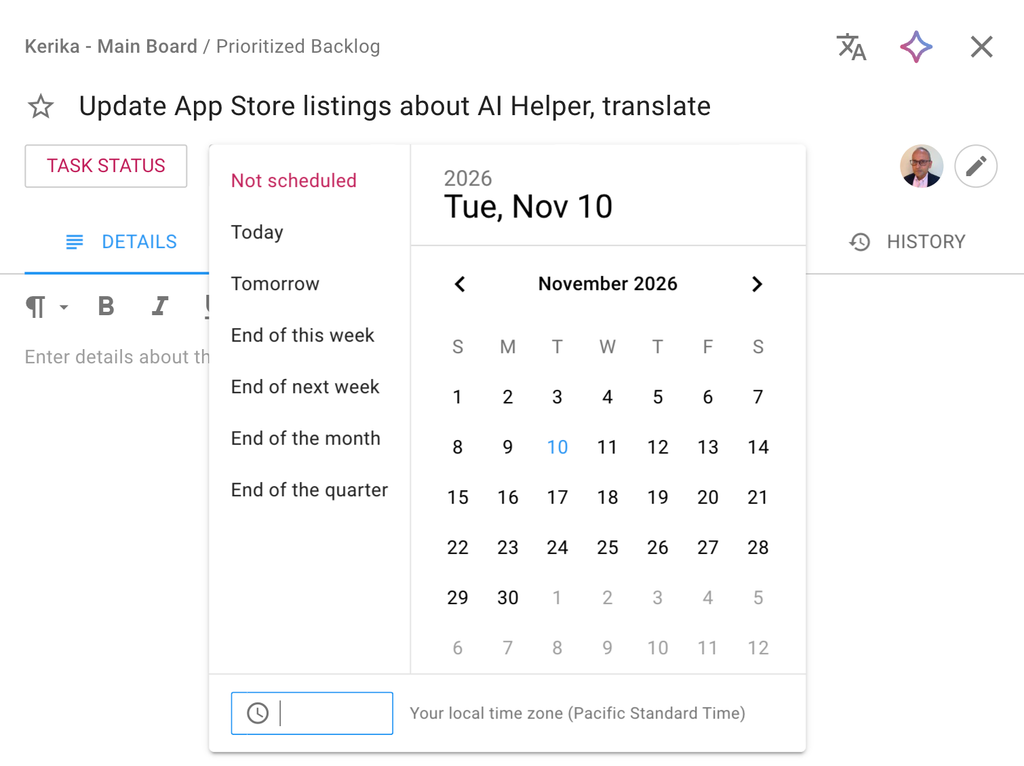
We have also added the ability to se a specific Due Time:

Screenshot showing how a user can set a specific due time for a task on a task board

The timezone used automatically defaults to your current location, and the time shown on the task to everyone else on the board team will automatically adjust to their local timezones as well.

We are going to add support for more languages

We are going to add support for more languages this year, since so many of our users are from non-English speaking countries.

Our first attempt will be with Hindi, in the next couple of weeks.  This will help us test our internal processes for translating the Kerika website and app (but not this blog, sorry!) into different languages.

Once that’s done, we will do another test with Gujarati as our third language, to see if we can further automate the translation process. If that works, we will add a plethora of languages.

As part of this test with Hindi, we are translating some of our tutorial videos as well; here’s one: