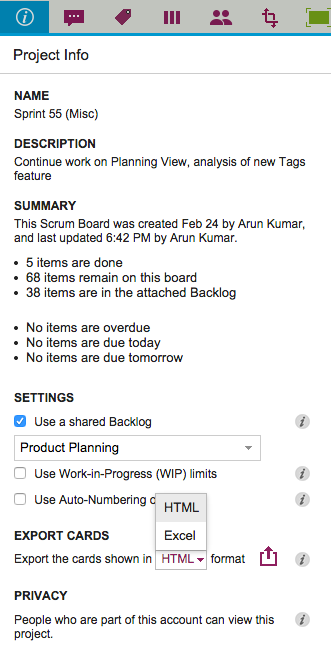
We used to have Export as HTML and Export as CSV as options for our Task Boards and Scrum Boards, and with our latest version we are tweaking the Export as CSV to become Export as Excel instead.
There are a couple of reasons we did this:
We now include chat and document links in the export: this was done specifically to help our many government users who need to respond quickly to Freedom Of Information Act (FOIA) requests.
(See our separate post on how Kerika makes FOIA-compliance one-click easy.)
Everyone who uses the CSV export wants the data to end up in an Excel file anyway, so why not put it in that format to start with? (After all, it’s easy to go the other way as well, from Excel to CSV…)
We are delighted to introduce Planning Views, a very innovative, very unique way to view your Kerika Task Boards and Scrum Boards! (Yes, it goes way beyond what simple calendar views, like those you might get from other tools, work :-))
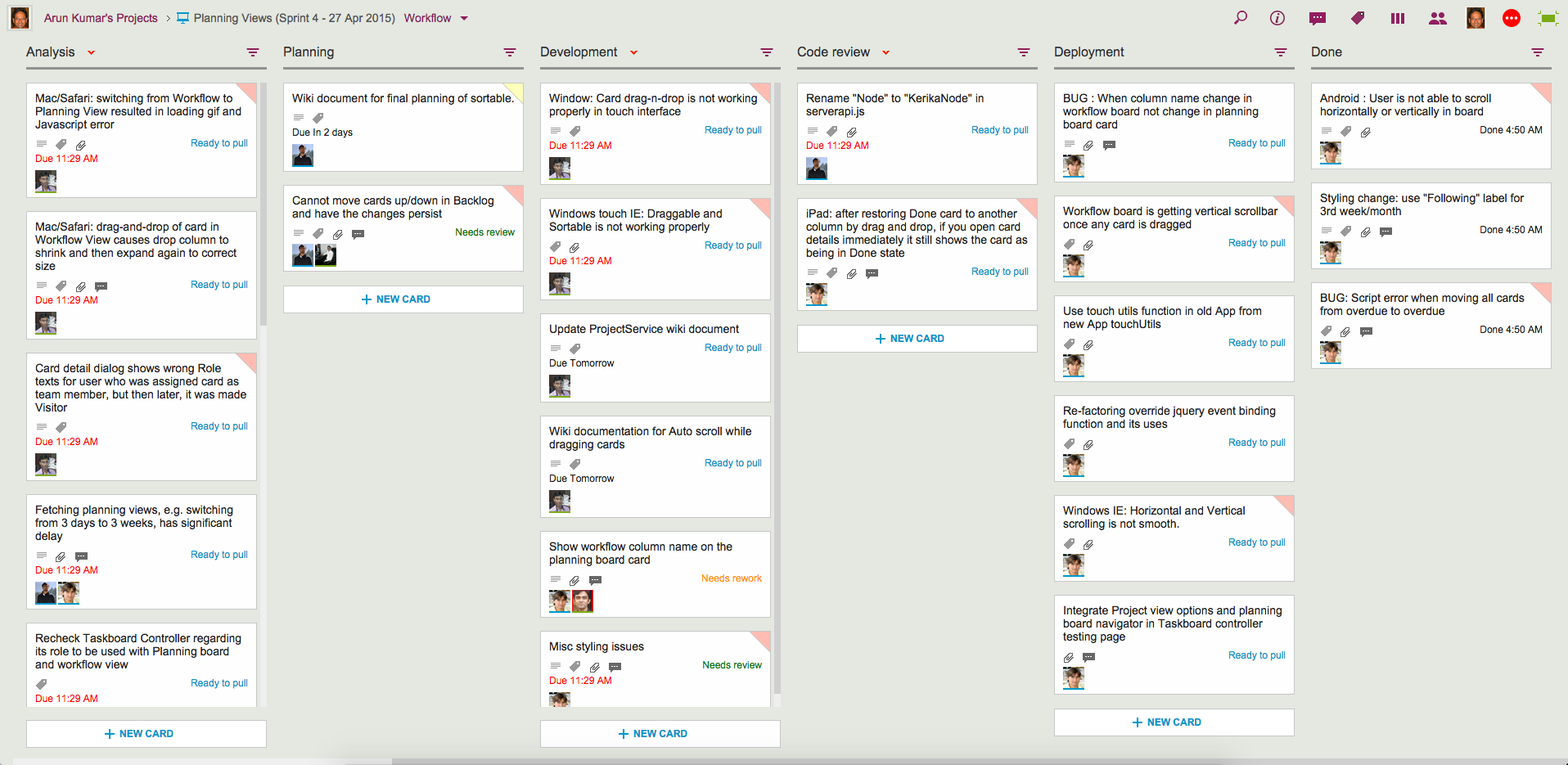
Let’s start with your familiar view of a Kerika Task Board or Scrum Board, which we will start calling the Workflow View from now on:
Example of Workflow View
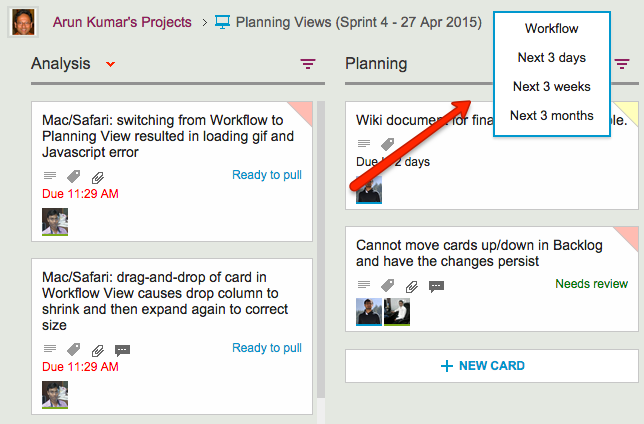
There’s now a simple drop-down that appears on the breadcrumbs, letting you switch to one of the Planning Views:
Selecting a View
Your new viewing choices include:
Next 3 days: this will show you everything that’s Due Today, Due Tomorrow, Due the Day After, and beyond
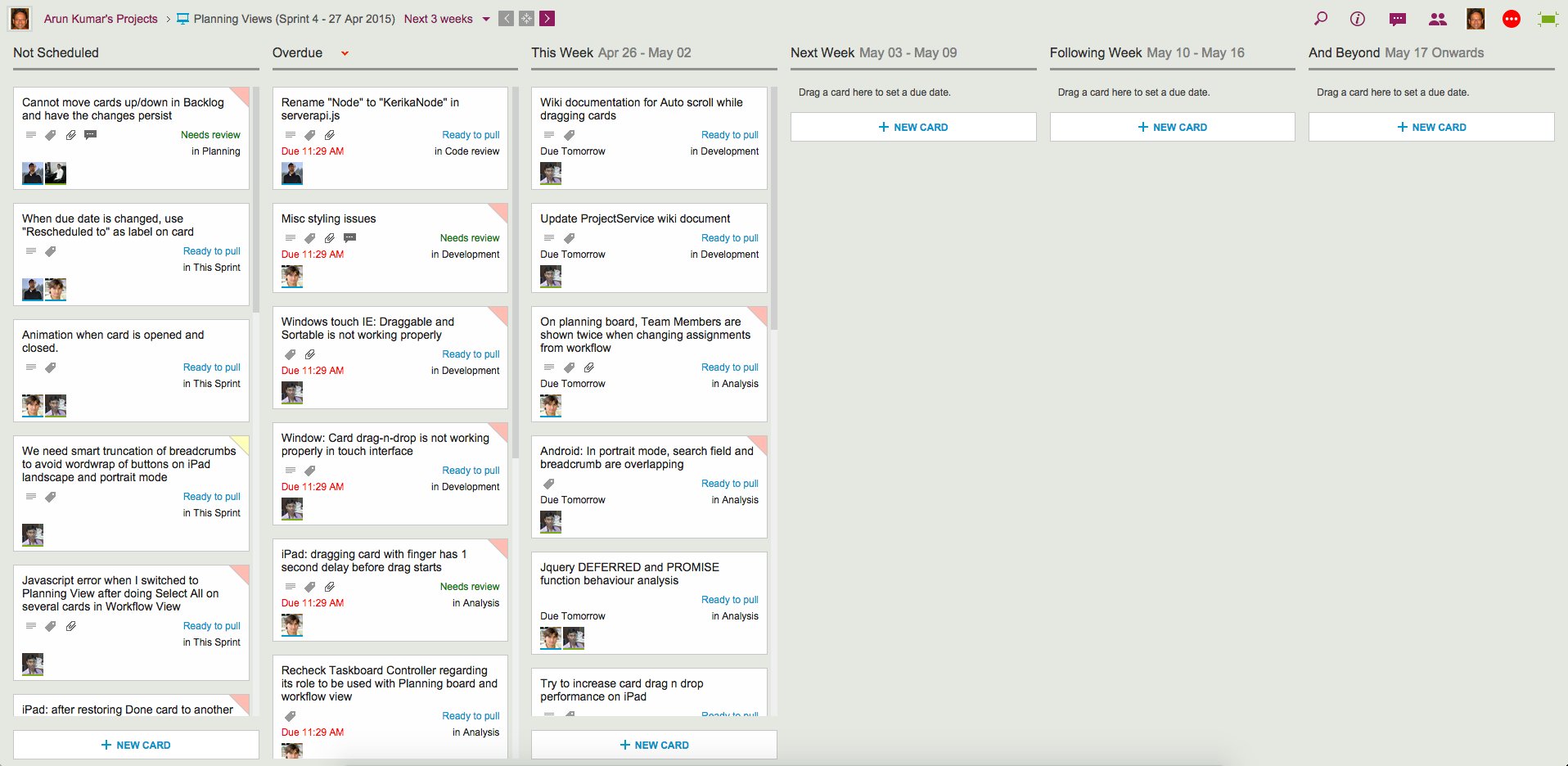
Next 3 weeks: everything that’s Due This Week, Due Next Week, Due the Following Week, and beyond.
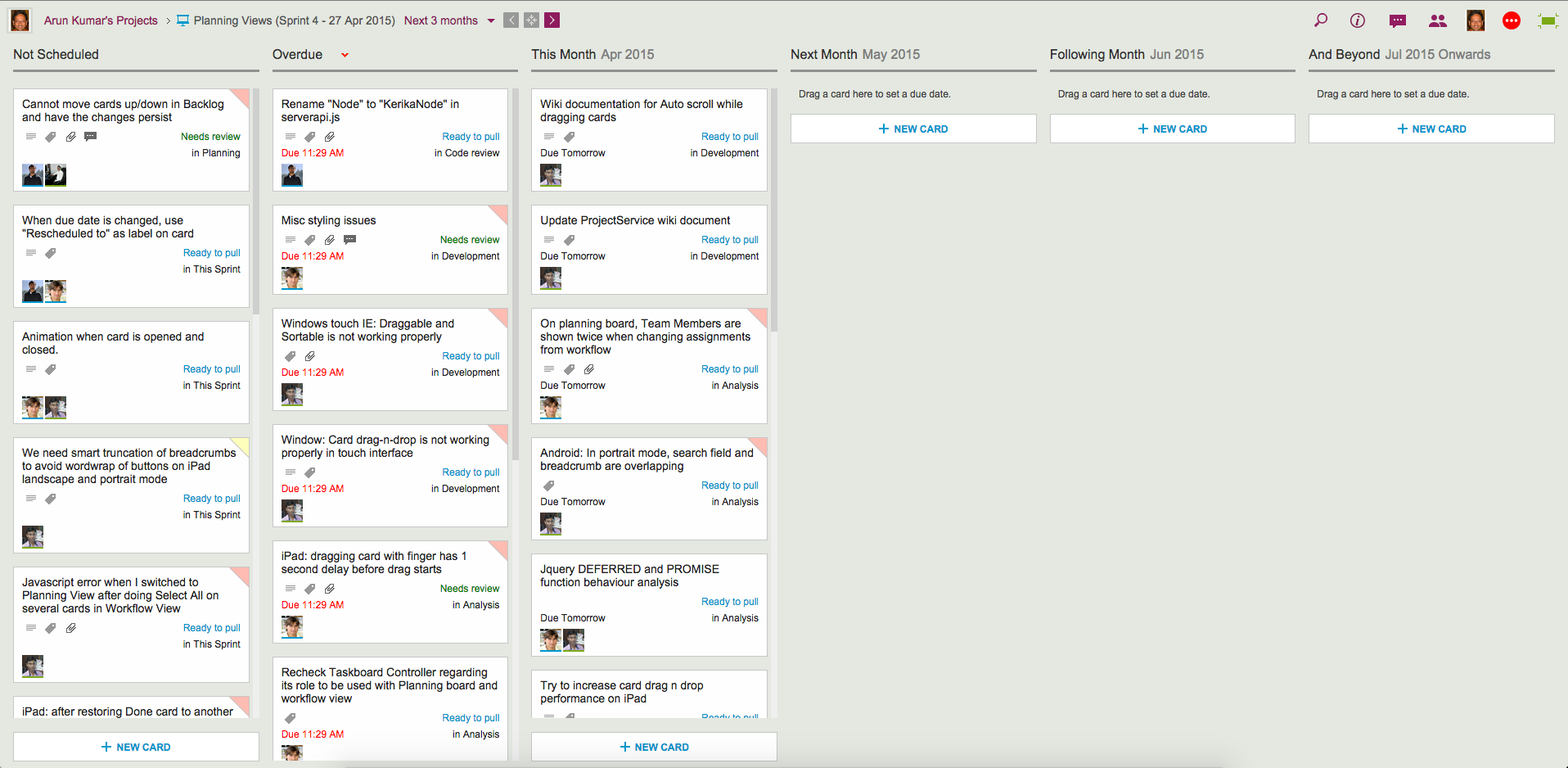
Next 3 Months: everything that’s Due This Month, Due Next Month, Due the Following Month, and beyond.
Planning Views provide a date-oriented view of your Task Boards and Scrum Boards: a Planning View takes your cards and rearranges into time-oriented columns.
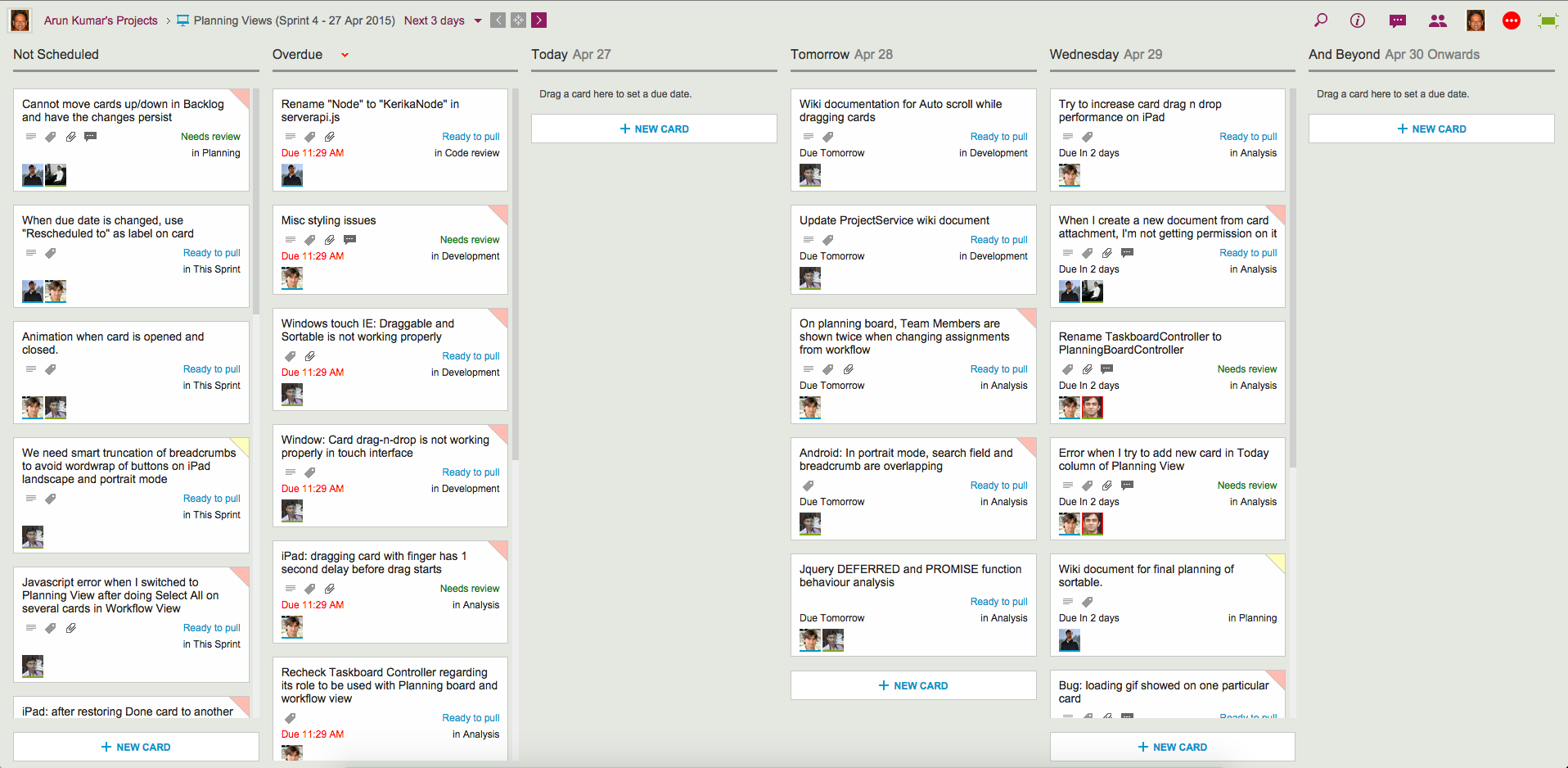
Here’s an example of a Next 3 days view:
Example of 3-day View
Our Workflow view got neatly (and quickly!) pivoted to arrange all the cards in terms of when they are due:
All cards without any due date are shown first, in the Not Scheduled column.
Next, any Overdue cards are always shown in a special column by themselves, so they can be easily rescheduled.
Beyond this are columns for Today, Tomorrow and the Day After.
And finally, there is the And Beyond column, which summarizes all the cards that have due dates beyond the day after tomorrow.
Here’s the same board, but viewed in terms of the Next 3 weeks:
Example of 3-week View
Switching between these views is super-fast, and these views update in real-time: if a due date for any card is changed by anyone on your project team, no matter where they are located, this change is instantly reflected in your view.
The Next 3-months view is an even higher-level view of the board:
Example of 3-month View
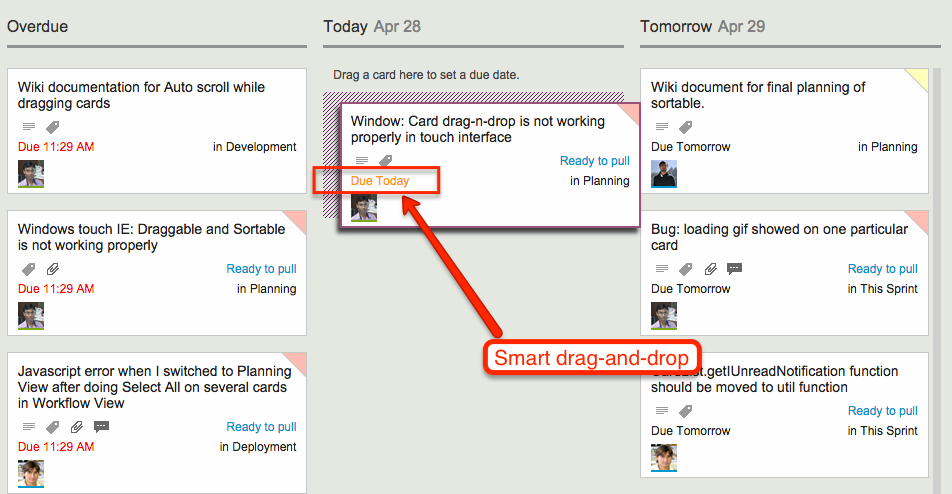
All these views support smart drag-and-drop of cards: if you drag a card across, or up/down a column, the Due Date is automatically changed to reflect the new date. As you move the card, the new date is shown in orange so you know exactly what will happen next:
Smart drag and drop
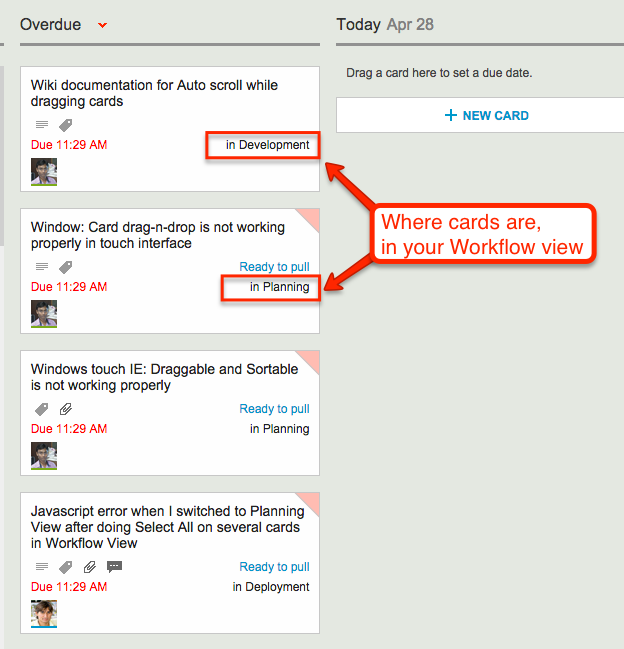
Since your Planning Views aggregate cards that may be in different columns on your Workflow View, we made it really easy for you to see at a glance where each card is in terms of your workflow:
Where cards are in your Workflow view
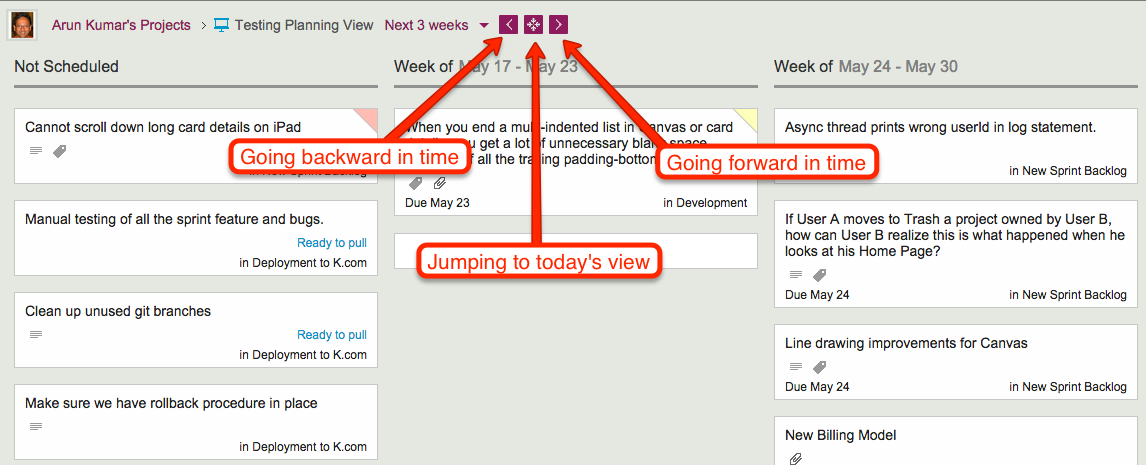
Navigating forward and backward in time is also easy, as is jumping to “today’s view” if you have navigated too far into the future:
Navigating the Planning Views
As you navigate forwards or backwards, the “And Beyond” column magically adjusts to show you just what’s out of your current view!
Planning Views work just as well with Task Boards (if you are using Kanban) and Scrum Boards (if you are using Agile).
Check out Planning Views — it’s exactly the kind of great design and innovation that you have come to expect from Kerika…
A long time ago we used to have a feature we called the “Daily Digest” which sent an email everyday summarizing all the changes that had been done to your Whiteboard projects overnight.
(This was back before we added Scrum Boards and Task Boards as a feature, when all we had was our patented Whiteboards.)
We never got this feature to work properly: not because it was buggy in a technical sense, but because we could never figure out how to make it a useful feature.
After trying numerous times to tweak it we finally gave up a long time ago.
And promptly forgot all about it.
It turns out that the feature had only been turned off on our server software; it hadn’t actually been ripped out.
We stumbled upon it in an obscure corner of our vast code base recently and were surprised to find it still there, albeit in a “commented-out” form.
Well, it’s gone for good now. It never worked well, it had been turned off for years, and now it’s in the trash…
As you know, we offer a great integration with both Google Drive and Box, giving you the choice of using either of these cloud storage services when you sign up as a Kerika user.
For most people, the choice of whether to use Google or Box is often made by their employer, whose IT departments may have already developed a cloud strategy for their organization.
For a small number of people, particularly those in organizations that haven’t committed to a particular cloud strategy yet, they do have the choice of using either cloud service, or even both.
So, what happens if you have the same email address, e.g. someone@example.com, and you set up a Google ID and a Box ID that use this same address?
You could end up with two different Kerika accounts that use the same someone@example.com ID: that’s because each sign up, from Google and from Box, takes a different path into Kerika.
This is not a great situation to be in, and we certainly don’t recommend it, but the software does try to behave well when confronted with this situation.
If another Kerika user invites you to join her project team, the invitation will show up in both your Kerika+Google and your Kerika+Box account — and in your email, of course — but when you try to accept the invitation Kerika will check to make sure you are logged into the correct service.
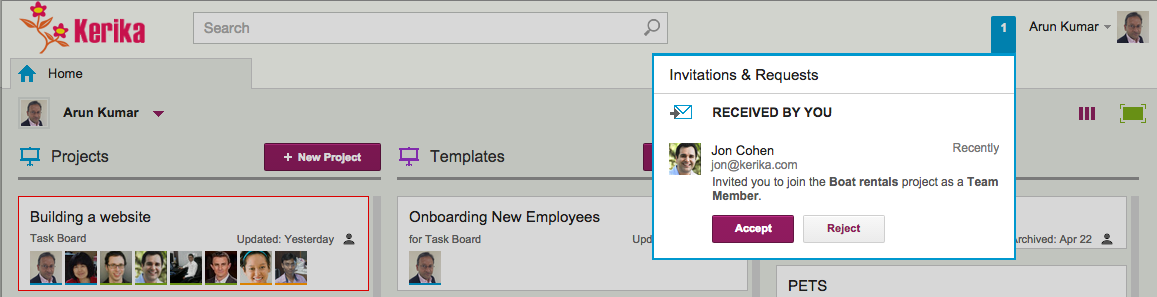
Here’s an example: Jon, who uses Kerika+Google, invites Arun to join one of his projects. Arun happens to have both a Kerika+Google account, and a Kerika+Box account, but Jon doesn’t know that — and he shouldn’t have to care, either!
When Arun sees the invitation, he happens to be logged into his Kerika+Box account:
Invitation received on Kerika+Box account
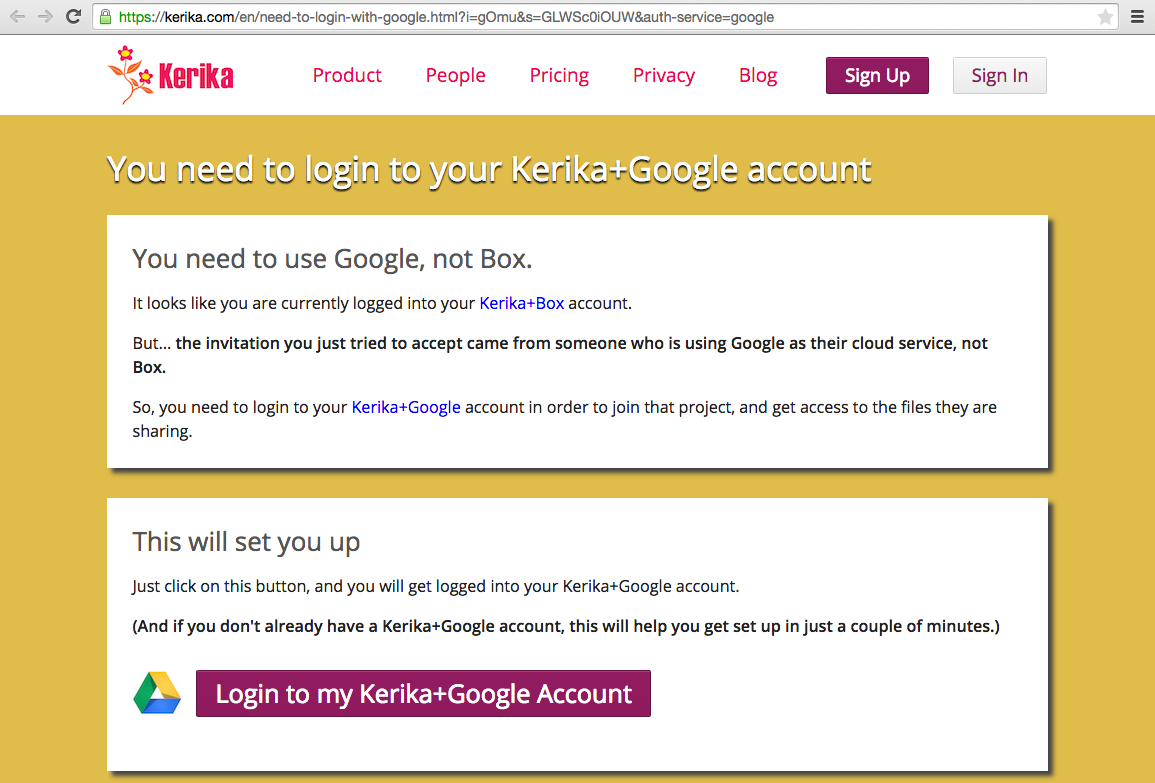
But when he tries to accept the invitation, Kerika checks to see whether Arun and Jon are both using the same cloud service, and discovers that Arun is logged into his Kerika+Box account and not his Kerika+Google account:
Prompt to login to Kerika+Google account
So, Kerika works behind the scenes to help Arun sort out his two accounts.
Using Kerika with Safari in “Private” mode can result in some odd behavior, and that is entirely due to the way Safari works — it’s pretty much out of Kerika’s control :-(
The underlying problem is that Safari doesn’t allow Web apps to use local storage (cache) when the browser is in “Private” mode.
Since Kerika relies upon local storage to provide a smooth, real-time effort, this can compromise the user experience if you use Safari in Private mode.
Rating Kerika (and other apps) on the Google Apps Marketplace used to be a lot simpler than it is now.
Google changed a bunch of things in the Google Apps Marketplace that now restricts rating of apps to Google Admins.
If you are the Google Admin for your organization, we would love to get your review and rating of Kerika on the Google Apps Marketplace!
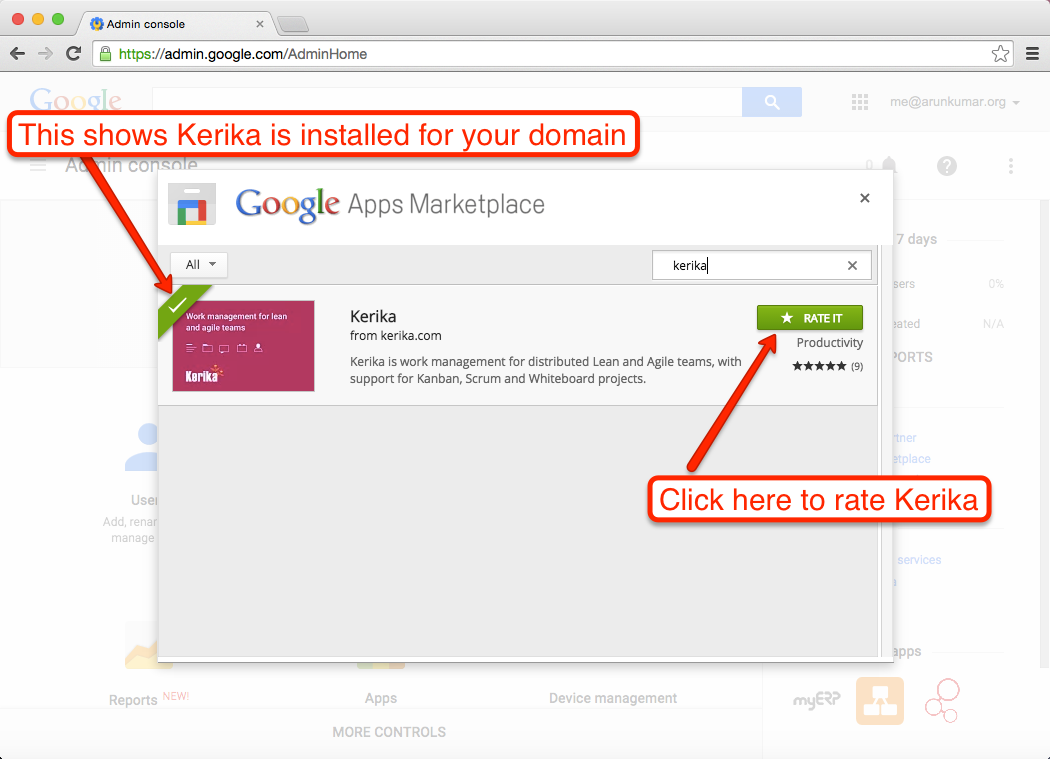
Here’s a step-by-step guide on how to rate Kerika (and any other app) on the Google Apps Marketplace:
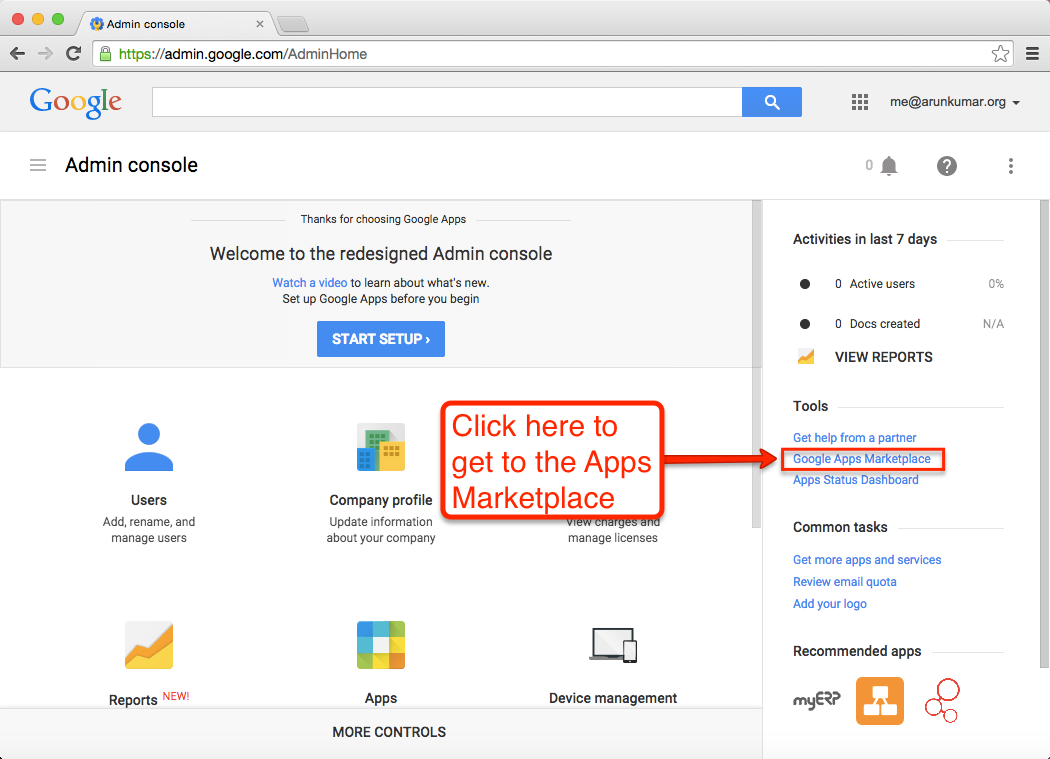
1. Start off on the Google Admin Screen
Go to admin.google.com, and then click on the “Google Apps Marketplace” link on the right:
Click here to get to the Apps Marketplace
2. Search for Kerika
Search for Kerika
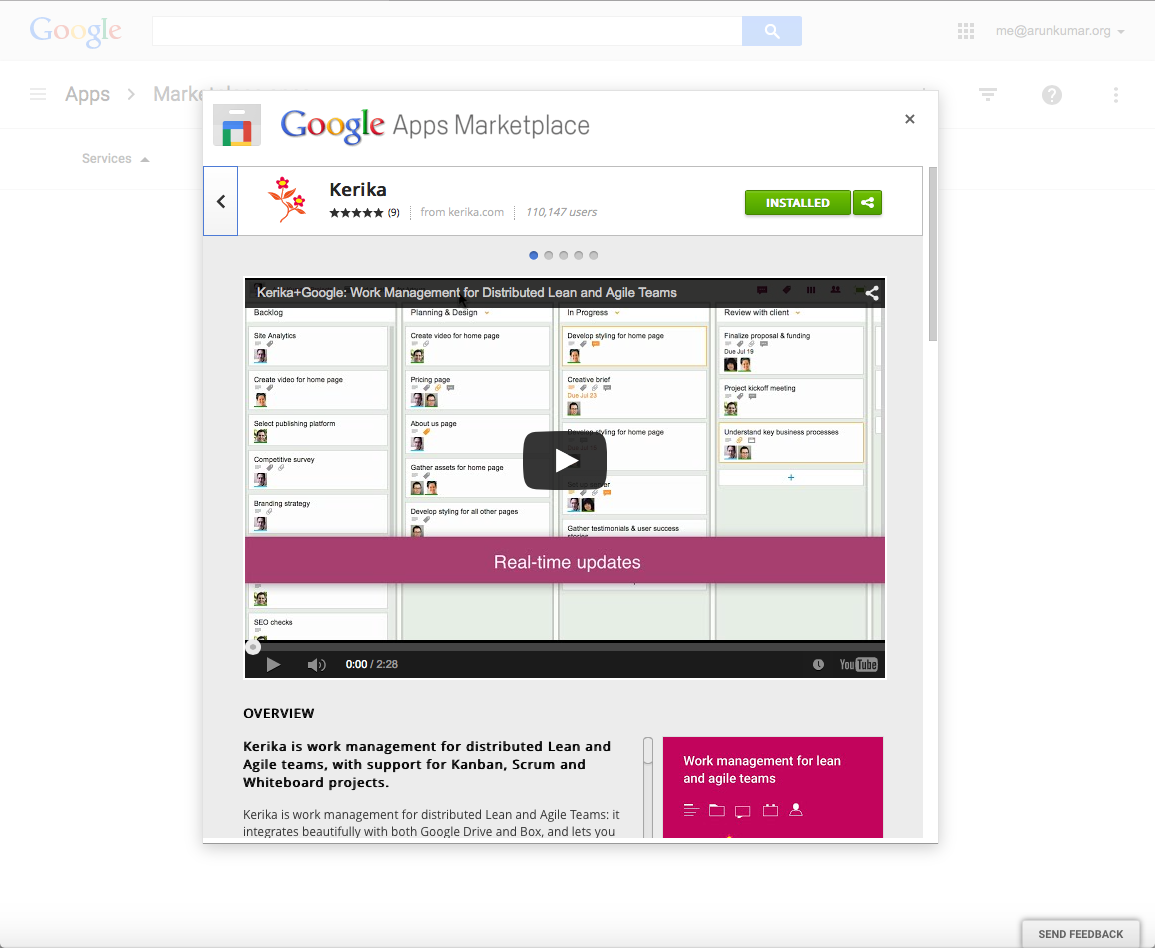
The Google Apps Admin for your organization (hopefully, you — if you are reading this blog post!) will need to install Kerika from the Google Apps Marketplace.
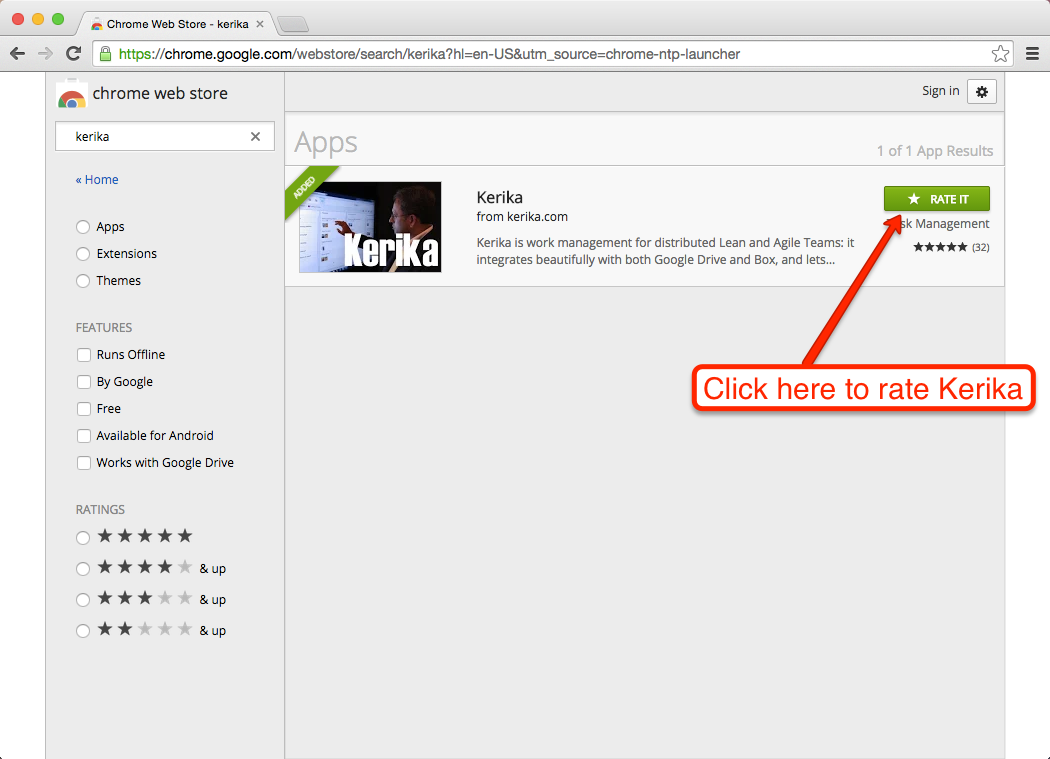
If Kerika is already installed as an approved (authorized) app for your Google Apps domain, you will see a “Rate It” button:
Click here to rate Kerika
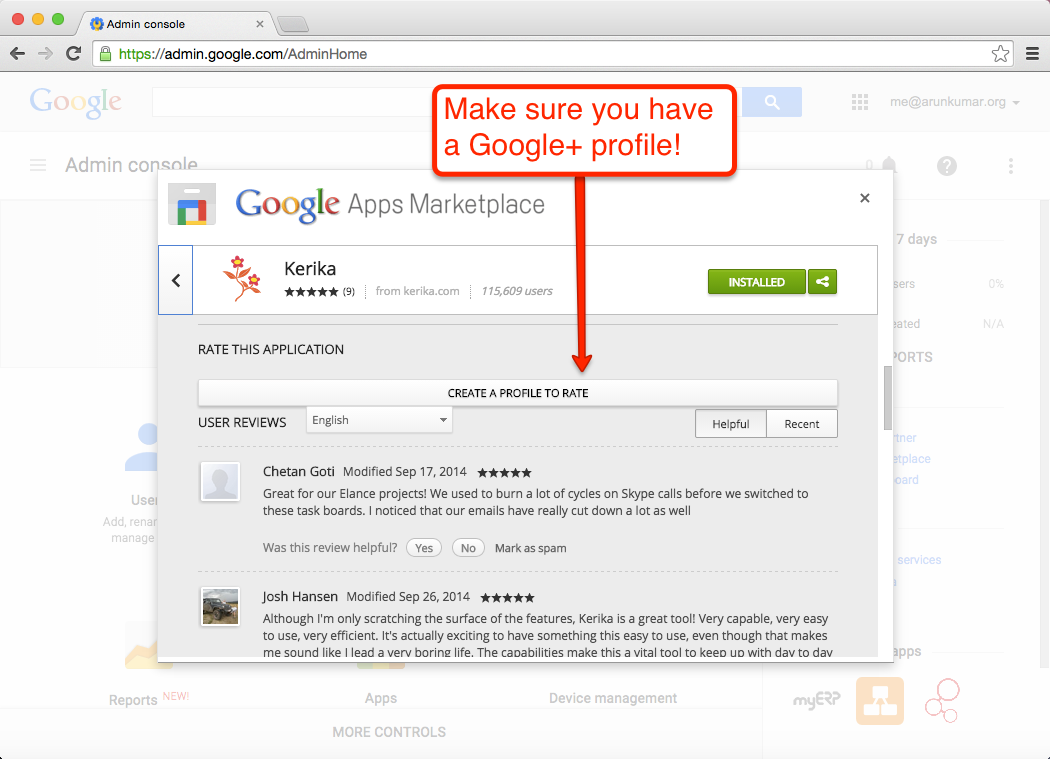
4. You need to have a Google+ Profile
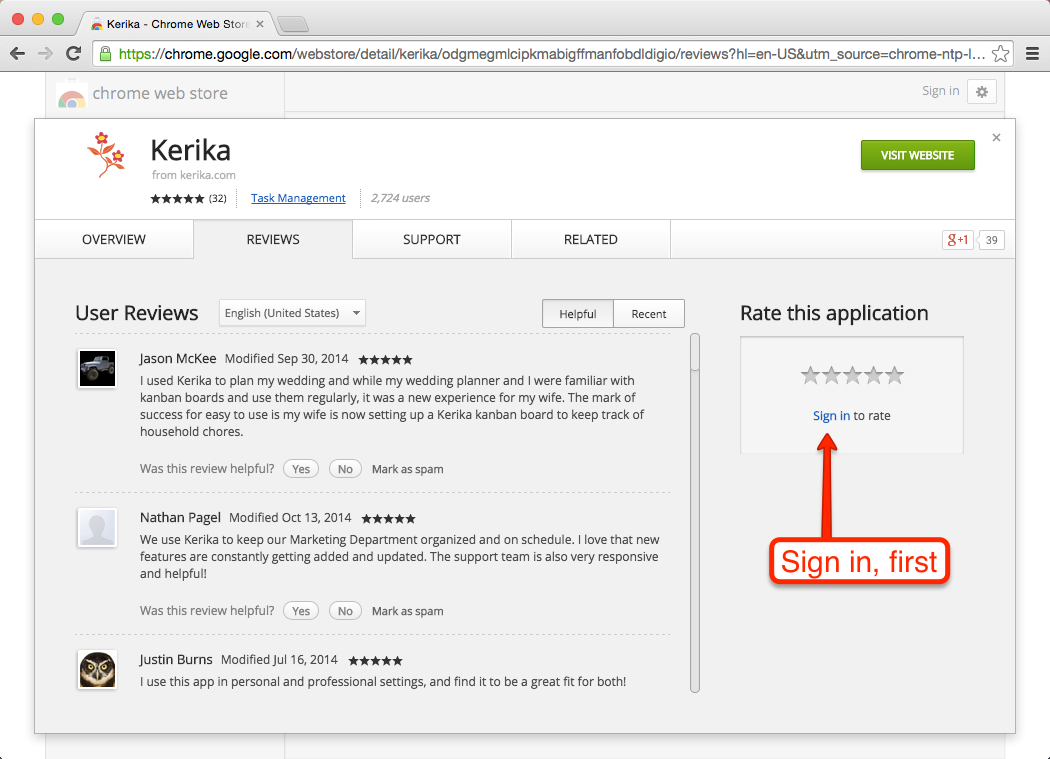
As with rating Kerika on the Chrome Web Store, you need to be signed into your Google+ profile in order to rate Kerika (or any other app from the Google Apps Marketplace):
Make sure you have a Google+ Profile
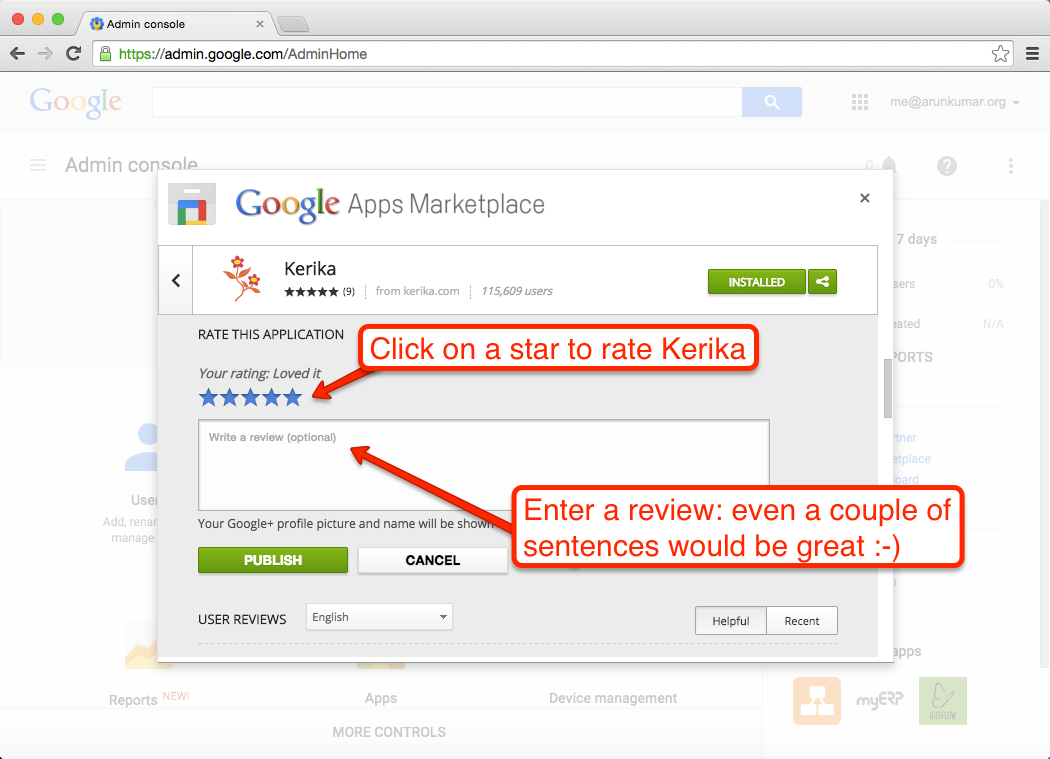
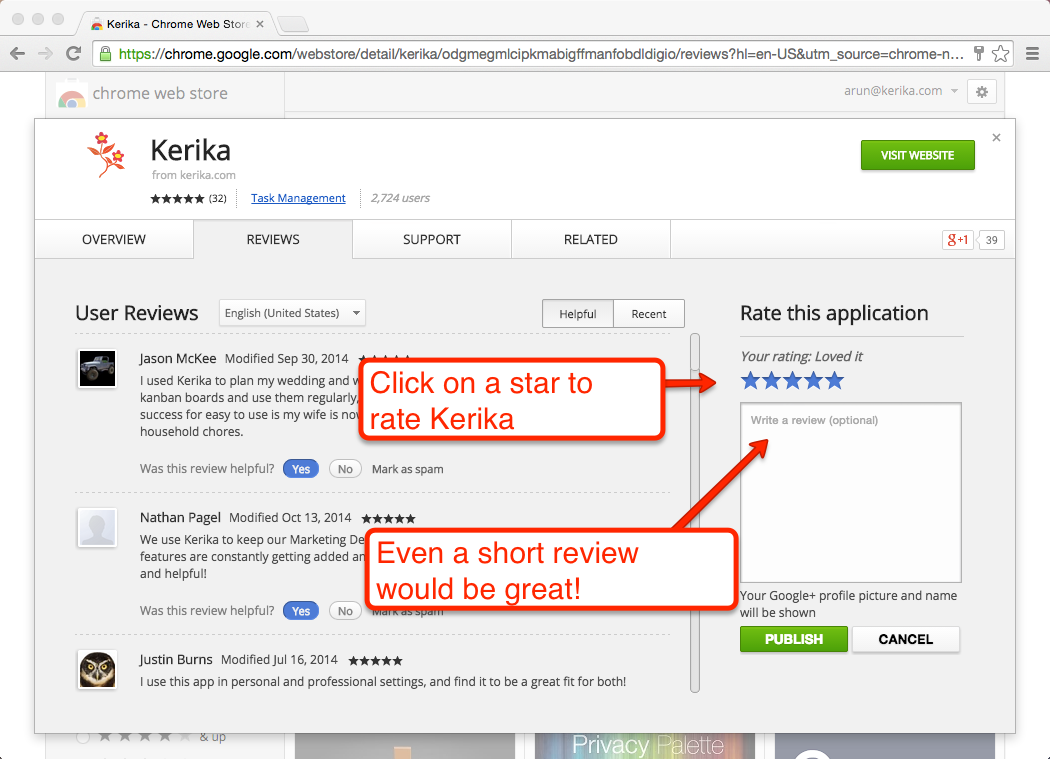
Assuming you are signed into Google, here’s how you can rate and review Kerika:
Rating Kerika
Click on the stars to rate Kerika, but what would be even better is a short review — even a couple of sentences would be great!
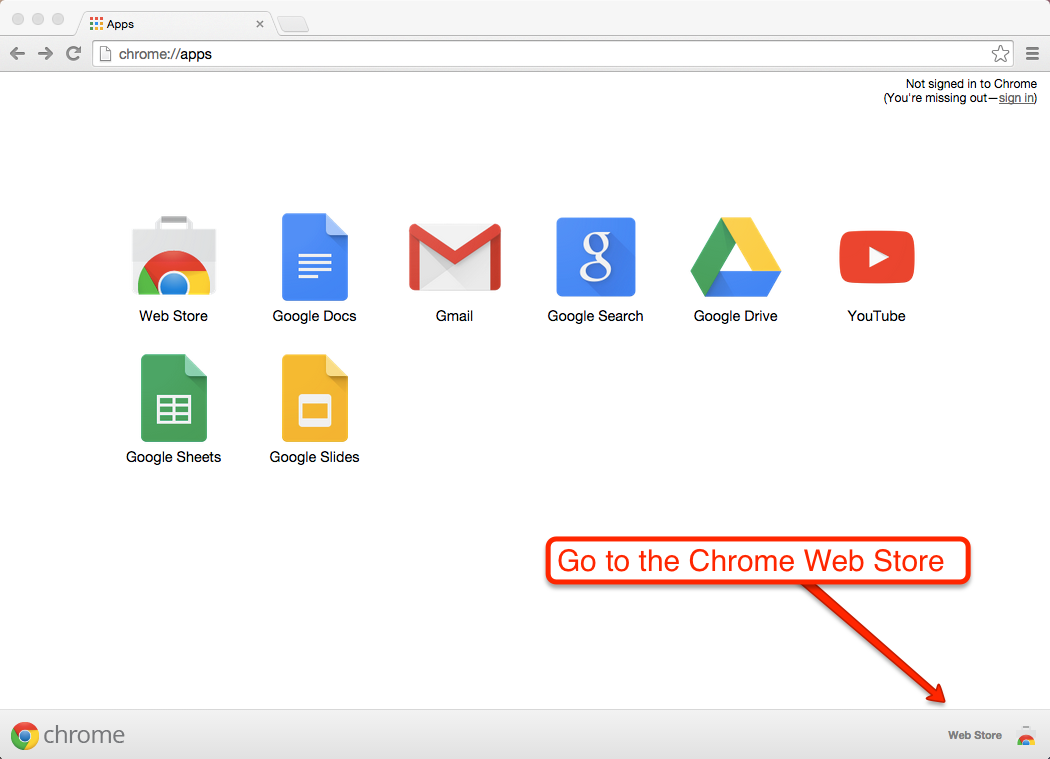
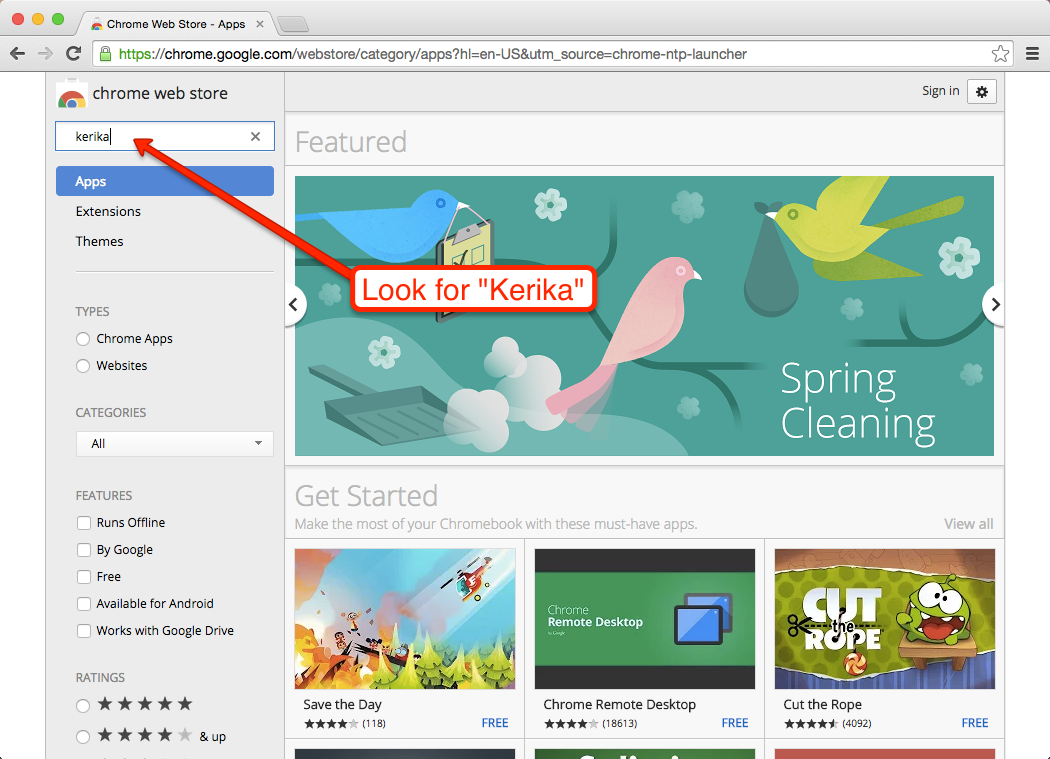
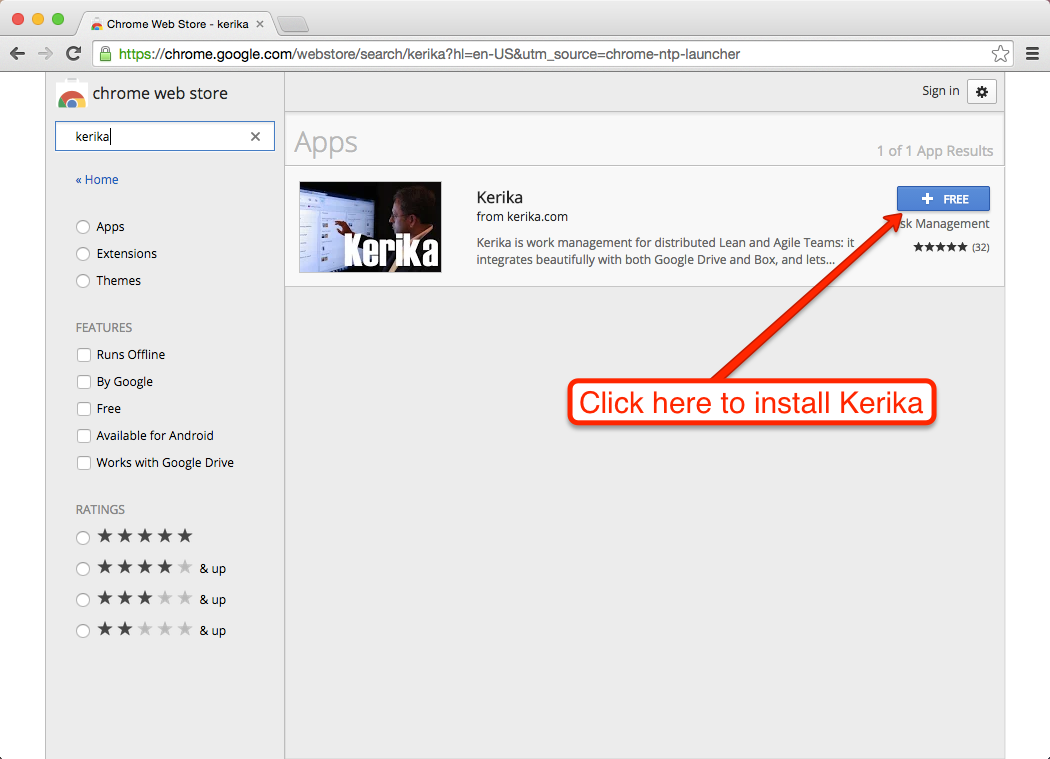
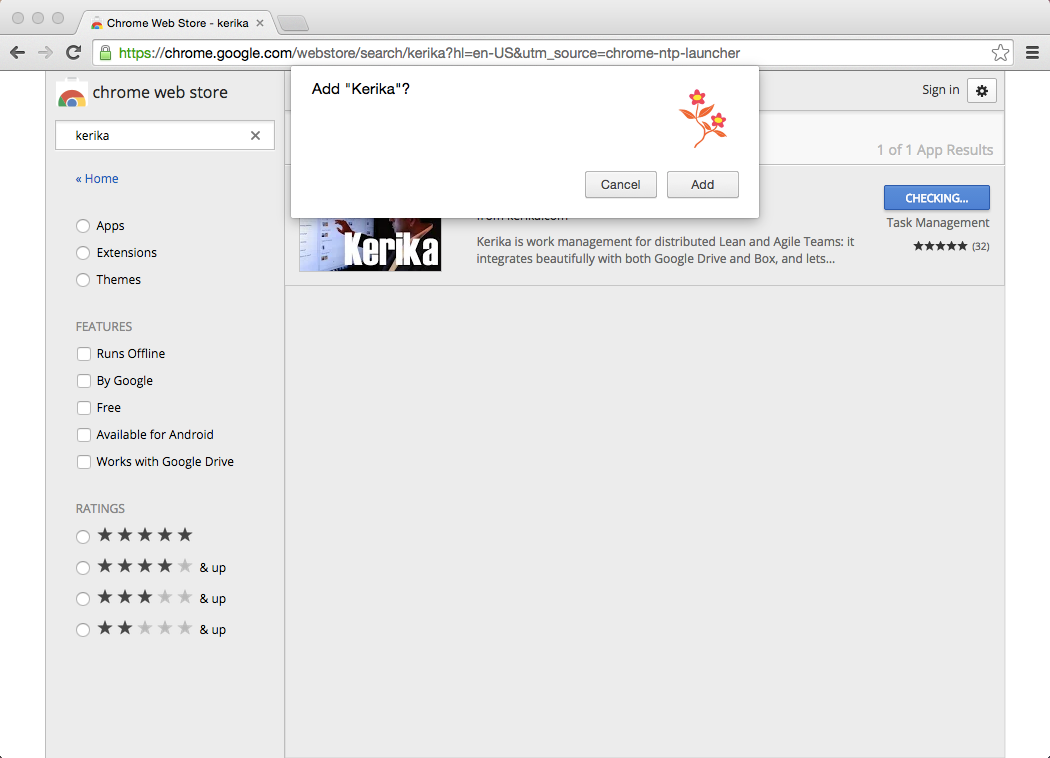
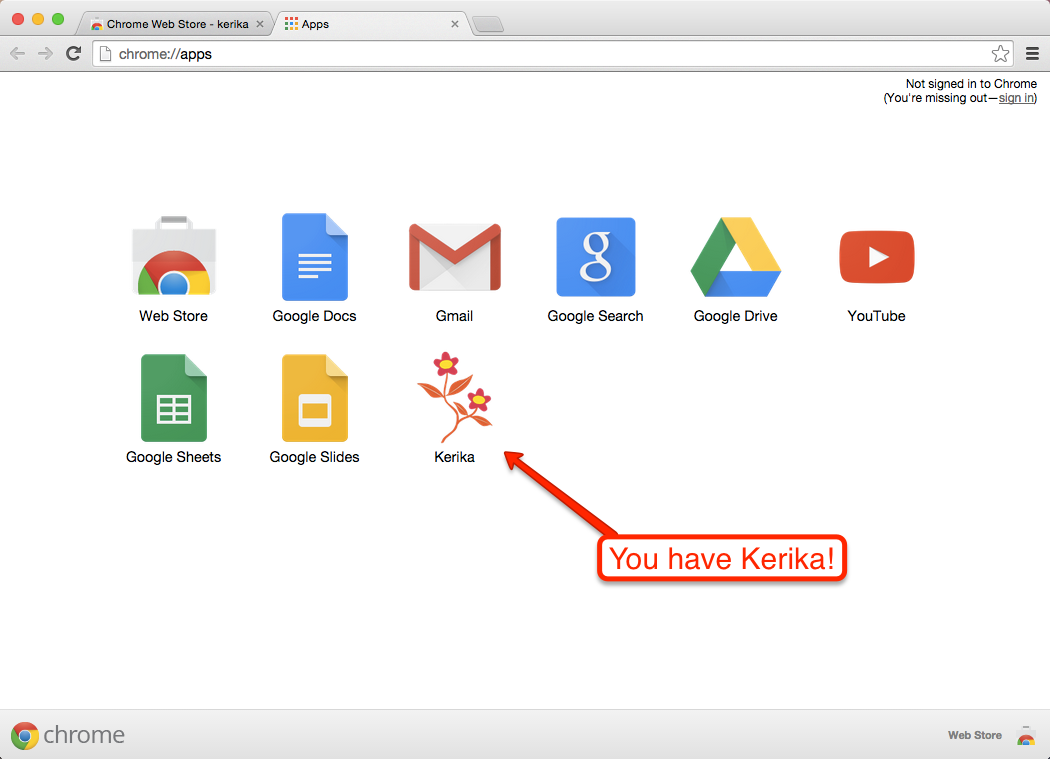
We would love to get your feedback on the Kerika app; one way, of course, would be to contact us directly at support@kerika.com, and an even better way would be if you could post a review of Kerika on the Chrome Web Store.
Here’s a step-by-step guide to posting a review of an app on the Chrome Web Store. (Of course, it’s going to be useful only if you use the Chrome browser, not if you use Internet Explorer, Safari or Firefox.)
We are often asked how the Kerika team itself uses Kerika, and we freely share this through demos we have done in person for potential customers and at various events. For those who we haven’t met in person, here’s a blog post instead..
1. Kerika runs on Kerika.
Pretty much everything we do, from the smallest, tangential effort to our main product development is done using the Kerika software.
(It shouldn’t surprise you to hear that, given that we are a distributed team ourselves — spread out between Seattle and India.)
2. No email, limited phone calls
In fact, we gave up using internal email back in Dec 2013. (Email sucks, and Kerika is the smarter alternative to spam.)
Because our team is spread out over 10,000 miles, we do occasional phone calls, using Skype or Google Hangouts, to discuss product strategy, but we don’t have daily phone calls as a matter of routine.
We have a phone call only when there is something substantial to discuss, never to catch up on routine status. In other words, all our phone conferences are about interesting topics, like “What do you think about this idea…?” or “I met a customer today who brought up this problem…”; never about “Where are you with Task X?”.
Kerika keeps us in perfect sync across these 10,000 miles on all matters of routine status and project management, so our phone calls are all strategic in nature.
3. Scrum for Product Development
We work with a 2-week Sprint Cycle for the most part, although we have occasionally deviated from this — never with great results, so sticking to the cycle is usually a good idea!
We capture all of our product ideas and feature requests in one large Scrum Board, which we call, simply, Product Planning.
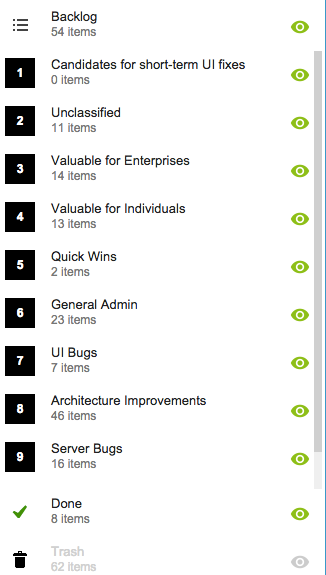
This board organizes our ideas into various buckets, like Valuable for Enterprises and Valuable for Individuals:
Product Planning buckets
You might notice that the Backlog column is relatively small: only 54 items. That’s because not everything in the other buckets is ready to go into the Backlog, either because a feature isn’t well defined enough, or it isn’t considered important enough to deal with in the short-term.
(We have a lot of ideas that sit and gestate for months, even years!)
It’s also worth noting that the Trash contains 62 items: this means we reject as many ideas as we pursue!
4. A Shared Backlog
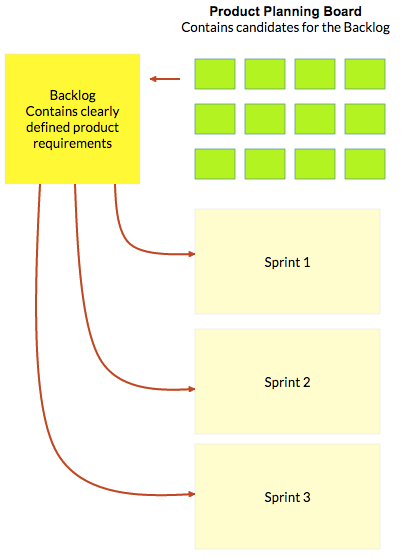
As ideas for various features get prioritized — and, more importantly, defined clearly enough to be analyzed in detail by our developers — they get moved to the Backlog.
This backlog is shared by all the individual product development Scrum Boards:
Product Planning process
(And, by the way, the screenshot above is from a Kerika Whiteboard that we use to map out our product planning process.)
Each Sprint is organized as a separate Scrum Board, pulling items from the common Backlog.
As items get done (or not, as the case may be), the Backlog slowly shrinks over time.
But, as ideas for new features gets firmed up on the Product Planning board, this keeps feeding more stuff into the Backlog. So, the net result is that our Backlog has remained the same size for years: about 50-60 items.
We have been doing this for a while now, and are currently wrapping up Sprint 55, with each Sprint taking at least 2 weeks, and several taking 1 month to complete.
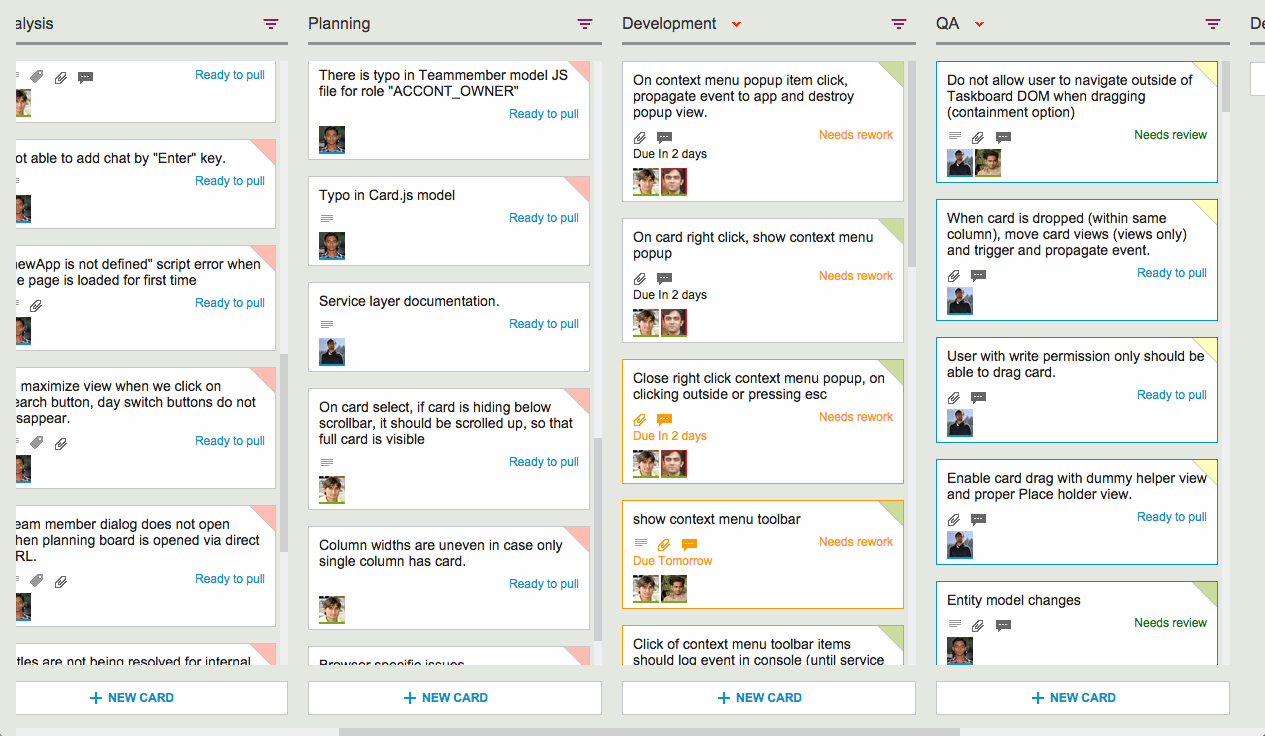
Here’s an example of one of our Scrum Boards:
Scrum Board
5. Kerika’s Smart Notifications
So, if we are a distributed team that doesn’t use email, and not that much phone either, how do we keep up with what’s happening? The answer is: Kerika’s smart notifications help each of us easily keep track of changes taking place across literally hundreds of cards each day.
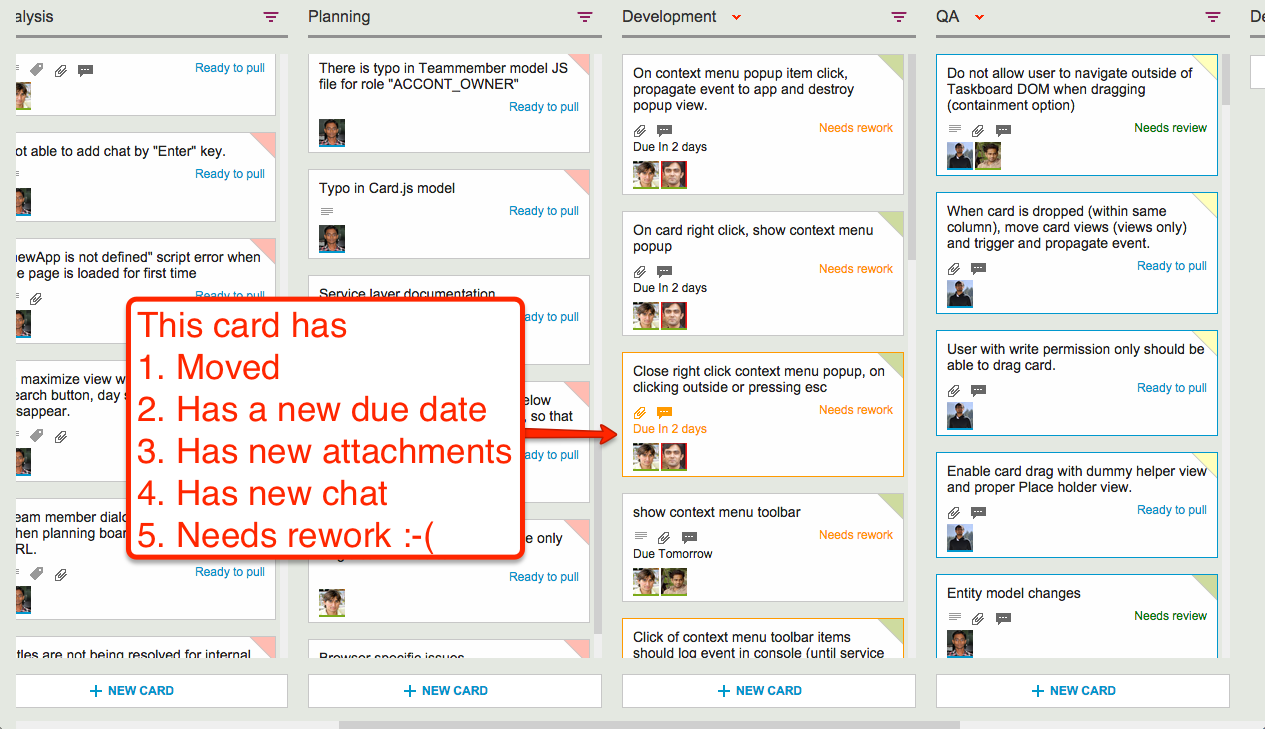
Here’s an example:
Smart notifications
At a glance we can tell that this card has
Moved
Has a new due date
Has new attachments
Has new (unread) chat messages
And, unfortunately, needs rework :-(
These smart notifications replace dumb email with a much more efficient mechanism for keeping everyone on the same page.
6. The Development Process
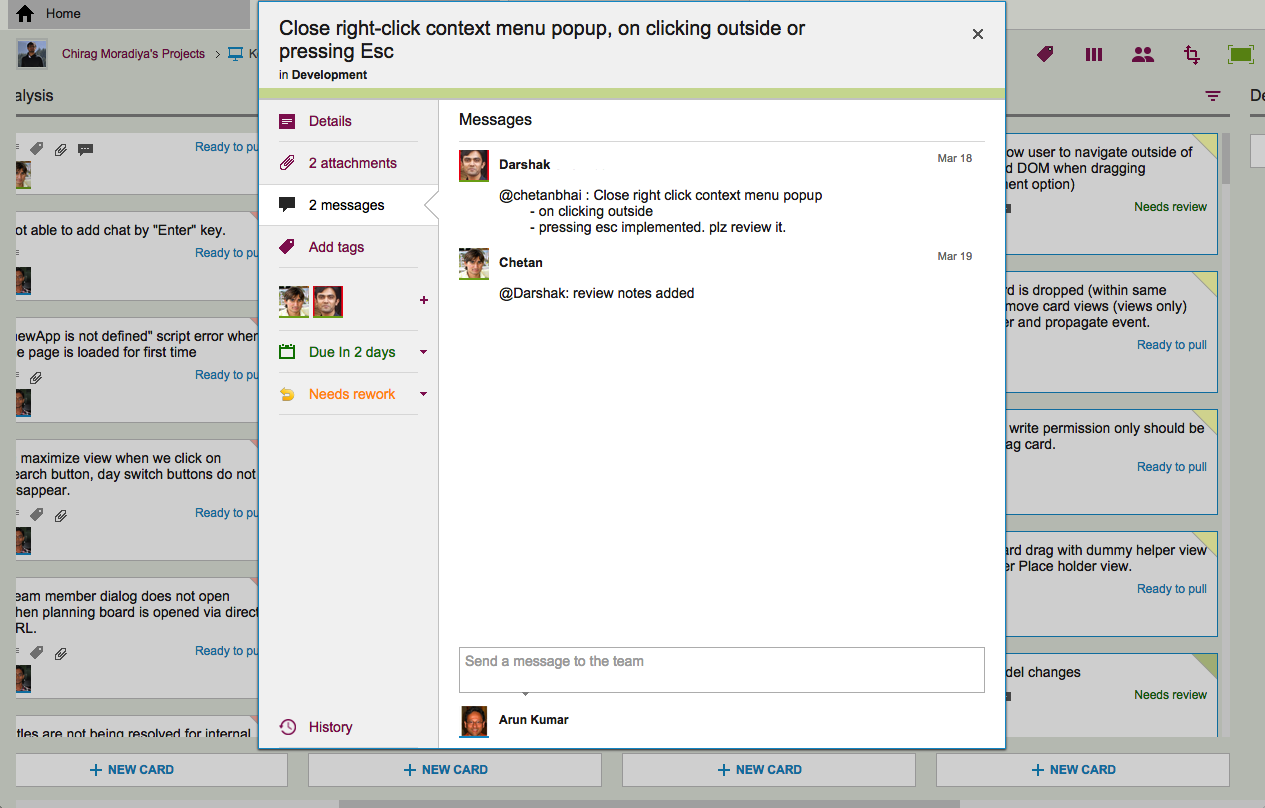
If we open up one of these cards, we can get a glimpse of the Kerika development process. Let’s start with the chat thread on this card:
Example of new chat
This chat shows a typical interaction between a junior developer and a technical lead: after writing the code for a particular feature, the developer has passed it on to the tech lead for code review.
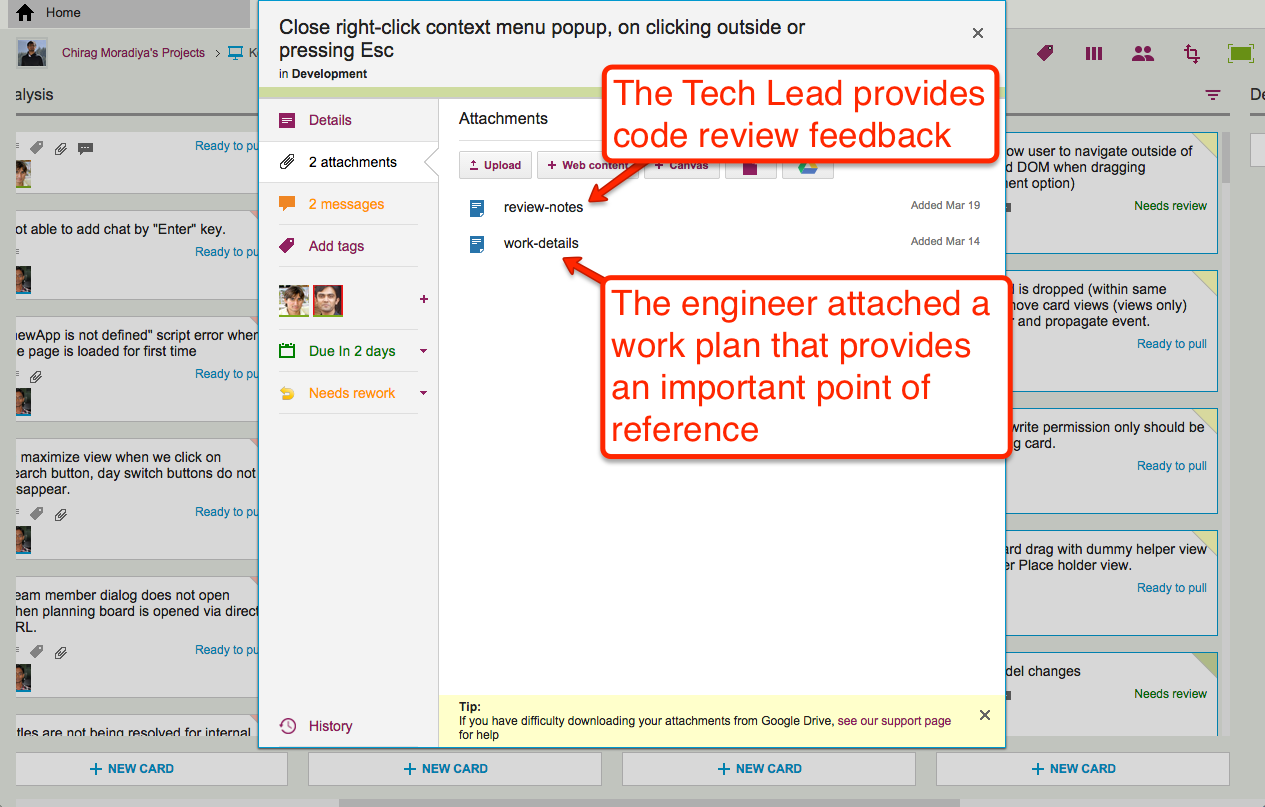
The code review itself is attached to the card, as an attachment:
Adding code review to a card
For each feature we develop, our engineers create a small work plan that outlines their design thinking.
This design/work plan is a critical artifact for good software development: it ensures that people can review the work more easily and effectively, and it also provides a reference for the future — if ever a bug is found in this particular feature, we can go back to the work plan to see where the design flaw may have originated.
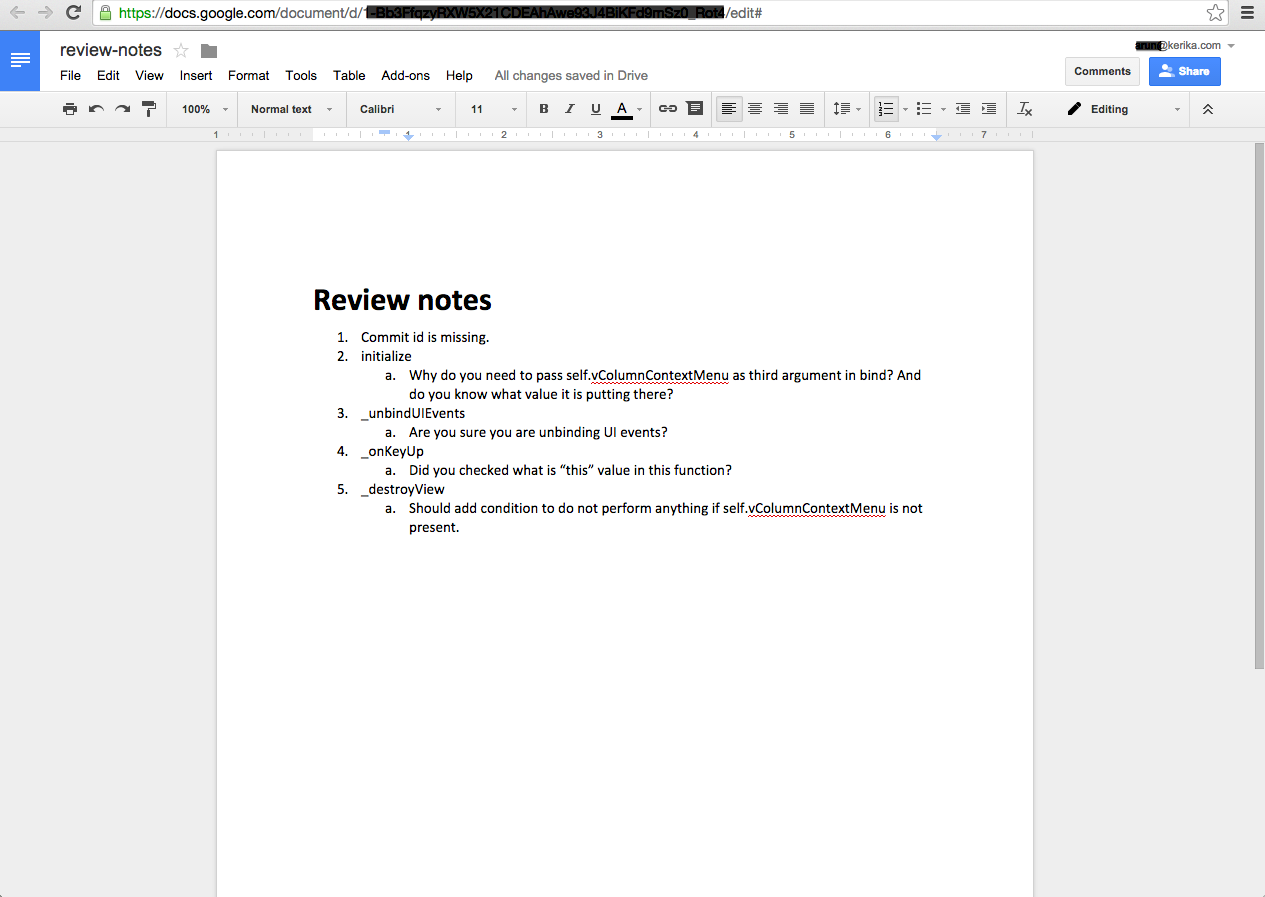
The code review is typically very short, and attached (in this case) as a Google Doc:
Example of code review
7. Card History
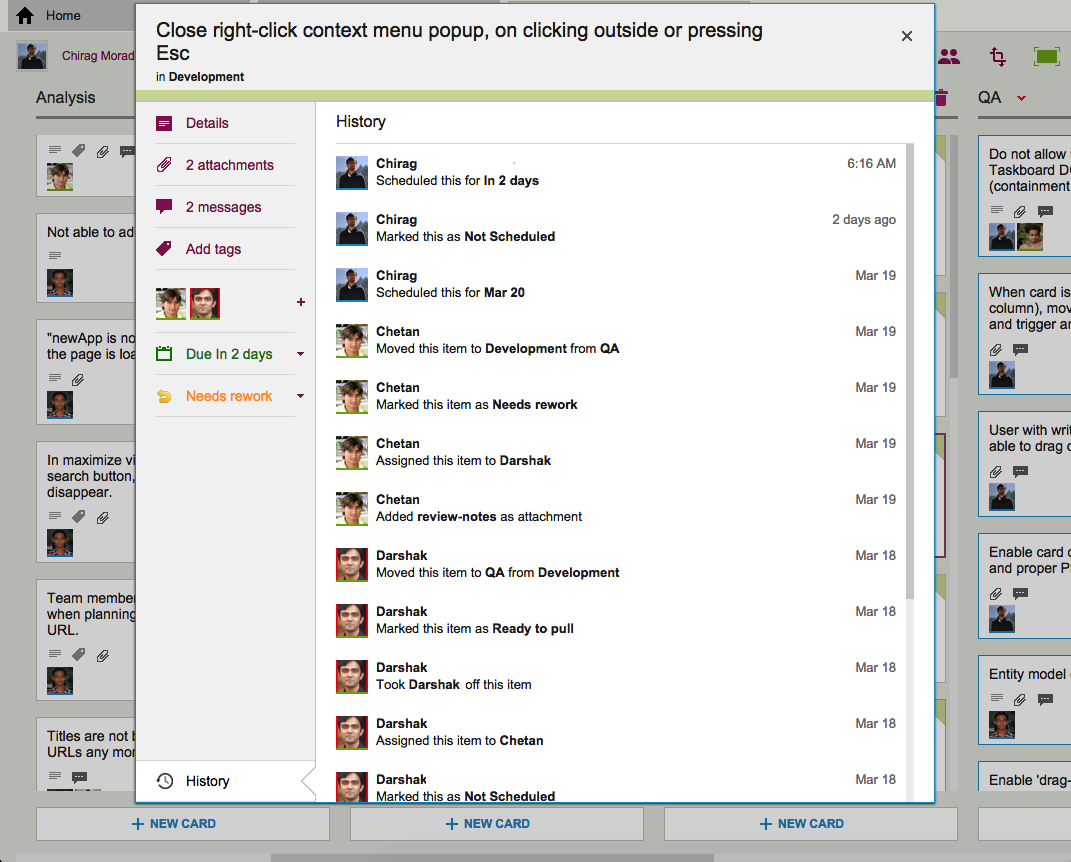
Each card in Kerika keeps track of its own history, which makes it easy for a distributed team to keep track of everything that happened. Frequently, a number of changes may have taken place on a single card during a workday, and someone who is 10,000 miles away is also about 13 hours away in terms of timezones, so the history feature is useful for understanding all the changes that took place when you weren’t looking.
History of the work
So, that’s a typical card, on a typical board. And, in a typical 2-week Sprint Cycle, our development team handles 175-200 cards!
We love Kerika, not just because we have built it, but because it makes our distributed team so very effective!
If you have a premium (i.e. paid) version of Google Apps running in your organization, your Google Apps Administrator will need to authorize Kerika for your domain, before anyone within the organization can use Kerika.
Here’s step-by-step directions on how to do this:
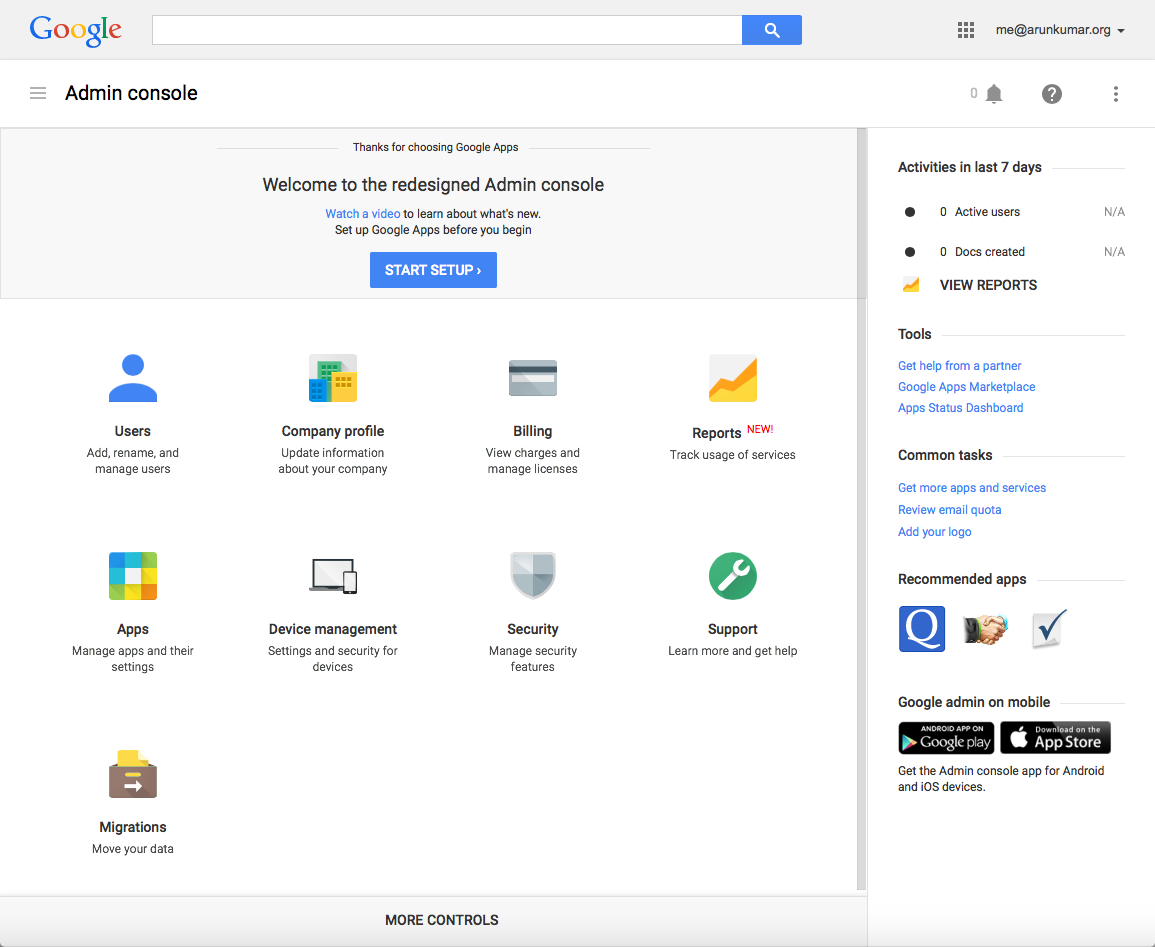
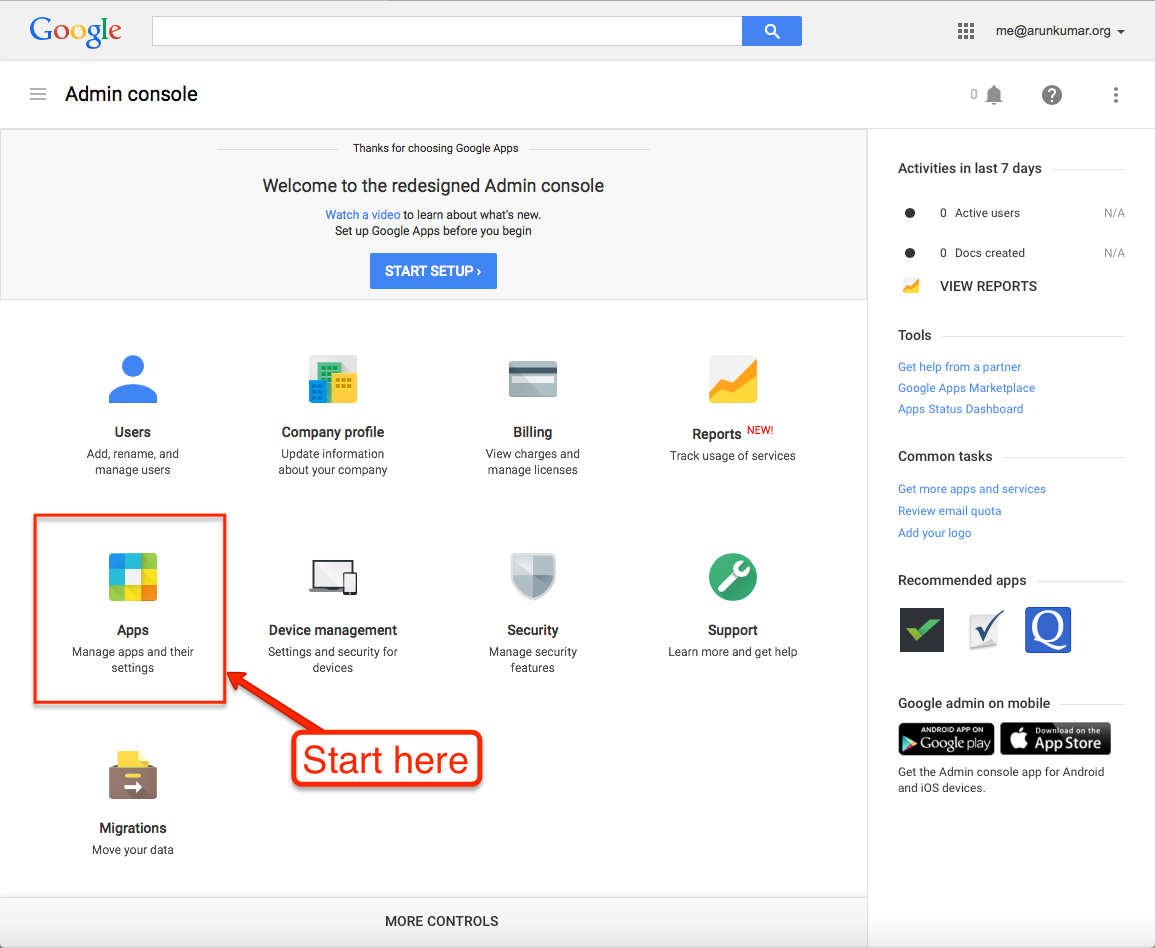
1. Go to your Google Apps Admin console.
Go to http://admin.google.com, and log in as the Google Apps Administrator for your domain:
Start at Google Admin console
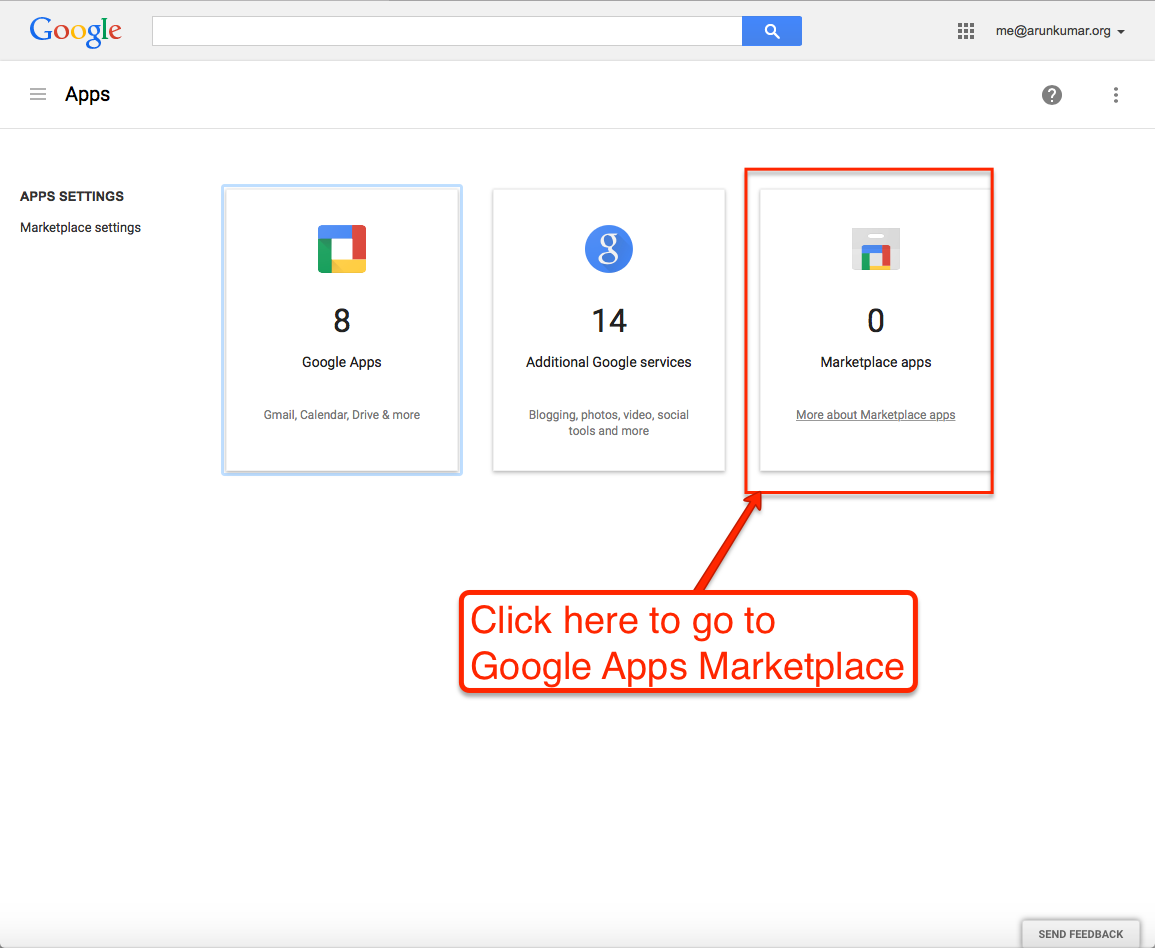
2. Click on the “Apps” button.
This is where you can manage all your Google Apps, as well as third-party apps like Kerika that integrate with your Google Apps:
Click on the Apps button
3. Go to “Marketplace Apps”.
Google separates out its own apps from third-party apps, so you want to click on “Marketplace Apps”:
Go to Google Apps Marketplace
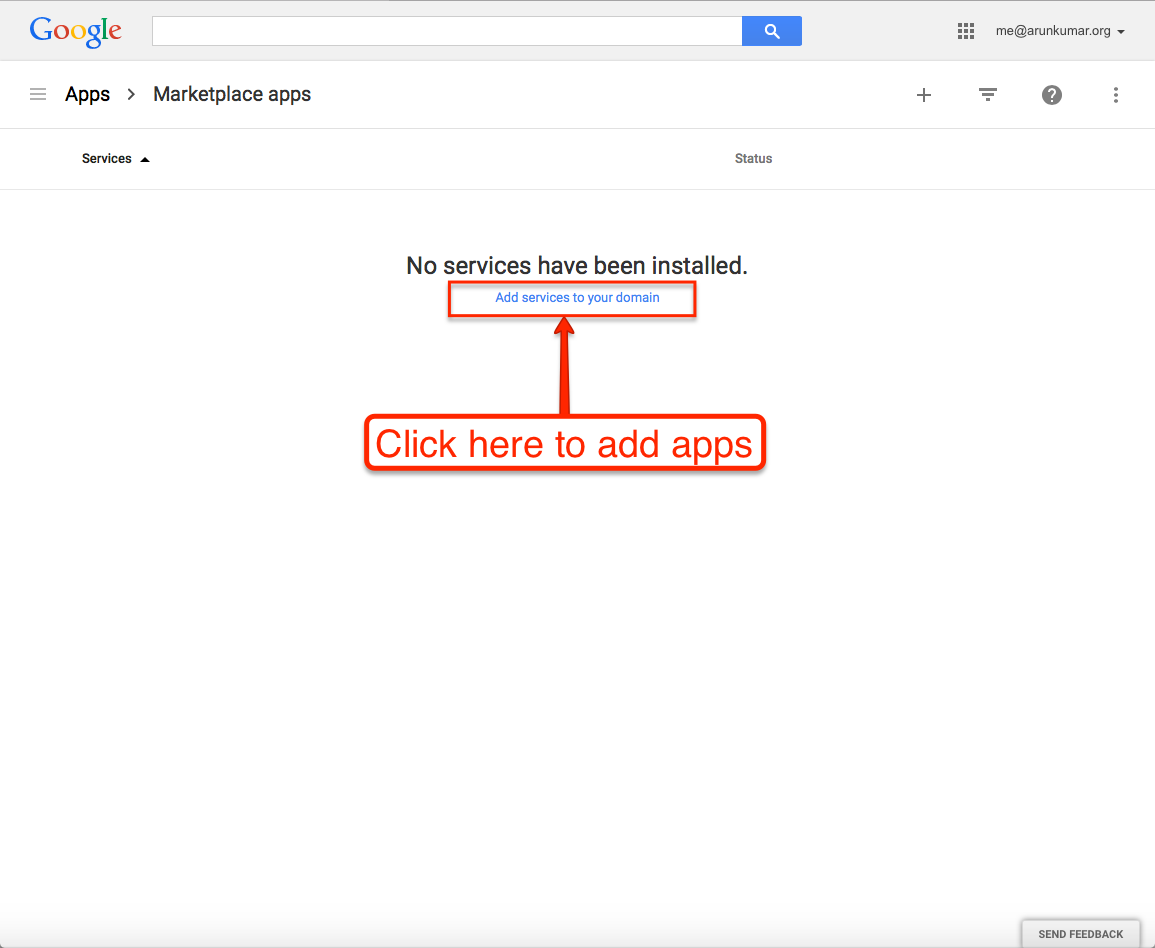
4. Click on “Add Services”.
All the apps you currently have installed for your domain will show up here (in this example, none have been installed so far); click on the blue “Add services” link:
Add services to your domain
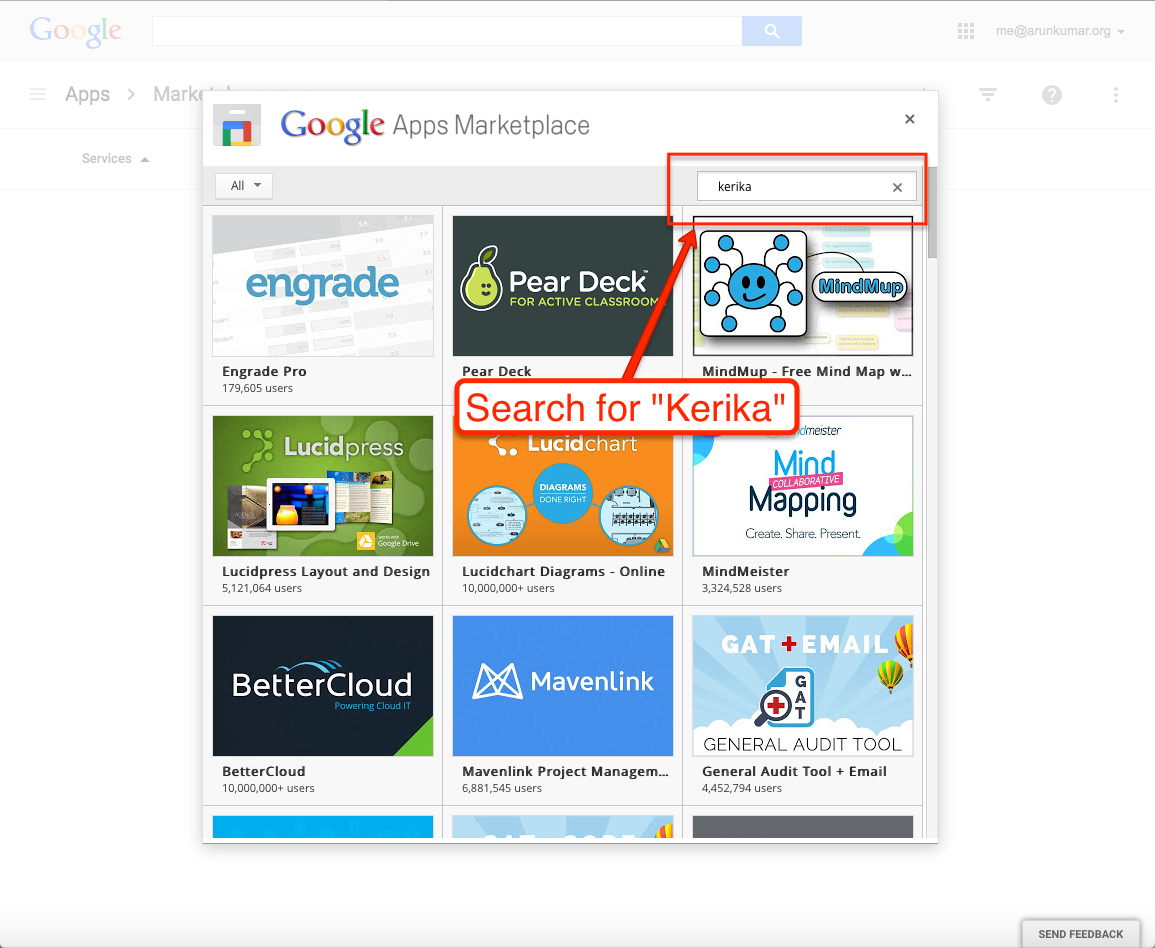
5. Search for Kerika.
Search for “Kerika” in the Google Apps Marketplace:
Search for Kerika
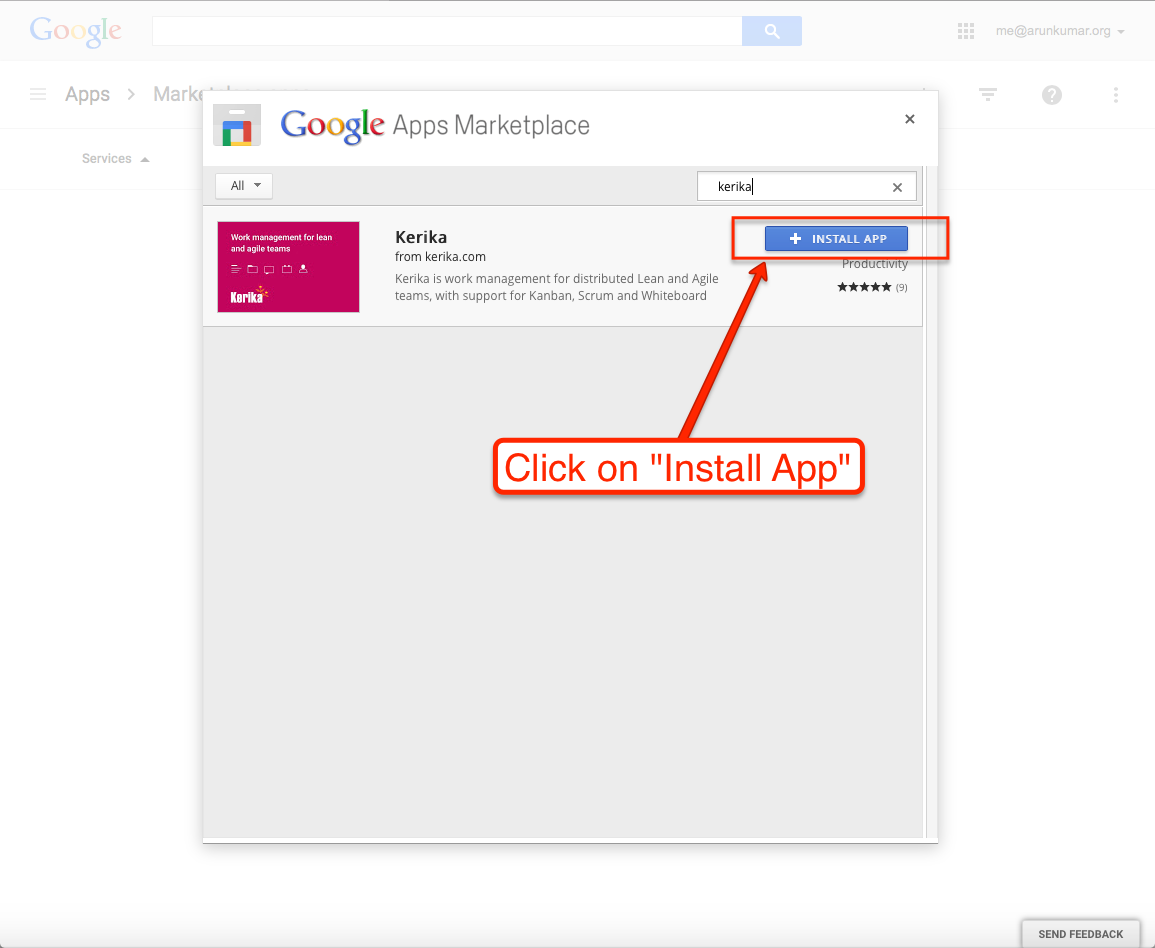
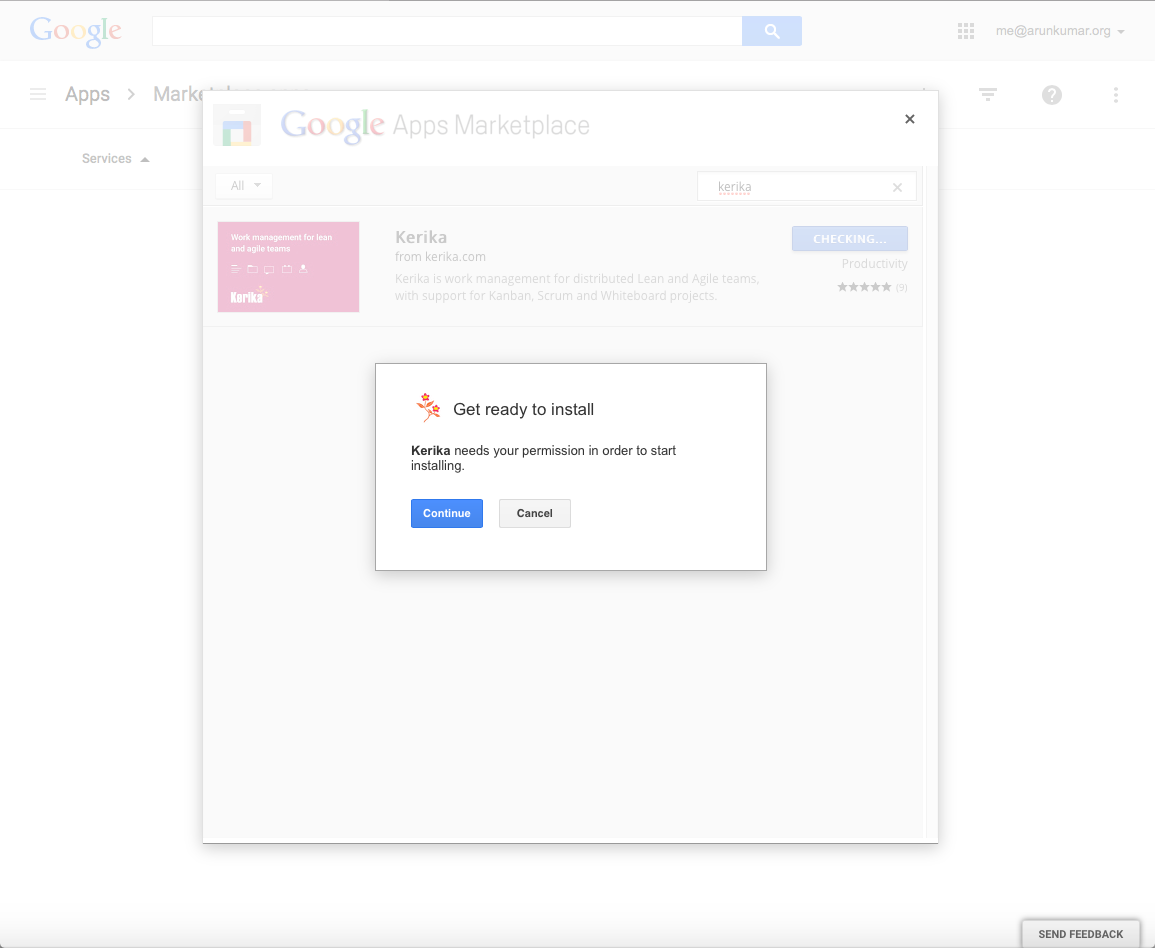
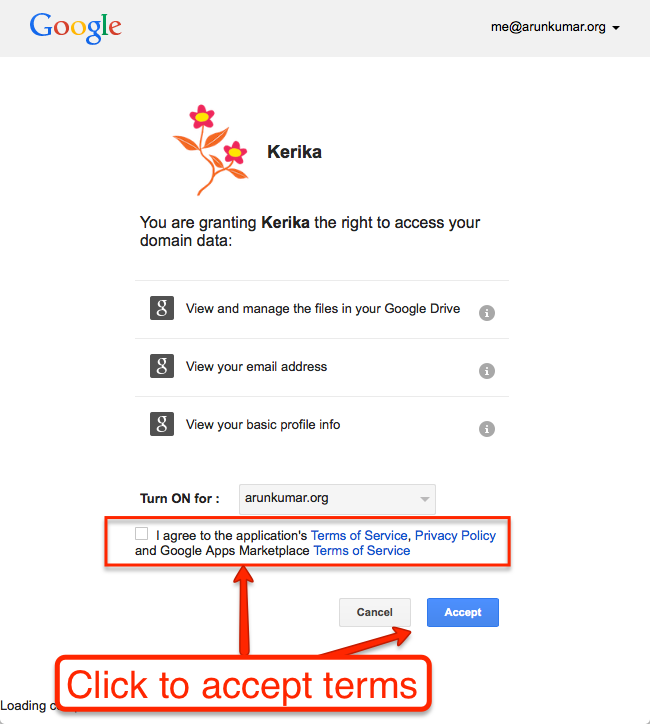
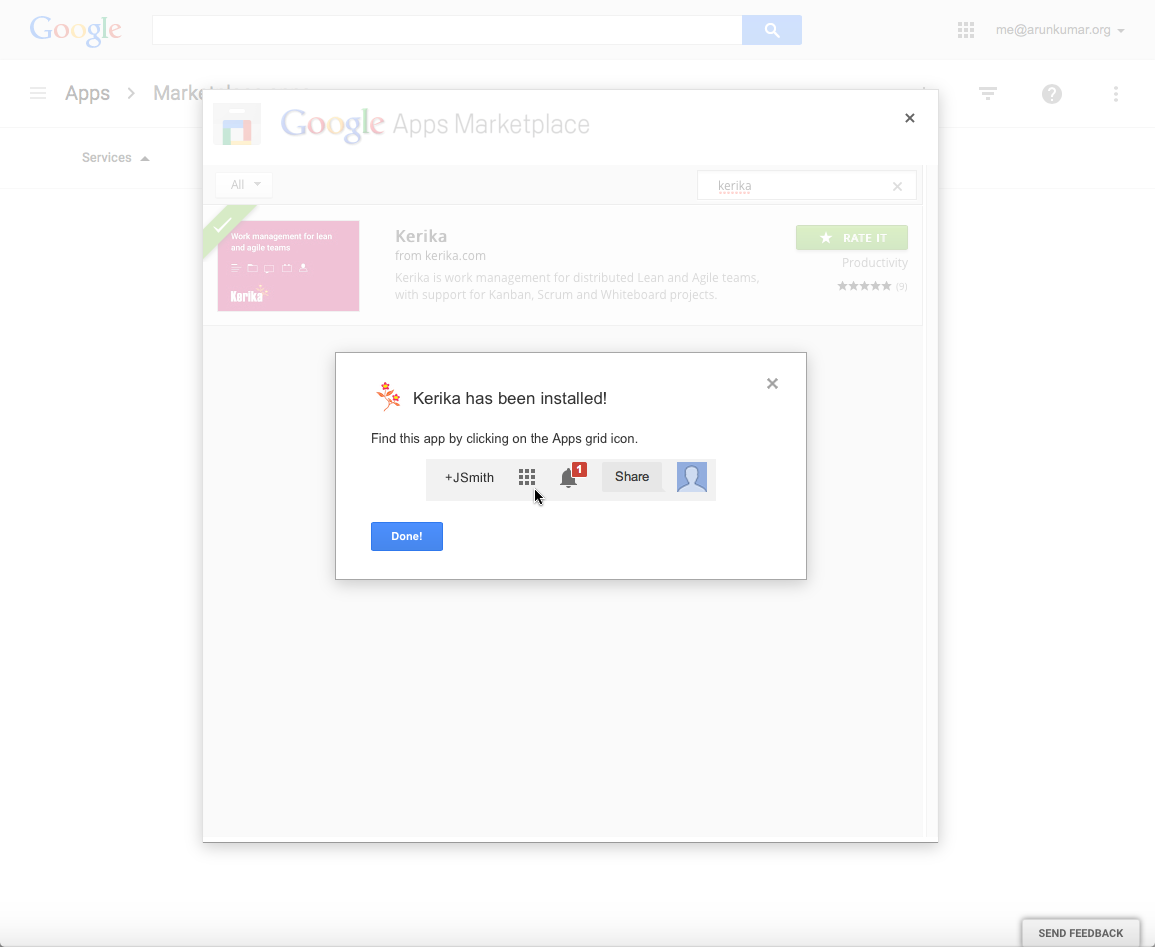
6. Click on “Install App”.
Kerika’s entry will show up in your search results; click on the blue “Install App” button:
We have been one of the last jazzy Web apps out there that was still running on Internet Explorer 9, but that’s going to change: with our next release, due in a month or so, we will be asking Internet Explorer users to upgrade to IE10 or later.
The main reason for this change is that all “modern” browsers — and IE9 qualifies as “modern” only when it stands next to IE8 — do a lot of work within the browser itself that Kerika currently does: stuff like managing and manipulating the DOM structure of the Kerika application.
This means that the Kerika client-application — the bit that you actually see and use in a browser — is unnecessarily complicated, and somewhat slower, than it needs to be, because we are doing some work that IE10+, Chrome, Firefox and Safari all do within the browser itself.
Dropping support for IE9 will enable us to provide a faster user experience, with less complexity in the code.