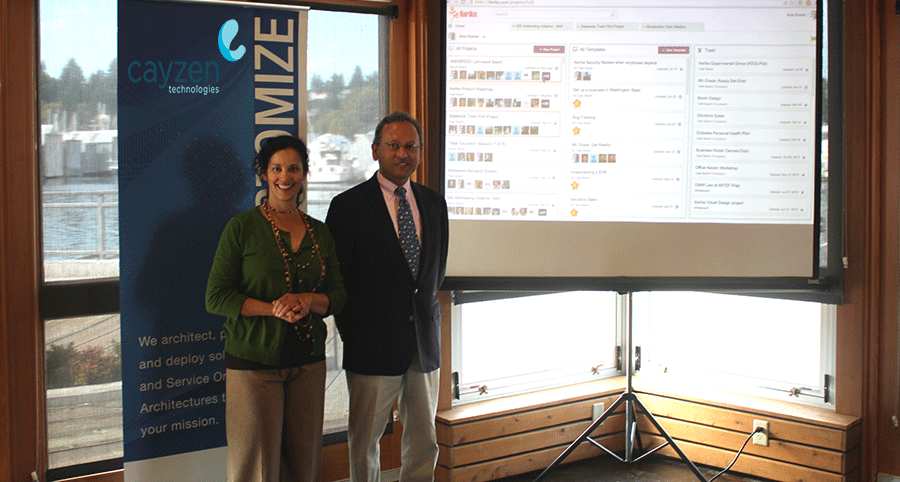
Cayzen Technologies organized a Lunch & Learn Agile event at the Harbor House at Percival Landing in Olympia, Washington, featuring Arun Kumar, CEO of Kerika.
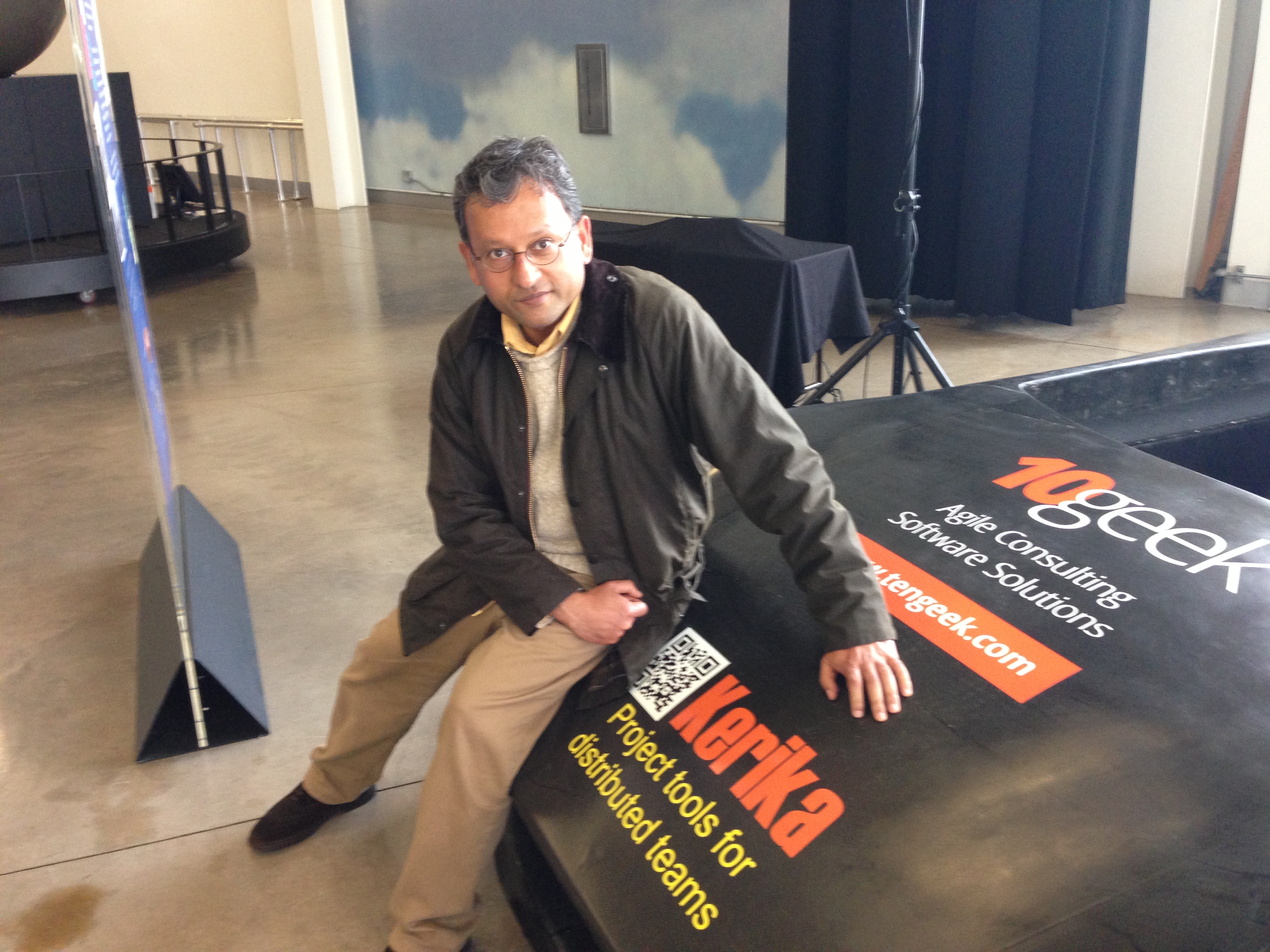
Arun’s topic was Implementing Lean across Distributed Teams, and we would like to specially thank Mayra Pena from Cayzen who organized the event:
Arun Kumar & Mayra Pena
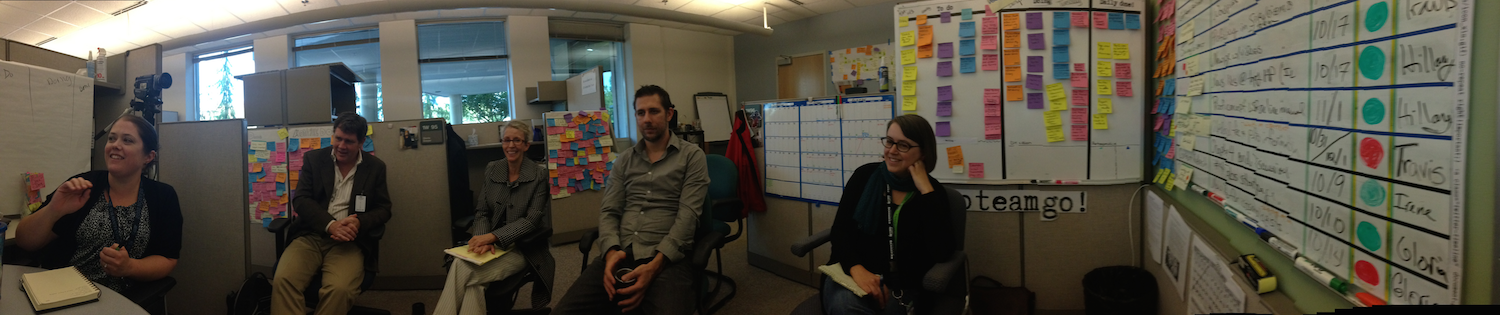
The event was attended by folks from Washington State’s Employment Security Department and Department of Health, among others, and there was a lively discussion.
Here are the slides from that presentation:
If you would like to see the sample Kerika board that featured in the demo, go to https://kerika.com/m/H51M
I will be presenting on Implementing Agile across Distributed Teams at the Lunch & Learn Agile event on October 2, 2014 at the Office of the CIO for Washington State.
The event is being organized by Cayzen Technologies; if you are interested in attending, please contact Mayra Pena.
Here at Kerika, we often get asked how we do Scrum as a distributed team.
Here’s the model we have evolved, which works for us mainly because we are the very essence of a distributed Agile team: we have people working together on the same product from locations that are 10,000 miles apart!
And this means that we are the most enthusiastic consumers of our products: we use Kerika to manage every part of our business and we only build what we would ourselves love to use.
Here’s the basic outline of our Scrum model:
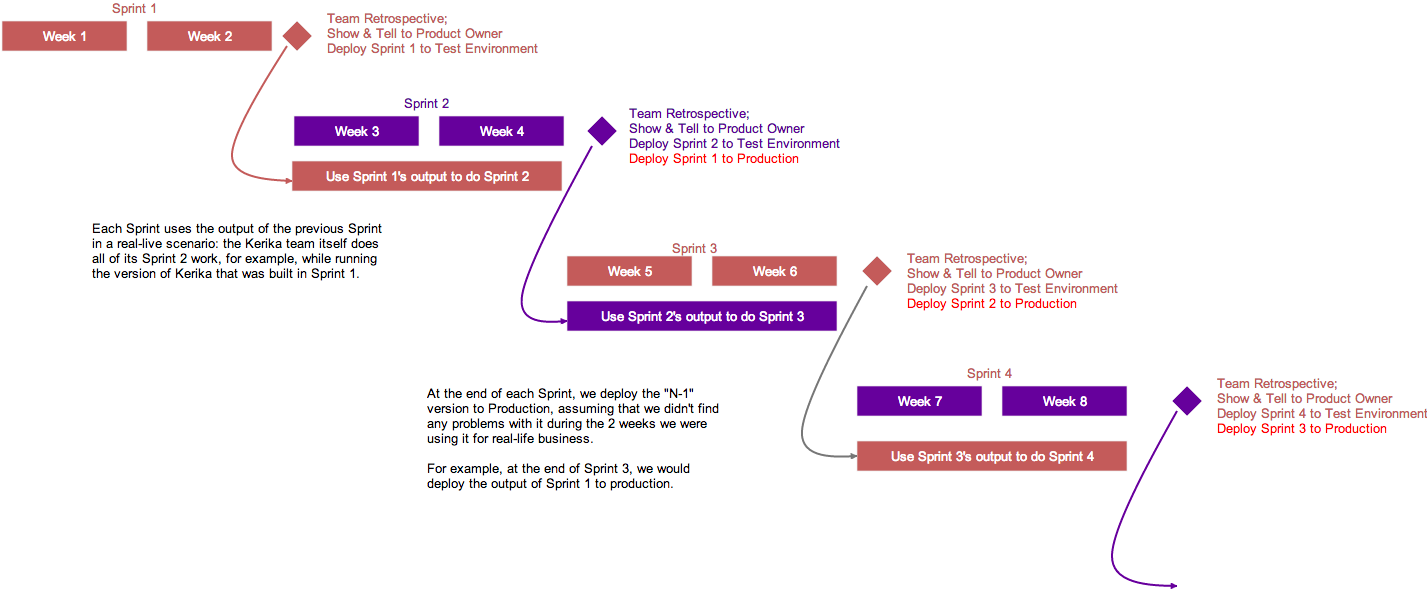
Kerika’s model for 2-week Sprints
Each Sprint is 2 weeks long: that that works well for us; other folks might find that 3 weeks or 4 weeks i better. Pick what works for you.
Each Sprint begins with Sprint Planning, where the Scrum Team gets together with the Product Owner to decide which cards will be pull from our main Product Backlog into the Sprint Backlog.
Each Sprint is organized as a separate Scrum Board: this makes it really easy for us to concentrate upon needs to get delivered in that particular Sprint, without getting distracted by what was done in the past or what remains to be done.
And Kerika makes it really easy to pull cards (literally!) from the Backlog onto a Scrum Board, and then hide the Backlog from view so it doesn’t distract the Team while the Sprint is underway.
Half-way the Sprint, at the end of the first week, we do a gut-check: does the Sprint look like it is going reasonably well? We don’t ask if it is going perfectly: almost no Sprint does; what we are looking for is any indication that the Sprint is going to severely under-deliver in terms of the Team’s commitments to the Product Owner.
We could do these gut-checks every day during our Daily Standups, but in the first part of a Sprint cycle these can often give us false positives: it’s easy to tell early on if a Sprint is going to be disastrous, but it’s hard to tell for sure that it is actually going to end well. But about midway through the Sprint we start to have a more reliable sense for how things may turn out.
In keeping with the Scrum model, our goal is to complete a potentially shippable set of features and bug fixes with each Sprint, although this doesn’t necessarily mean that we will always ship what gets built after each Sprint. (More on that later.)
For each feature or bug, however large or small, we make sure that we have design and testing baked into the process:
An analysis document is prepared and attached to the card, either as a Google Doc or as Box document. (We had been using Kerika+Google exclusively for years, but have recently switched to Kerika+Box since we completed our Box integration.)
The document is often just a few paragraphs long, because we always take cards representing large features (or other big work items) and break them up into smaller cards, so that no card is likely to take more than a day’s work. Kerika makes it really easy to link cards together, so it’s easy to trace work across multiple cards.
For bugs, the attached document describes the expected behavior, the actual behavior, and the root cause analysis. Very frequently, screenshots showing the bugs are attached to the cards.
For new features, several documents may be attached, all quite small: there may be a high-level analysis document and a separate low-level design document.
For all features and bugs, we do test planning at the time we take on the work: for back-end (server) work we rely primarily on JUnit for writing automated tests; for front-end (UI) work we have found that automated testing is not very cost-effective, and instead rely more on manual testing. The key is to be as “test-driven” in our development as possible.
There are several benefits from doing formal planning, which some folks seem to view as being antithetical to an Agile model:
It helps find holes in the original requirements or UI design: good technical analysis finds all the edge cases that are overlooked when a new feature is being conceptualized.
It helps ensure that requirements are properly interpreted by the Team: the back-and-forth of analysis and reviewing the requirement helps ensure that the Product Owner and the Team are in synch on what needs to get done, which is especially important for new features, of course, but can also be important to understand the severity and priority of bugs.
It deliberately slows down the development pace to the “true” pace, by ensuring that time and effort for testing, especially the development of automated tests, is properly accounted for. Without this, it’s easy for a team to quickly hack new features, which is great at first but leads to unmaintainable and unstable code very soon.
At the end of the 2-week cycle, the Team prepares to end the Sprint…
We like to talk about Sprints as “buses”: a bus comes by on a regular schedule, and if you are ready and waiting at the bus stop, you can get on the bus.
But if you are not ready when the bus comes along, you are going to have to wait for the next bus, which thankfully does come by on a regular 2-week schedule.
This metaphor helps the Team understand that Sprints are time-boxed, not feature-boxed: in other words, at the end of every 2 weeks a Sprint will end, regardless of whether a feature is complete or not. If the feature is complete, it catches the bus; otherwise it will have to wait for the next bus.
And here’s where the Kerika team differs from many other Scrum teams, particularly those that don’t consume their own products:
At the end of each Sprint, we do the normal Sprint Retrospective and Show & Tell for the Product Owner.
But, we also then take the output of the Sprint and deploy it to our test environment.
Our test environment is the one we actually use on a daily basis: we don’t use the production environment as often, preferring to risk all of our work by taking the latest/greatest version of the software on the test environment.
This forces us to use our newest software for real: for actual business use, which is a much higher bar to pass than any ordinary testing or QA, because actual business use places a higher premium on usability than regular QA can achieve.
(And, in fact, there have been instances where we have built features that passed testing, but were rejected by the team as unusable and never released.)
This is illustrated above: the version of Kerika that’s built in Sprint 1 is used by the team to work on Sprint 2.
This is where the rubber meets the road: the Kerika Team has to build Sprint 2, while using what was built in the previous Sprint. If it isn’t good enough, it gets rejected.
At the end of Sprint 2, we will release the output of Sprint 1 to production. By this time it will have been used in a real sense by the Kerika Team for at least 2 weeks, post regular QA, and we will have a high confidence that the new features and bug fixes are solid and truly usable.
We could summarize our model by saying that our production releases effectively lag our Sprint output by one Sprint, which gives us the change to “eat our own dogfood” before we offer it to anyone else.
Dan Genz from the Washington State Auditor’s Office gave a presentation at the 2014 IPMA Forum describing how the state agency is adopting Lean principles, while serving hundreds of state, county and local municipalities with a distributed team of auditors and analysts spread out across the state:
Will Treinen, founder and CEO of Treinen Associates gave a presentation at the 2014 IPMA Forum describing his experiences in building an “Agile PMO” to handle the extraordinary growth of his consulting business (600% in the past year!).
Will relied upon Kerika to create the perfect collaboration environment for his distributed teams of project managers, business analysts and business development staff:
Global, distributed, agile: words that describe Kerika, and WIKISPEED.
WIKISPEED is a volunteer based green automotive-prototyping company that’s distributed around the world and coming together on a Kerika board to design and build safe, low-cost, ultra-efficient, road-legal vehicles.
We first visited WIKISPEED in the summer of 2012, as part of our research into the needs of distributed, agile teams.
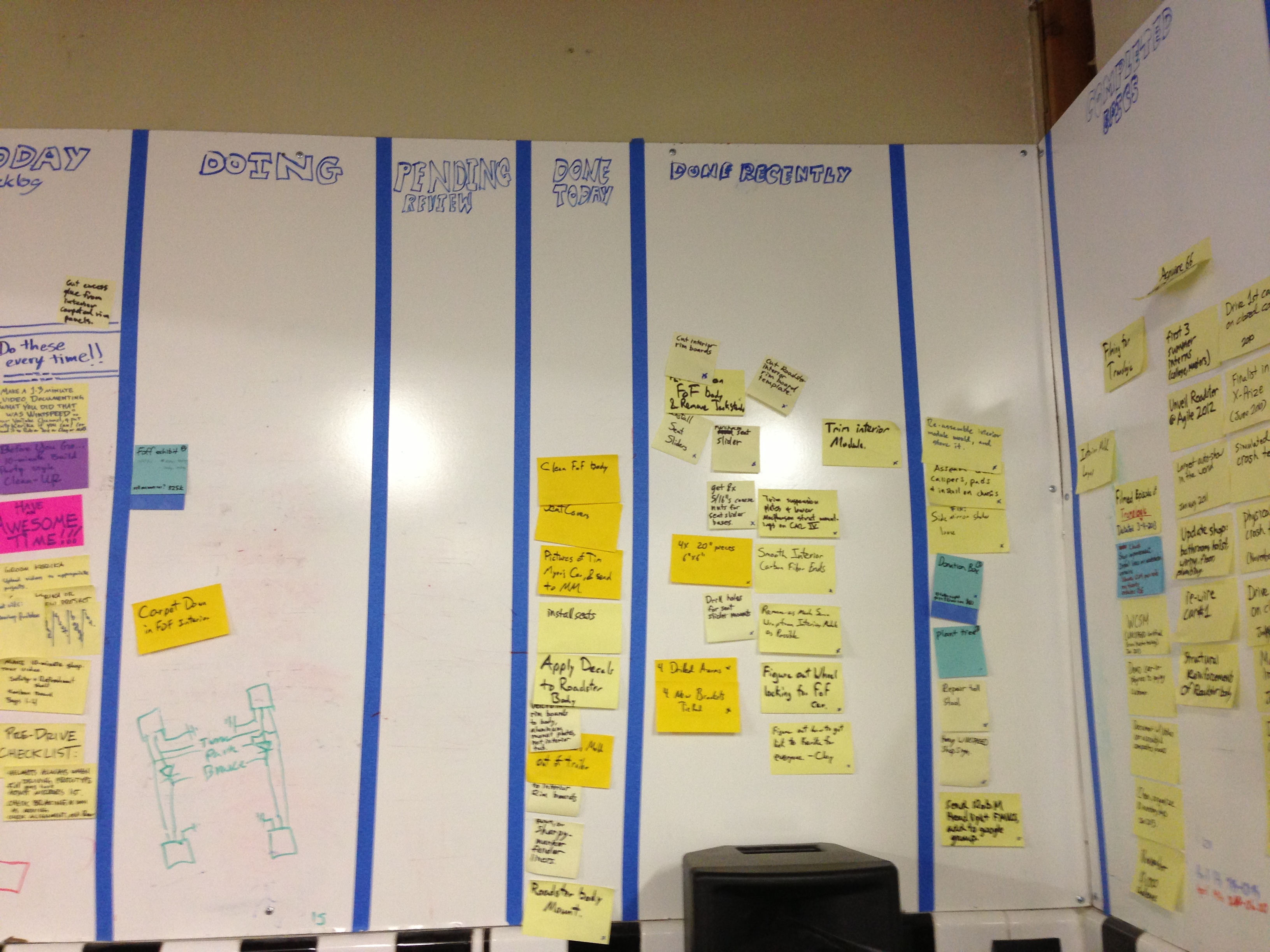
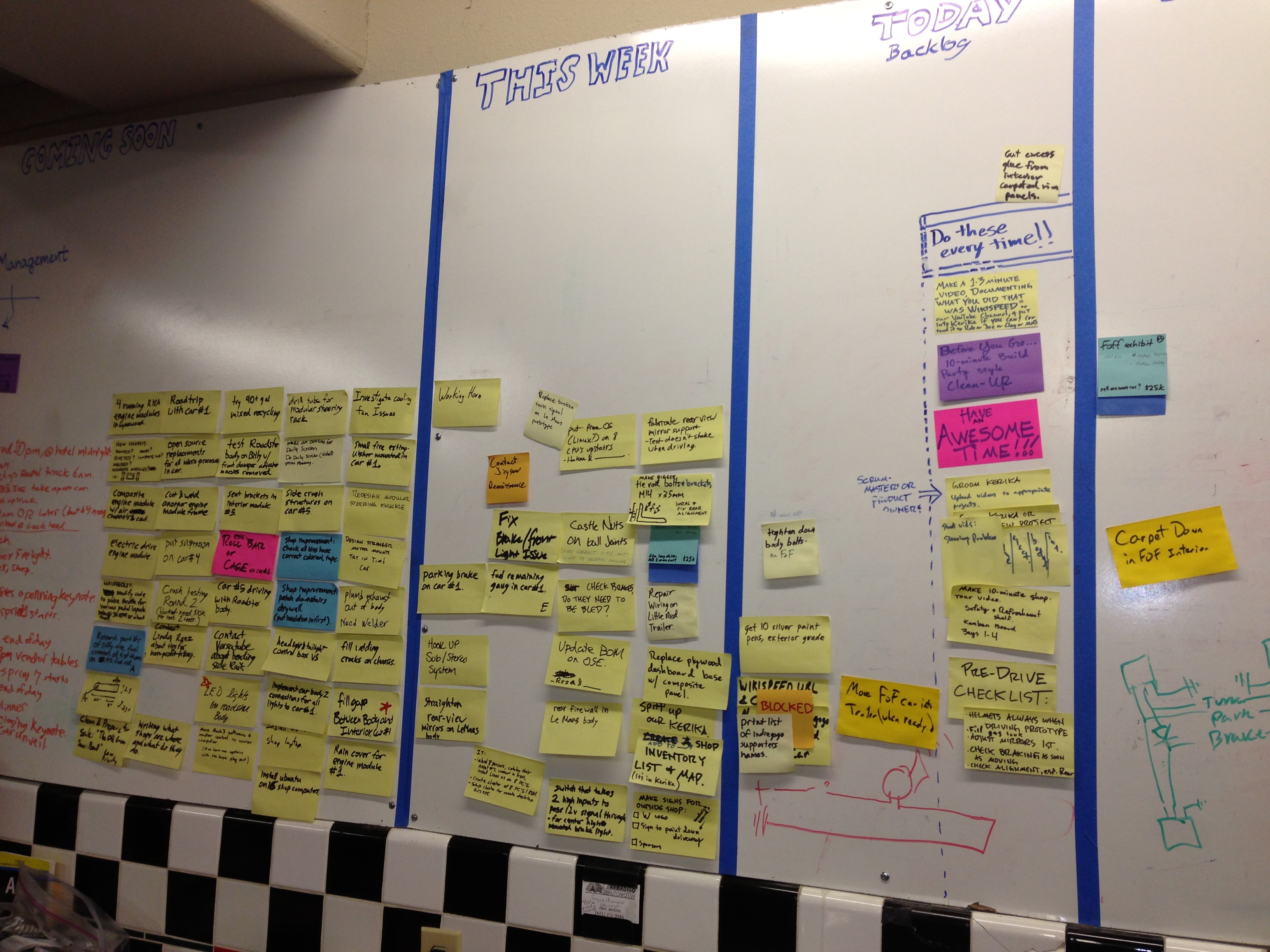
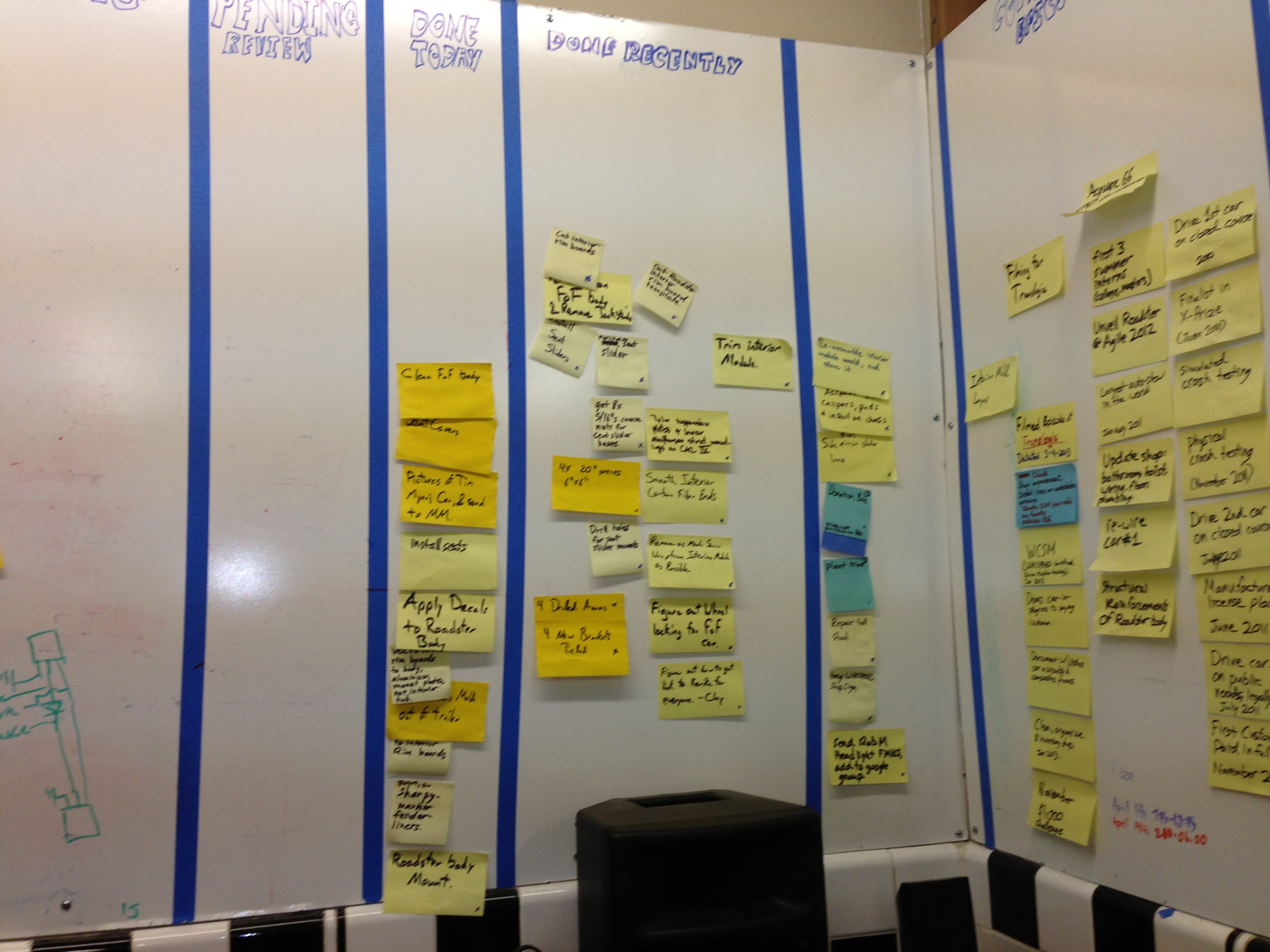
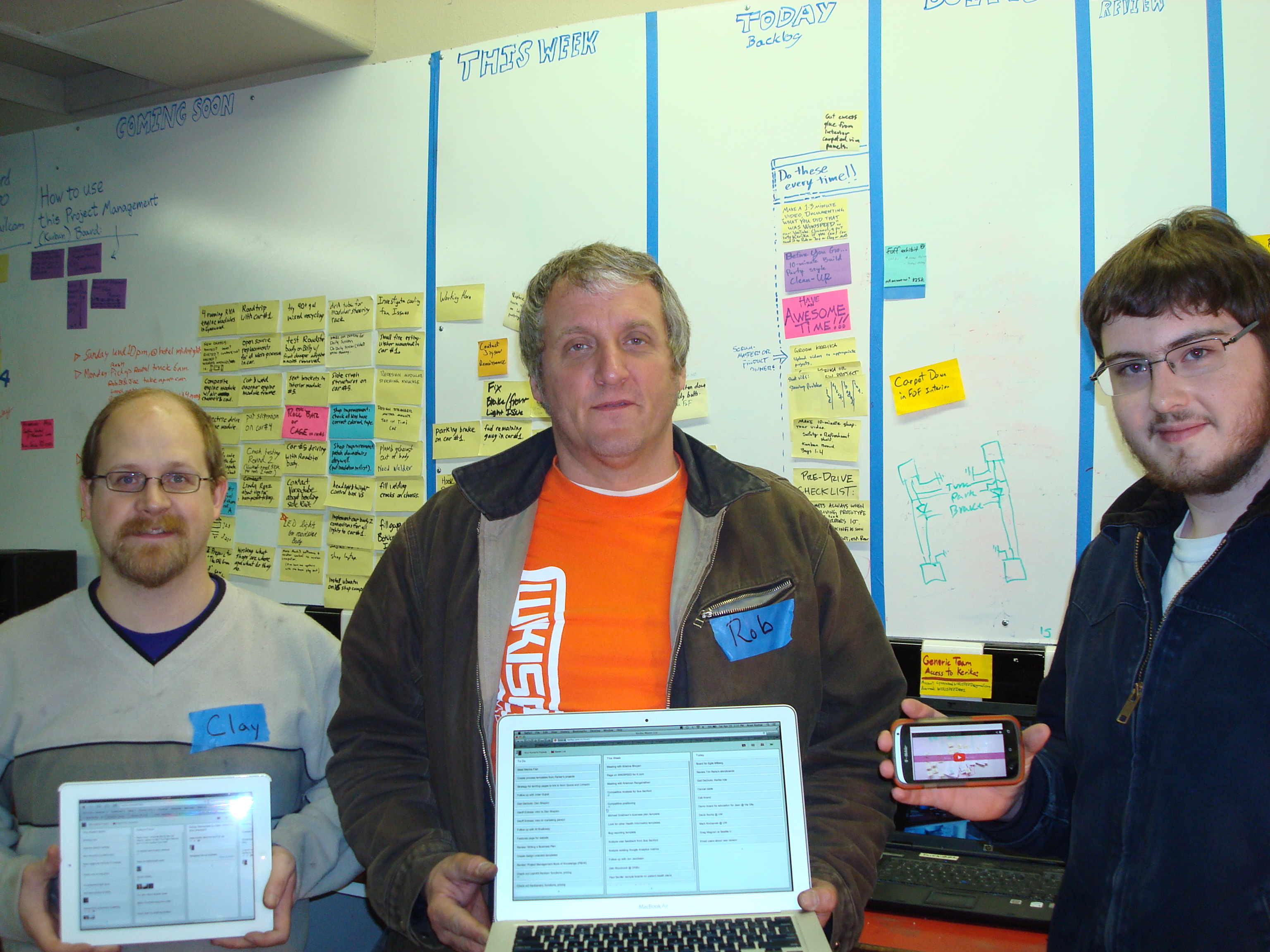
We found huge walls covered with sticky notes:
Dedicated volunteers….
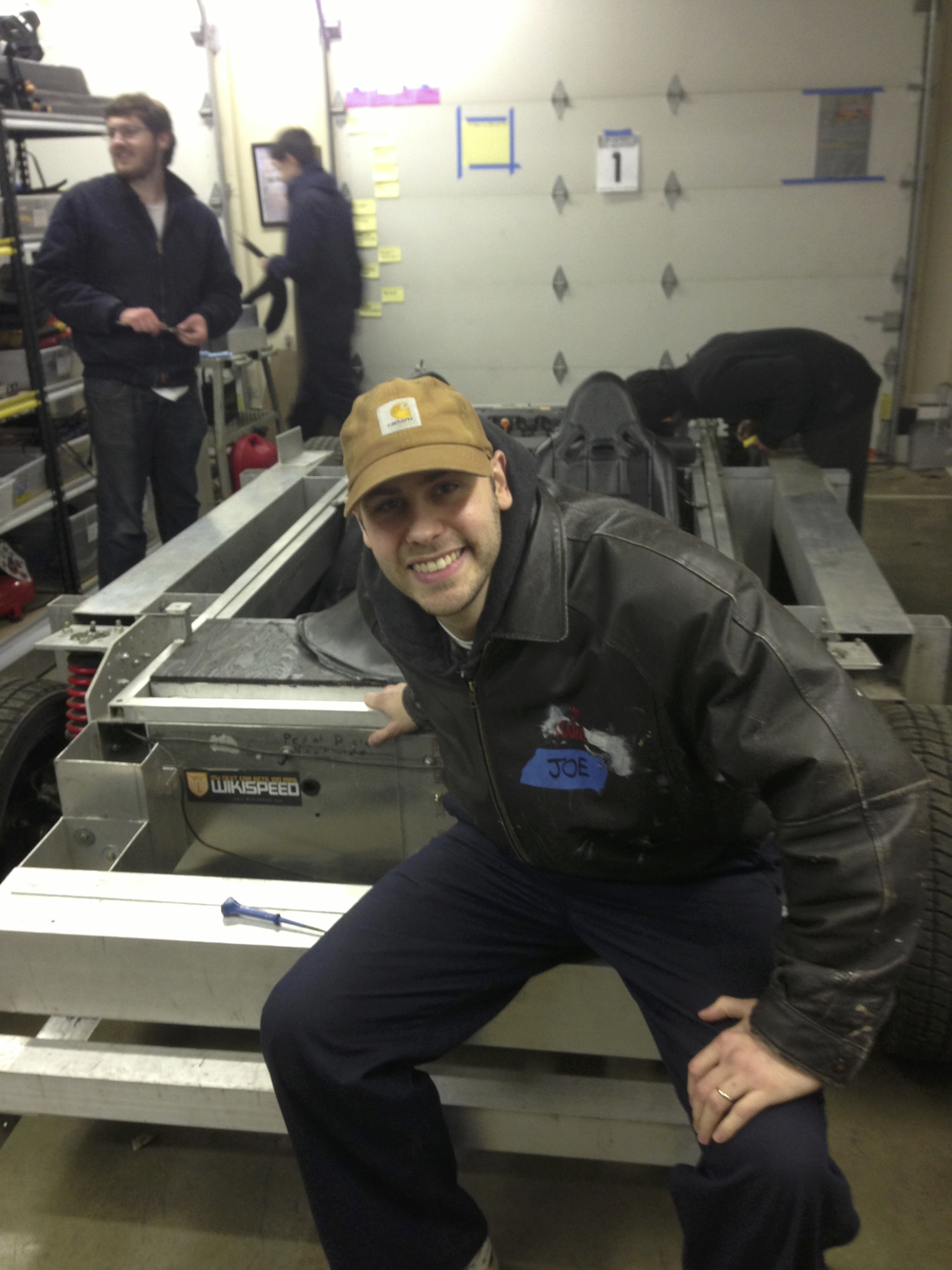
And the irrepressible Mr. Joe Justice himself:
Today, WIKISPEED uses Kerika’s Scrum Boards to organize itself (you can see them at kerika.com/wikispeed):
This transformation has helped knit together folks from around the world: the Kerika boards are now used by WIKISPEED volunteers in the United States, Canada, Europe and New Zealand to communicate and collaborate. A great example of how Kerika can help bring together a globally distributed agile team!
(And, by the way, Kerika was a proud sponsor of the WIKISPEED car that was built for the Future of Flight Aviation Center in Everett, Washington ;-))
Traditional Scrum methods don’t help if you are dealing with distributed agile teams: in fact, the traditional answer to how you can manage distributed agile is “Pick distributed or agile; you can’t have both.”
We are improving our “smart display” of dates and times, to make sure they are as easy for users to comprehend as possible.
(At this point you might well be wondering: “why is this a problem in the first place? Don’t people know how to read dates or times?”)
The underlying problem we are trying to solve is that “relative time” is more useful than absolute time, if you are dealing with a short time span.
For example, the word “Yesterday” has much more cognitive value than July 19, 2013 (which is also “yesterday”, as of the time this blog post is being written). “Yesterday”, “today”, “tomorrow”, “two hours ago”, “recently”, etc. are all very powerful ways to convey a sense of how far away a particular event is from the current moment.
But, as one of users – Carlos Venegas, from Lean Office Innovation – recently pointed out, this works best for short periods of time: for example, it is helpful to know something that happened “2 days ago”, but much less helpful to be told that something happened “12 days ago”. In the latter case, the cognitive advantage of using relative time disappears and quickly becomes a burden for the user: 12 days ago is too far in the past, and now the user has to do some mental calculation to arrive at the more useful value of “June 10, 2013”.
This issue became more pressing when we built the Due Dates feature, because time doesn’t have an absolute value when you are dealing with a distributed team. For example, the Kerika team is distributed between Seattle and India: a time difference of 12.5 hours in the summer, and 13.5 hours in the winter.
This time difference is large enough to make terms like “today” ambiguous: depending upon when you are talking with your cross-border colleagues, you may have very different ideas of when “today” ends.
To address this, we made our Due Dates feature smart: it automatically adjusts for timezone differences, so that when someone in India marks an item as due “today”, Kerika ensures that people in Seattle understands what that means in terms of Pacific Time.
We also are improving our display of relative time, using a more detailed algorithm:
First of all, any time reference that is more than 3 days away is shown in absolute values: e.g. “July 15”, rather than “7 days ago”.
The concepts of today, tomorrow, and yesterday are preserved: the system figures out what timezone you are located in, and uses these terms in a smart way.
If an item is due by the end of the day, the time is shown using your current timezone: e.g. “11:30AM PST” rather than just “today”, for an item that is supposed to be done by the end of that day in India. This removes misunderstandings that would otherwise exist across timezones.
As you get closer to a time, the display gets more precise: anything due within the next hour is displayed in minutes, e.g. “45 minutes”.
As you get very close, the display gets a little vaguer, because of the greater uncertainty about when something might actually happen. So anything that’s two minutes away is marked as recently.
All of this makes for a very smart display of time, while keeping the user interface very simple: users set dates using a simple calendar control, without having to worry about the details of where others on the team are currently located, and how they might perceive these values!
Three great conversations about Agile and Scrum in recent days, with Al Shalloway of the Lean Software and Systems Consortium in Seattle; Mike DeAngelo, Deputy CIO of the State of Washington; and Clay Osterman and Joe Justice from Team WIKISPEED in Lynnwood. Common threads in these conversations:
Scaling up Scrum to large projects (e.g. the global WIKISPEED team numbers close to 300 people), and
Adapting Scrum for distributed teams (where people are located in multiple offices).
Agile purists might well recoil at the prospect of Scrum teams that can’t be fed with a single large pizza (the traditional rule-of-thumb for the optimal team size, still followed at companies like Amazon) or having to deal with people in multiple locations that can’t have face-to-face contact., but these are real-world problems for many organizations, and simply saying “No”, because the idea of very large or distributed teams offends one’s theology about Agile, isn’t a useful stance to take.
Increasingly, large organizations are distributed across cities, timezones, and even continents, and complex systems require large delivery teams. A pragmatic approach is necessary, not a purist one: we need to consider how we can adapt the basic principles of Scrum to meet the real-world needs of large organizations. Here are some lessons learned over the years in how to adapt Scrum for large or distributed teams:
Let multiple project teams push/pull items from a single Backlog, so that many small teams can work in parallel on a single system, rather than a single, large team take on the entire Backlog. This requires coordination among the various teams through a “Scrum of Scrums”: each individual team does it’s Daily Standup, and then the Scrum Masters of each team participate in a second meta-Standup where they report to each other on their particular teams’ progress and impediments.
To succeed, you need project tools that make it very easy to have multiple teams push and pull items from a single Backlog. The project management system must make it easy for any any member of any team to have real-time visibility into the progress of every other team, so that the task of managing dependencies can be pushed down to individual team members rather than concentrated within the Scrum Masters. (Leaving it up to the Scrum Masters alone to manage all the inter-dependencies leaves you with the same single-point-of-failure that you have with traditional Waterfall approaches.)
Try stay within the “1 large pizza” size for individual teams. There’s a simple, practical reason why you should avoid having individual teams become much more than 8 in number: the Daily Standup takes too long, and people start to either under-report, or tune out much of the discussion.
If a team has 20 people for example, and each person simply took 30 seconds to say what they had done, 30 seconds for what they plan to do next, and 30 seconds to describe impediments, that still adds up to a 30-minute long Standup!
When faced with a Daily Standup that has become something of an ordeal, people tend to under-report, as a coping mechanism, and, frequently, what they under-report (under-discuss?) are the impediments.
This can be fatal to the team’s overall success: problems and worries are not discussed very well, and eventually accumulate to the point where they become fatally large.
Split up the work, not the team. If your people are distributed across multiple locations, it is far better to split up the work rather than the teams: in other words, give each location a different set of deliverables, rather than try to get people working in several locations to work on the same deliverables.
Too many organizations, particularly when they first built onshore-offshore teams, cling to the myth of “following the sun”: the idea that a team in India, for example, could work on a deliverable during Indian working hours, and then hand that work off at the end of the day to a California-based team that is conveniently 12-hours away.
This is the myth of continuous work: the notion that the same deliverable can effectively be worked on 24 hours a day, by having two shifts of people work on it in non-overlapping timezones.This simply doesn’t work for most knowledge-intensive professions, like software development or product design.
A huge effort is needed to hand over work at the end of each workday, and invariably there is a significant impact upon the work-life balance of the people involved: either the India team or the California team, in our example, would have to sacrifice their evenings in order to accommodate regular phone calls with the other team. Eventually (sooner rather than later), people get burned out by having their workdays extend into their evenings on a regular basis, and you are faced with high turnover. Splitting up the work means you can have loosely-coupled teams, where there isn’t the same burden of keeping every person aligned on a daily basis. A project tool that makes it easy for everyone to have a real-time view of everyone else’s work is essential, of course, but you no longer have to have Standups that would otherwise easily take up an hour each day.
What do you think? Let us know your best practices!