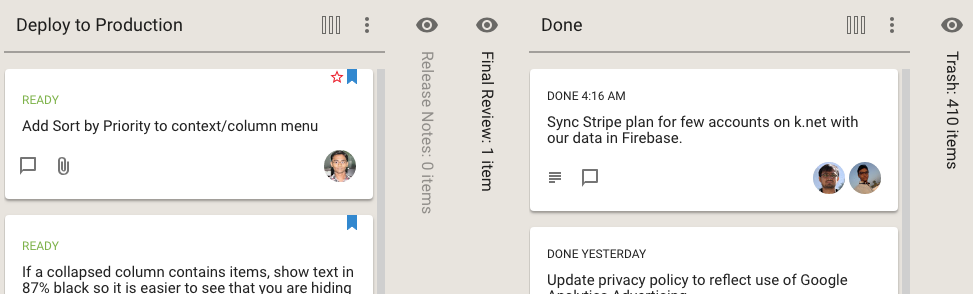
If you hide a column from your view of a Task Board or Scrum Board, Kerika now makes it clear whether this column has any cards or not:
Hidden columns
In the example shown above, the Release Notes column is empty, so it is shown in a light shade of grey, while the Final Review column has at least one card, and it is shown in black.
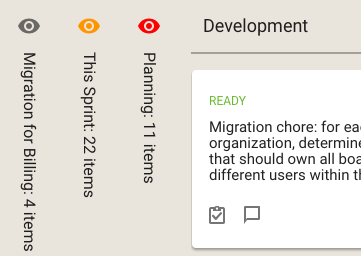
Kerika also helps you see, at a glance, whether the columns you are hiding have any updates you haven’t caught up on, or cards that are overdue:
Hidden columns with updates and overdue dates
The orange icon in the example above shows that the This Sprint column contains cards with updates on them that you haven’t caught up on yet, and the red icon shows that the Planning column contains overdue cards.
We recently rewrote our Privacy Policy to be more conformant with GDPR, the European regulation on privacy protections for their citizens.
There are no substantive changes: our old Privacy Policy was already very pro-privacy and pro-user, but the language and format has been changed to follow what appears to be the common standard for GDPR-compliant policies.
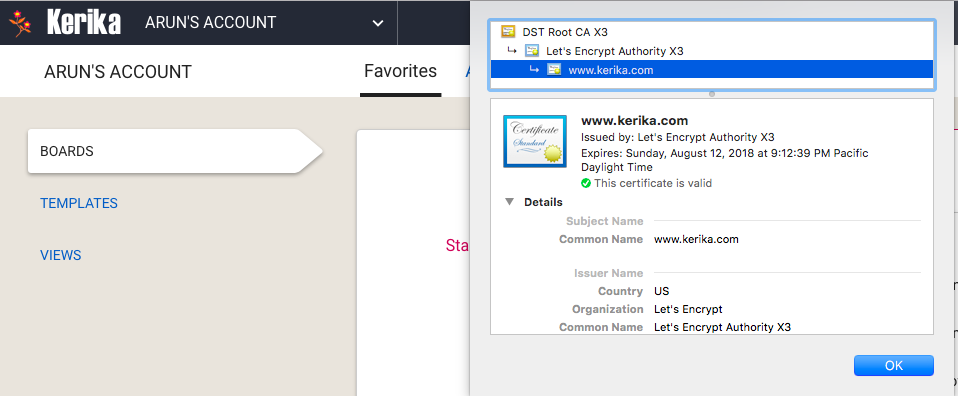
Let’s Encrypt is a free, automated, and open certificate authority brought to you by the non-profit Internet Security Research Group (ISRG). It lets us host our own certificates, so we don’t have to rely upon third parties and can have better control over the quality of our service.
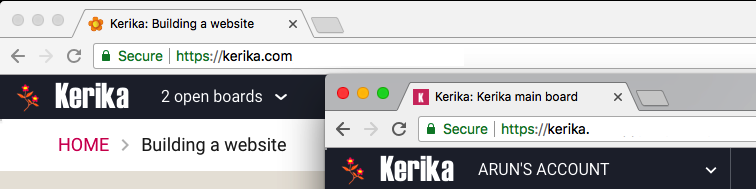
With our latest update, launched over the weekend, we have made some significant changes to how users access multiple Kerika accounts.
The motivation for all this is simple: our old billing mechanism was manual and error-prone. It was difficult to track which accounts had paid for subscriptions and to ensure that subscriptions were renewed in a timely manner.
So we are moving to an completely automated system that will allow our customers to manage their subscriptions more easily, make online or offline purchases, and manage their account teams.
We are about halfway there: we have done the changes to the account management piece, and have some more work before the billing system is ready.
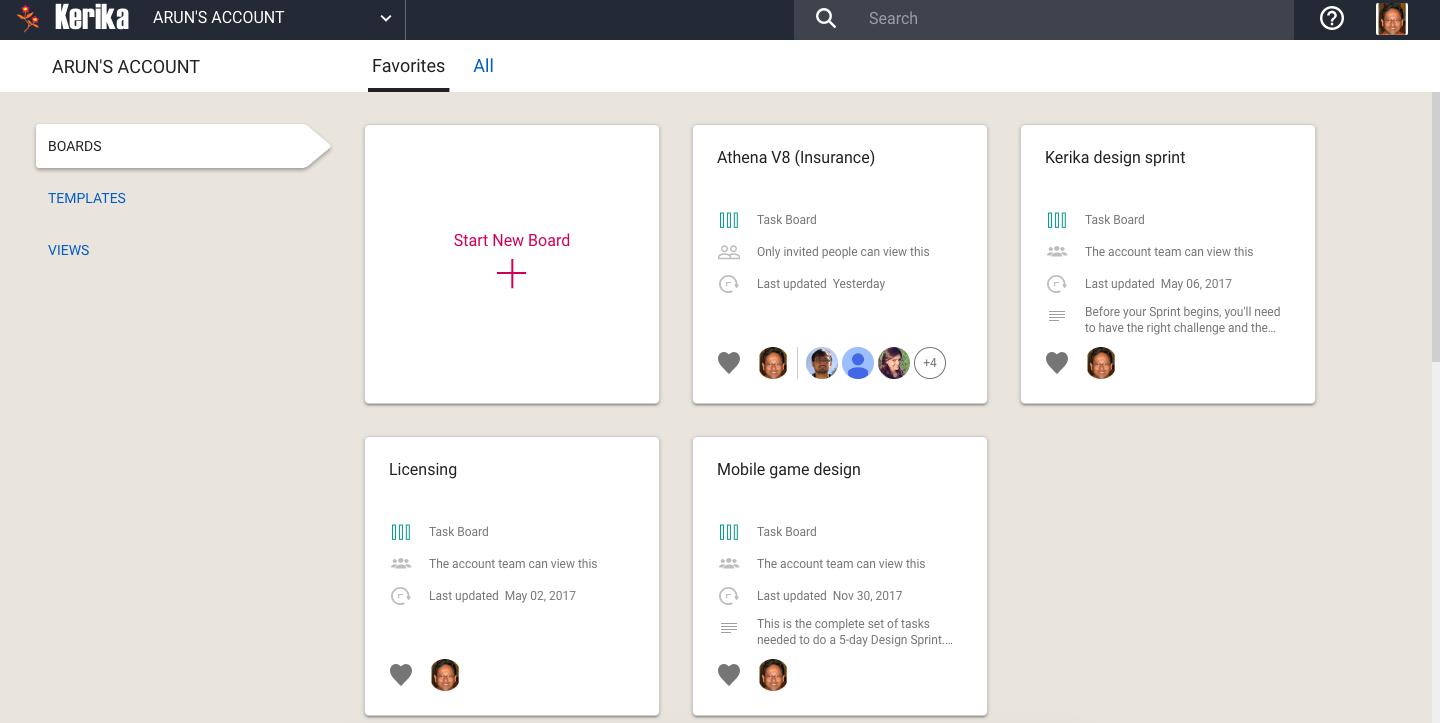
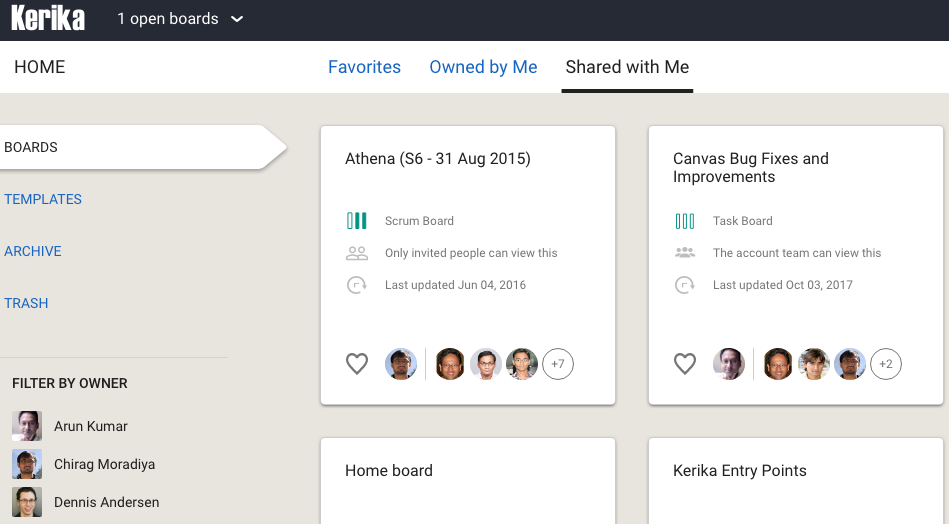
One consequence of this is the way you view your Home Page has changed: the Home will now always show the boards and templates that related to a single account, rather than across multiple accounts.
Home Board
(Previously there were three buckets: Favorites, Owned by Me, and Shared With Me.)
Switching between all your open boards, and all your accounts, has been consolidated into a single Account Switcher function that appears on the top-left corner of the Kerika app, where the old Board Switcher used to be:
Changes to Board Switcher
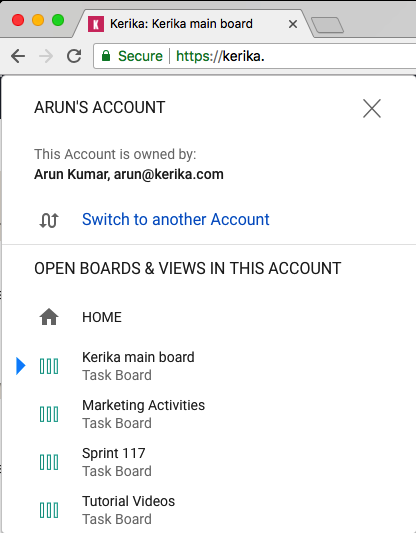
Clicking on the Account Switcher will let you switch between boards, and between accounts:
Board Switcher menu
Calendar syncing and Preferences are now applied on an account level, so if you are working in multiple accounts, you can choose to have different preferences for each account.
You can access your Calendar and Preferences settings by clicking on your face on the upper-right corner of the Kerika app:
Calendar and Preferences
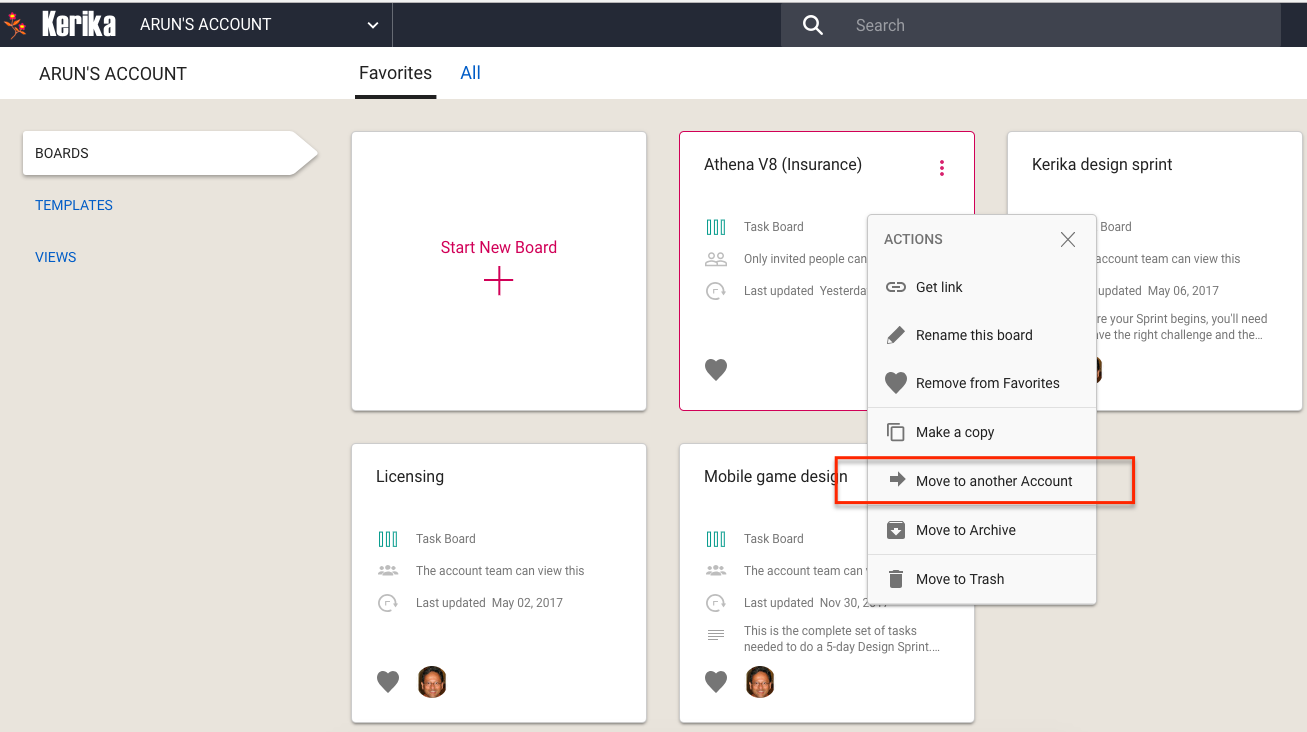
With this change, it becomes more important for organizations to consolidate ownership of all their boards within a single account. You can do this yourself, by selecting boards from your Home Page and using the Move to Another Account function:
Move to another Account
You can also let us do this for you: just contact us at support@kerika.com, and let us know which accounts you would like to consolidate and we can do all the work.
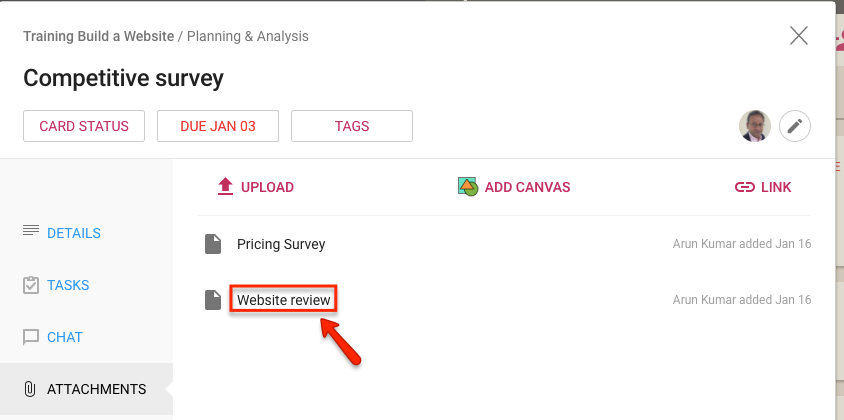
We added a feature recently (or did we actually a bug?) for our direct login users: when you reference a file that’s attached to a Kerika card, canvas or board, from another place in Kerika — e.g. another card’s details or chat — we now show the file’s name instead of just the URL.
This makes it easier to cross-reference file attachments from within different Kerika cards or boards, where different work items or conversations refer to the same shared file.
We have long had a deep, excellent integration with Google Apps: you can sign up with your Google ID and have all your Kerika-related files stored in your own Google Drive, where you can access them independently of the Kerika app.
We are now taking that one step forward, with seamless integration with Google Team Drive.
Google Team Drives are shared spaces where teams can easily store, search, and access their files anywhere, from any device.
Unlike files in My Drive, files in Team Drive belong to the team instead of an individual. Even if members leave, the files stay exactly where they are so your team can continue to share information and get work done.
You don’t need to do anything different: the integration is built-in with the latest version of Kerika (and, since we are software-as-a-service, everyone always uses the latest version of our product!) and the integration is seamless.
(This was inspired by our recent fix to a bug that didn’t properly download the latest version of a file attached to a card or canvas; while fixing this we started thinking deeper about how to make file management even easier for our users.)
Here’s how file management works now: when you hover your mouse over a file attachment, a new action called +NEW VERSION is available:
Uploading new version of document
Clicking on the +NEW VERSION button will let you pick any file from your computer that’s of the same type, and Kerika will add that and track the file as a new version of your old attachment.
This is possible even if the new file has a different name altogether, as long as the two files are of the same type.
For example, a filed called Budget.xlsx can get a new version that’s called Plans.xlsx — both are tracked as different versions of the same file, even though they had different names.
This makes it even easier to manage all your files using Kerika!
We recently discovered (and fixed) an annoying bug that was affecting the Shared With Me view of boards and templates that your colleagues shared with you.
Shared With Me
If a colleague created a new template that they intended to share with their Account Team, this new template wasn’t appearing correctly in this view. That’s been fixed now.
With the proliferation of top-level domains we have had to update some of our old code that tried to make sure people were signing up with properly-specified emails.
In the old days, of “.com” and “.org” and other short domain extentsions, this was easy to check at the time someone entered an email address: if it wasn’t properly formatted we could alert the user right away so they didn’t go down a dead-end path.
We can’t do that anymore: new top-level domains are being launched on a regular basis by registry companies and the list of potential domain extensions is no longer finite or easily matched by regular expressions.
If you create a list of tasks on a card on a Task Board or Scrum Board, Kerika does a bunch of stuff in the background to make sure your view of what’s due, at the card level, board level and account level, are always correct.
We found a couple of edge cases where the due dates on tasks wasn’t rolling up correctly to the card level, potentially giving users a misleading view of what was currently due for them:
When the last task with a scheduled due date was removed (deleted) from a card, this wasn’t correctly adjusting the due date for the card itself.
Similarly, when the last task with a scheduled due date was no longer scheduled, this wasn’t correctly adjusting the due date for the card.
Both bugs have been fixed. They were real edge-cases, so it’s likely that most users never noticed them in the first place, but still…