Global, distributed, Agile: Kerika & WIKISPEED

Global, distributed, agile: words that describe Kerika, and WIKISPEED.

WIKISPEED is a volunteer based green automotive-prototyping company that’s distributed around the world and coming together on a Kerika board to design and build safe, low-cost, ultra-efficient, road-legal vehicles.

We first visited WIKISPEED in the summer of 2012, as part of our research into the needs of distributed, agile teams.

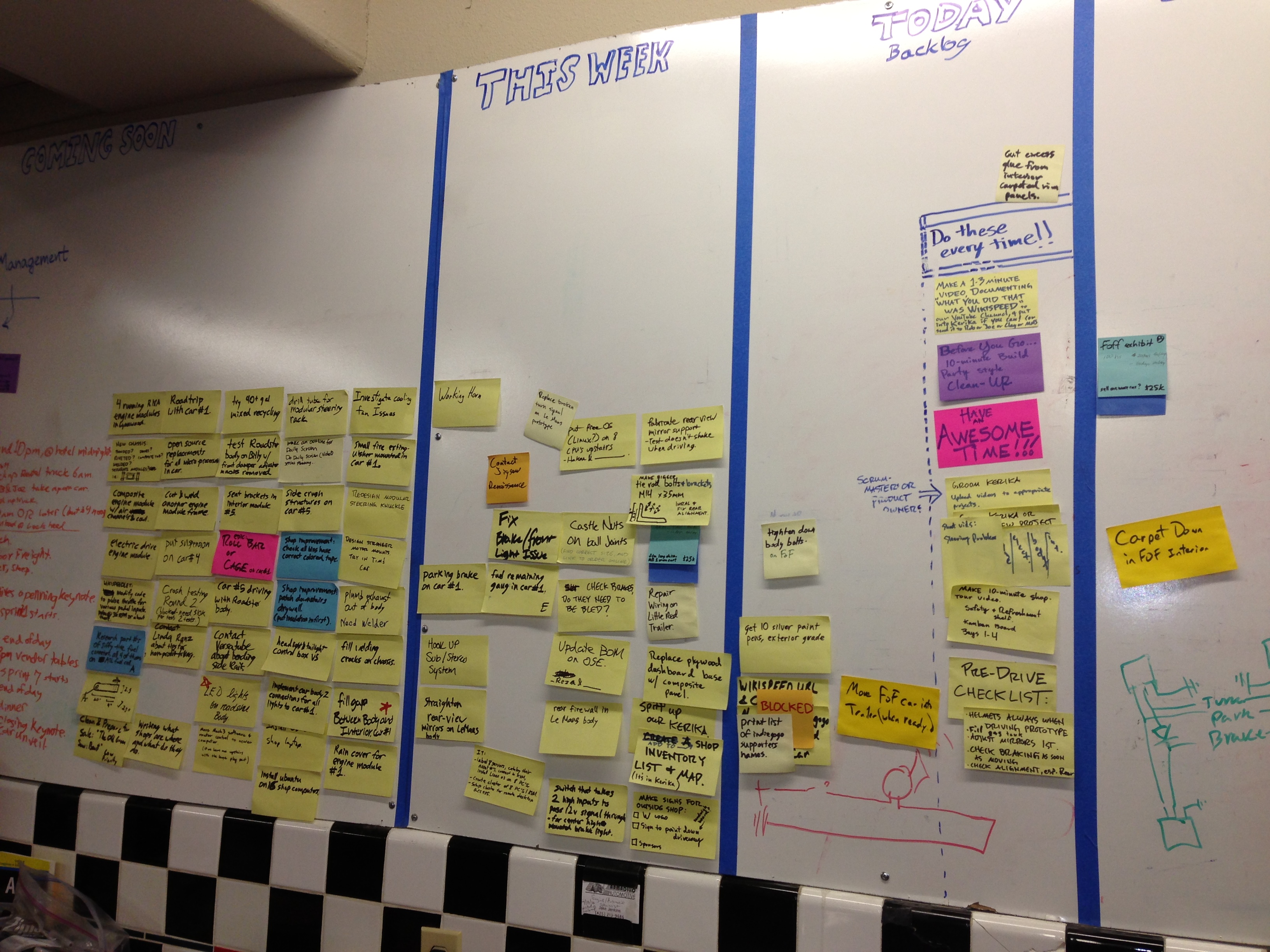
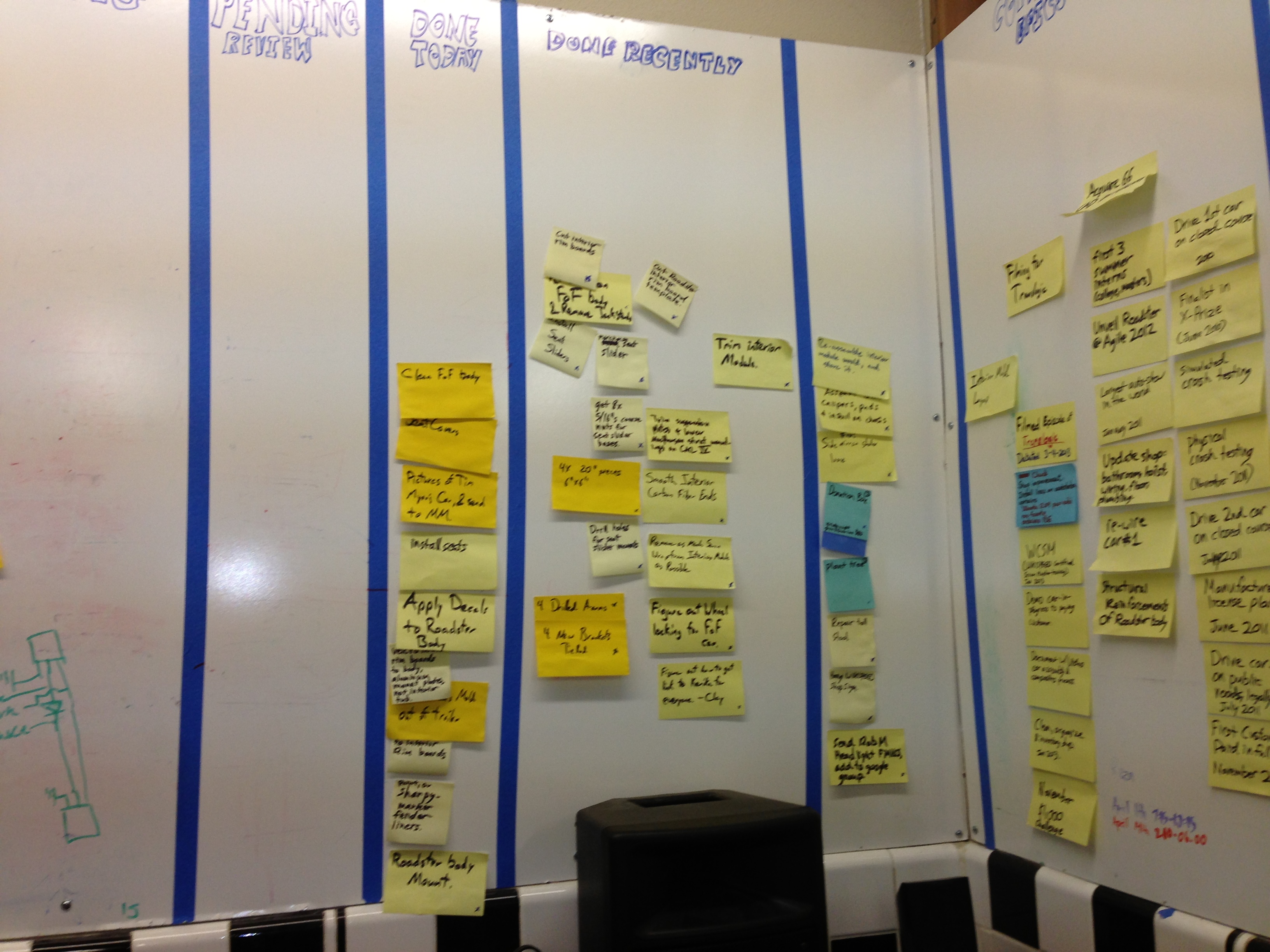
We found huge walls covered with sticky notes:
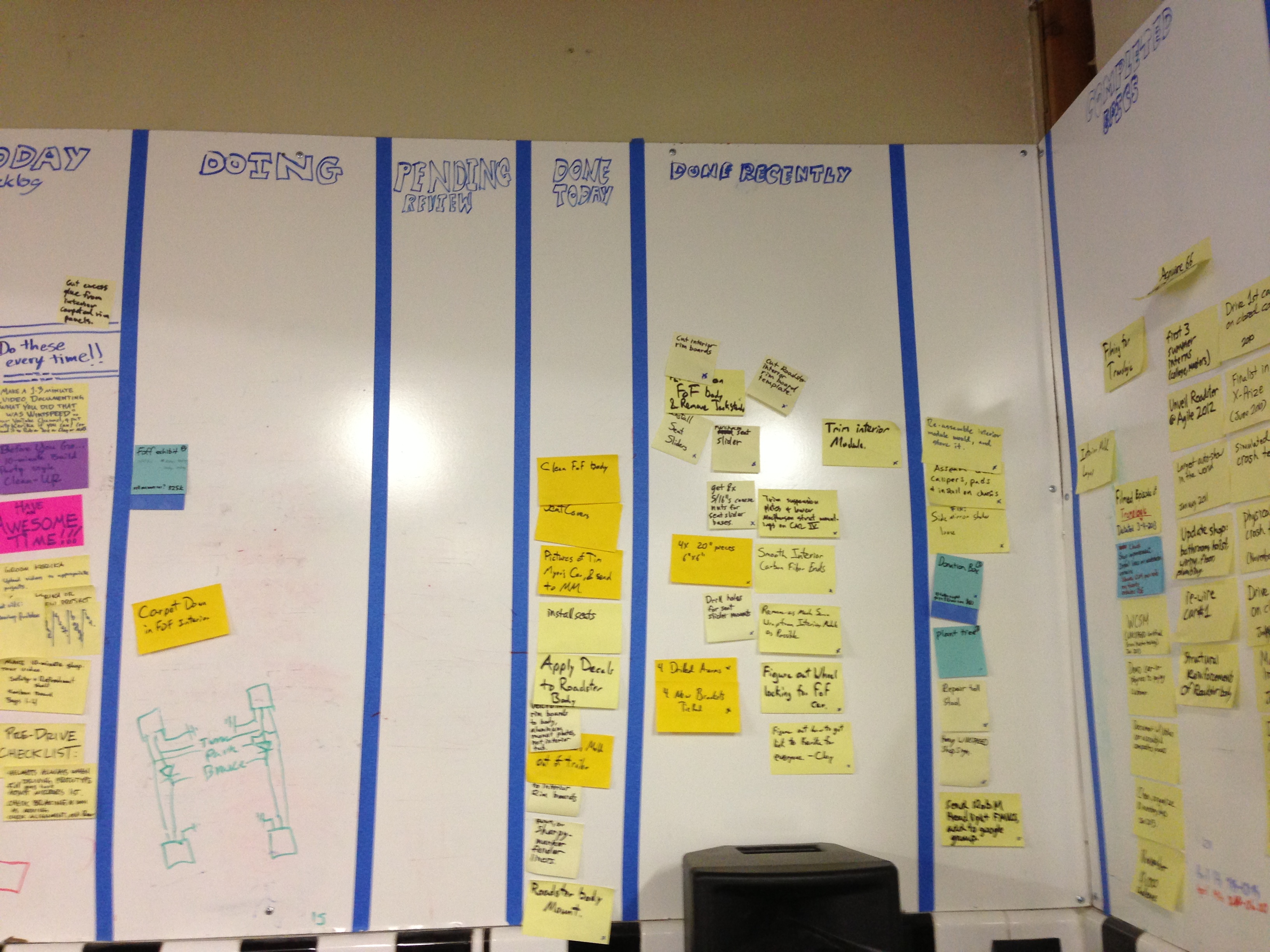
WIKISPEED's walls

IMG_0439 IMG_0440

Dedicated volunteers….

Volunteers

And the irrepressible Mr. Joe Justice himself:

Joe Justice

Today, WIKISPEED uses Kerika’s Scrum Boards to organize itself (you can see them at kerika.com/wikispeed):
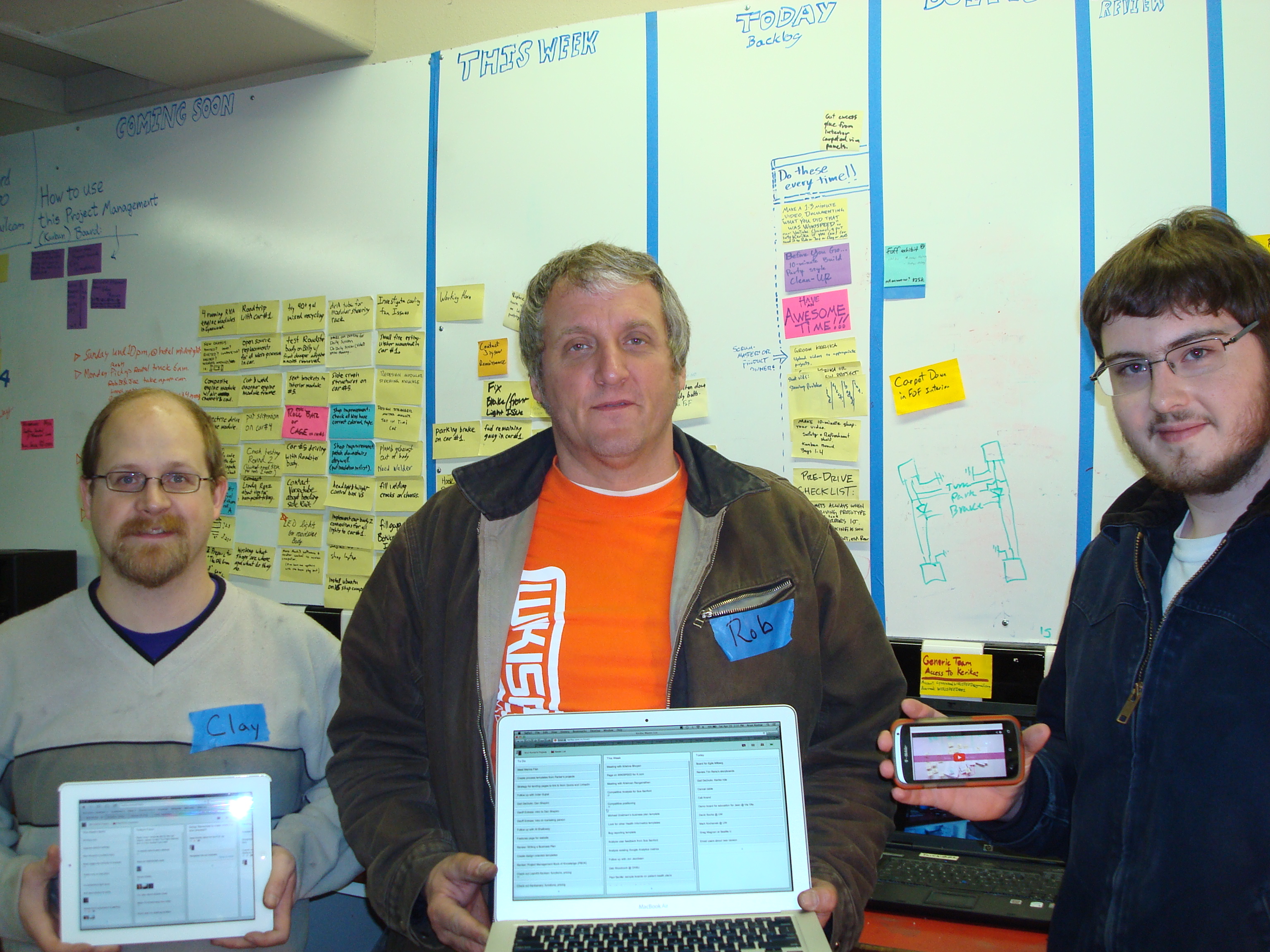
From physical to virtual

This transformation has helped knit together folks from around the world: the Kerika boards are now used by WIKISPEED volunteers in the United States, Canada, Europe and New Zealand to communicate and collaborate. A great example of how Kerika can help bring together a globally distributed agile team!

Success!

(And, by the way, Kerika was a proud sponsor of the WIKISPEED car that was built for the Future of Flight Aviation Center in Everett, Washington ;-))

Arun Kumar, with the WIKISPEED car at the Future of Flight Aviation Center

Google+ isn’t ready for world domination

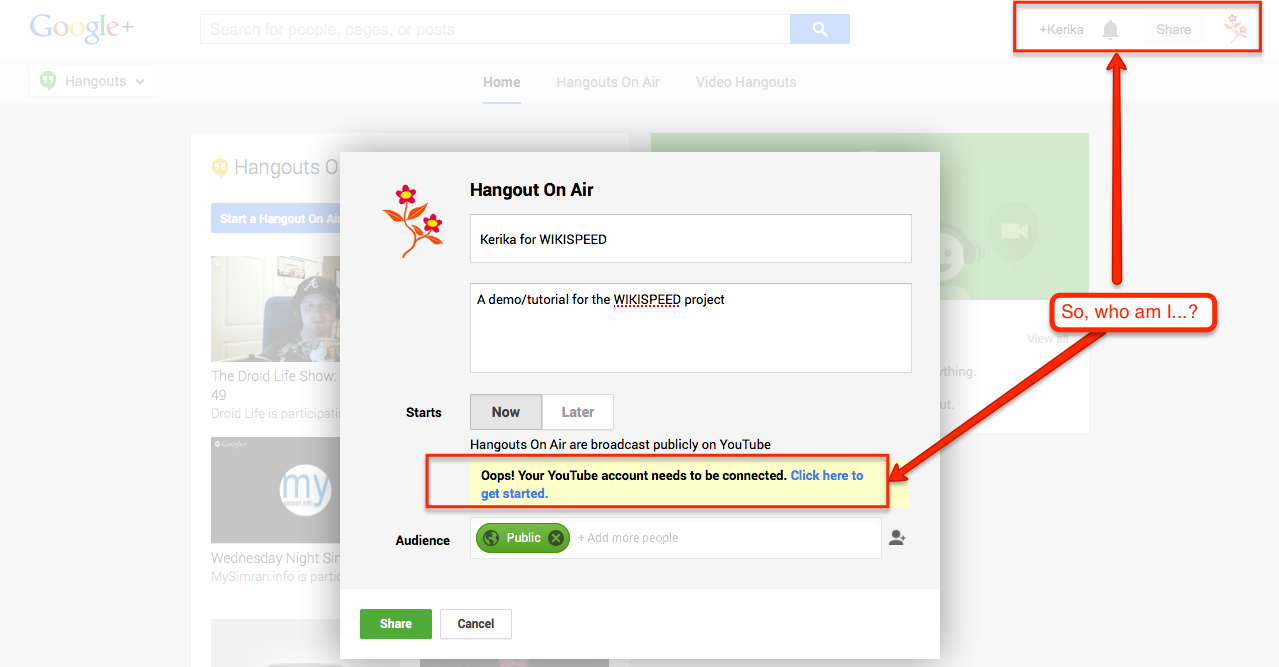
We just spent an hour trying, fruitlessly, to set up a “Google Hangout on Air”, and about the only thing we can conclude is that all those folks who are worried about Google’s plan for world domination can relax: Google isn’t close to having a single ID to track everyone.

In order to do a Hangout on Air (a public Hangout, that up to 10 people? can view), you need to have a YouTube channel connected to your Google+ account.

Well, we do have a YouTube channel for info@kerika.com, and Google+ account, also for info@Kerika.com, but that’s not good enough for Google which keeps providing this singularly unhelpful message:

Trying (and failing) to start a Google Hangout

Clicking on the “Click here to get started” link, which you might reasonably expect to take you to a control panel screen of some sort, just takes you down a wild-goose chase of outdated help pages from Google. These help pages have clearly not kept up with UI changes at YouTube, nor even with UI changes on Google+ itself.

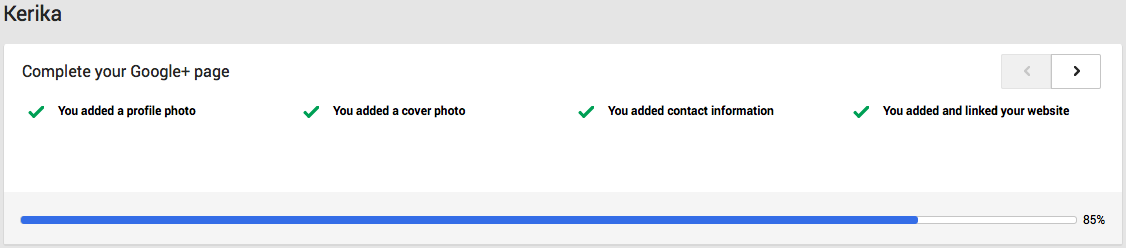
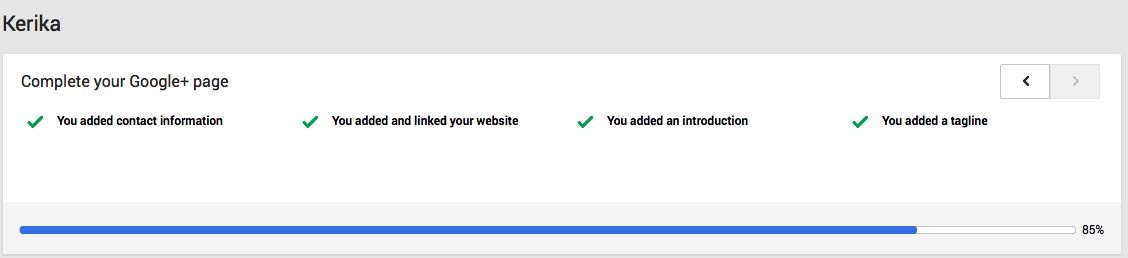
Trying to make sure our Google+ profile is complete doesn’t help either: Google+ tells us that our profile is 85% complete, and that we have done everything we need:

Stuck
Stuck…

at 85 percent
at 85 percent

Pretty painful experience; we are going to stick with GoToMeeting for now.

One of our patents is getting referenced by others

We just realized that one of our patents, US Patent No. 7,958,080, is getting referenced by other inventors:

Patent Applicant Title
US8214313 Ford Motor Company Turn rate calculation
US8489647 IBM Use-case based configuration of an object-relational mapping framework
US8543785 Microsoft Protocol for managed copy of media content
US20080028170 Microsoft Protocol for Managed Copy of Media Content
US20110137763 Dirk Aguilar System that Captures and Tracks Energy Data for Estimating Energy Consumption, Facilitating its Reduction and Offsetting its Associated Emissions in an Automated and Recurring Fashion
US20120054227 IBM Use-case based configuration of an object-relational mapping framework

Well, this is interesting…


It’s now easier to work with Microsoft Office files

Although Kerika is built on top of Google Drive, you can still share files in Microsoft Office format.

Here’s how it works:

  • By default, your files are converted to Google Docs format when you add them to a card or canvas in Kerika, but if you prefer, you can keep them in their original Microsoft Office (or other program, like Adobe) format.
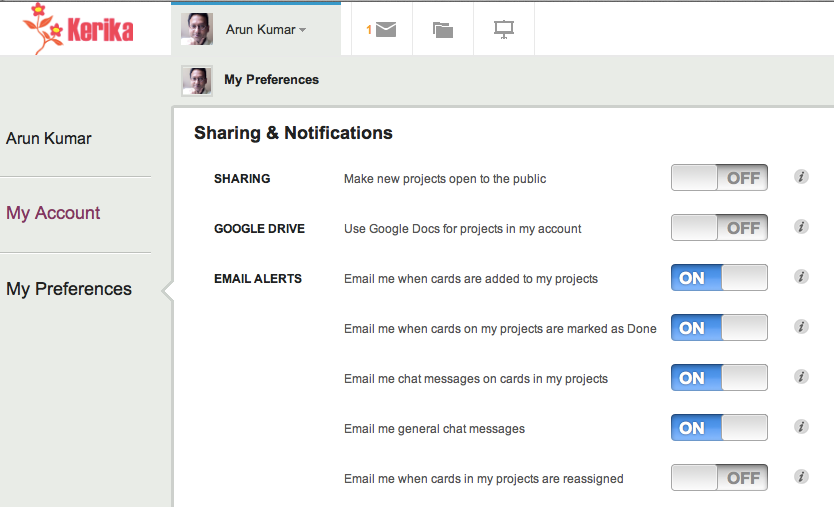
  • Go you personal preferences page, at https://kerika.com/preferences, and you will see this preference switch:
Setting your Kerika preferences

Toggle the “Use Google Docs for projects in my account” to OFF, and your Microsoft Office files will remain in their original format even as they get shared using Google Drive.

To make this preference even more useful, we have added a “smart download” feature: if you are storing your files in Microsoft Office format, clicking on a file attached to that card will automatically download that file for you, so that you can open it in Microsoft Office.

For example, if you have added a Microsoft Word file to a card, and are storing it in the original MS Office format, clicking on the attachment will download the file and launch Microsoft Word so that you can immediately start editing the file.

In some cases you might see a “403 Access Denied” message appear: if you do, there is a simple workaround for this problem – just open docs.google.com in a separate browser tab, and try again. It will work this time.

A very important point to note: if you download and edit a file, make sure you attach the modified document as a new attachment to your card (or canvas); otherwise your team members won’t see the latest version!

Sorting by Date

We have added a couple of new features related to dates:

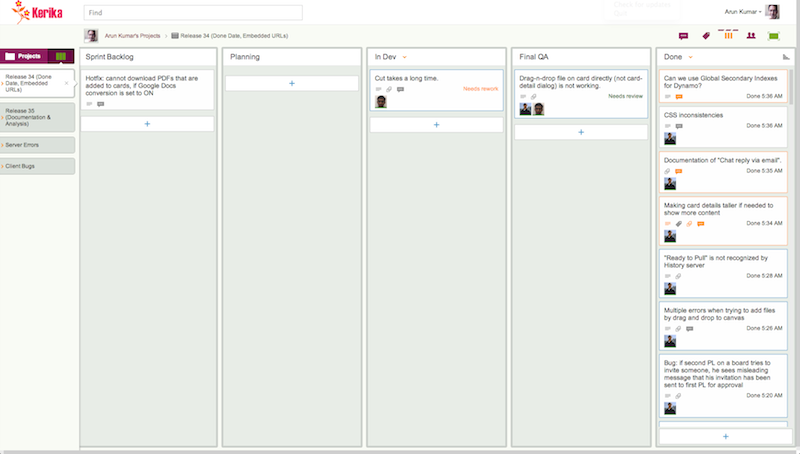
  • Every card in the Done column, of a Task Board or Scrum Board, will show the date on which the card was marked as done: this makes it easy to see, at a glance, when work was completed on a project.
  • Cards that have dates assigned to them can get sorted by date.

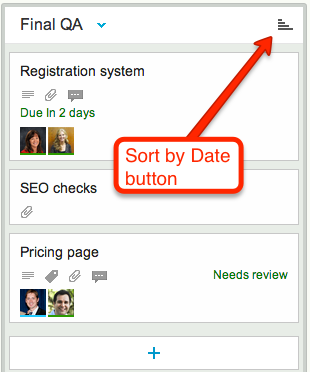
If a column contains any cards with dates assigned to them, a “Sort by Date” button appears at the top of the column:

Sort by Date button
Sort by Date button

Clicking on this button will sort the cards that have dates:

  • Only cards with dates are affected: if a column contains some cards that don’t have dates, these are not affected.
  • You can sort in ascending or descending order.

This is a useful feature for date-driven projects, but if you are working in a pure Kanban or Scrum team, you might want to stick with (manually) sorting dates by priority, which the highest priority items at the top of the column.

Something better than Google Contacts

We are replacing our integration with Google Docs with a “friends of friends” model.

The Background:

For the past 2 years, Kerika has offered an “auto-completion” feature that let you type just a few characters of someone’s name, and then have a list of matching names and emails appear from your Google Docs. It looked like this:

Auto-completion of invitations

This was actually a very helpful feature, but it was also scaring off too many potential users.

The Problem:

When you sign up as a new Kerika user, Google asks whether it is OK for Kerika to “manage your Google Contacts”. This was a ridiculous way to describe our actual integration with Google Contacts, but there wasn’t anything we could do about this authorization screen.

We lost a lot of potential users thanks to this: people who had been burned in the past by unscrupulous app developers who would spam everyone in their address book. So, we concluded that this cool feature was really a liability.

The Solution:

We are abandoning integration with Google Contacts with our latest software update. Existing users are not affected, since they have already authorized Kerika to access their Google Contacts (and are, presumably, comfortable with that decision), but new users will no longer be asked whether it is OK for Kerika to “manage their Google Contacts”.

Instead, we are introducing our own auto-completion of names and email addresses based upon a friends of friends model: if you type in part of a user’s email, Kerika will help you match this against the names of that are part of your extended collaboration network:

  • People you already work with on projects.
  • People who work with the people who work with you.

We hope this proves to be a more comfortable fit for our users; do let us know what you think!

Breaking through the code review bottleneck

A month ago we wrote about how Kerika makes it really easy to spot bottlenecks in a development process – far easier, in our opinion – than relying upon burndown carts.

That blog post noted that the Kerika team itself had been struggling with code reviews as our major bottleneck. Well, we are finally starting to catch up: over the past two days we focused heavily on code reviews and just last night nearly 80 cards got moved to Done!

Getting Done