We have redone our Support page, to include our latest tutorial videos and to also weed out some obsolete references.
We hope you like it.
We have redone our Support page, to include our latest tutorial videos and to also weed out some obsolete references.
We hope you like it.
We are still working with Google on fixing the problem with the G Suite Marketplace that caused the Kerika product listing to disappear unexpectedly about 2 weeks ago.
Progress was slow over the holiday season because many Googlers were out of office, but folks are back in town and working with us on debugging the problem — which, as far as we can tell, is entirely on Google’s end and has to do with their back-end systems for managing listings on the G Suite Marketplace.
Some Kerika users — specifically those who had signed up directly — had trouble logging in if they had left Kerika running overnight on a browser.
Their browser was endlessly refreshing itself, bouncing between the /app and /setup URLs. There was a workaround (type “https://kerika.com/logout” to clear Kerika’s cookies) but the workaround was far from obvious, so obviously some people were inconvenienced.
(Would have been a lot more had it not been for the Christmas holiday season!)
This has been fixed now. We found a problem with the configuration of our NGINX web server software.
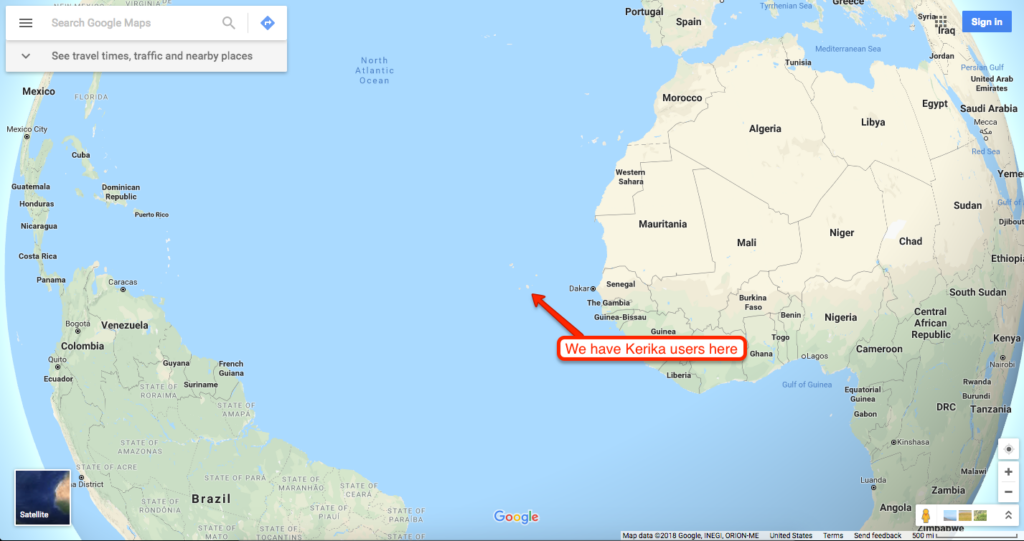
We have offered free accounts to small nonprofits and schools/universities from the very beginning of Kerika’s existence, but this was always on an ad hoc basis: someone would occasionally ask us for a free account for their school or nonprofit team, and we would agree.
Looking back, we found that we agreed to almost 99% of all the requests that ever came to us: the only situations where we turned someone down were
With these caveats aside, we have tried to be very generous and helpful for small organizations that are doing philanthropic work, or are schools.
But our old process for dealing with these requests was really haphazard, and when we implemented our new billing system and improved account management features, we also made it easier for us to grant nonprofit status to a much larger group of organizations, providing they are small teams.
Our new process makes everything much easier for schools and nonprofits: we are whitelisting entire domains so that everyone from that domain who signs up automatically gets a free Academic & Nonprofit Account.
This means that only person ever needs to make a request on behalf of a school or university: if that gets approved, we will approve it for everyone from that school/university.
With a free Academic/Nonprofit Account you can have up to 10 people working on boards owned by that account: it doesn’t matter how many boards you have, or how big these boards are.
If you need more than 10 people, you will need to sign up for a Professional Account, which is $7 per user, per month (normally billed annually, as $84 per user).
Here’s a partial list of schools and universities we have already whitelisted for free service:
Among small nonprofits we have whitelisted:
(Update Oct 12, 2018: we did a better sort of the list, to be purely alphabetical by organization name.)
Yesterday we had our first instance of “leaver’s regret”: someone asked us to delete their Kerika account, and we acted promptly upon receiving that request.
Too promptly, as it turned out, because a couple of minutes the ex-user changed her mind. But by then it was too late: we had completed closed her account and deleted all the associated data.
Maybe we should be a little slower in responding to these requests? Deleting/closing an account is an irreversible action: we scrub all the boards owned by that account, and we don’t have any way of getting that data back. Our goal in implementing this process was to be very faithful to our privacy promises, namely that your data remains your data; it’s never Kerika’s data.
But, faced with this leaver’s regret situation, we are now thinking that maybe we should wait, for up to a day, before acting on these requests.
What do you think?
We have made this easier: you can go to the Manage Account page inside the Kerika app and you will see this section at the bottom:
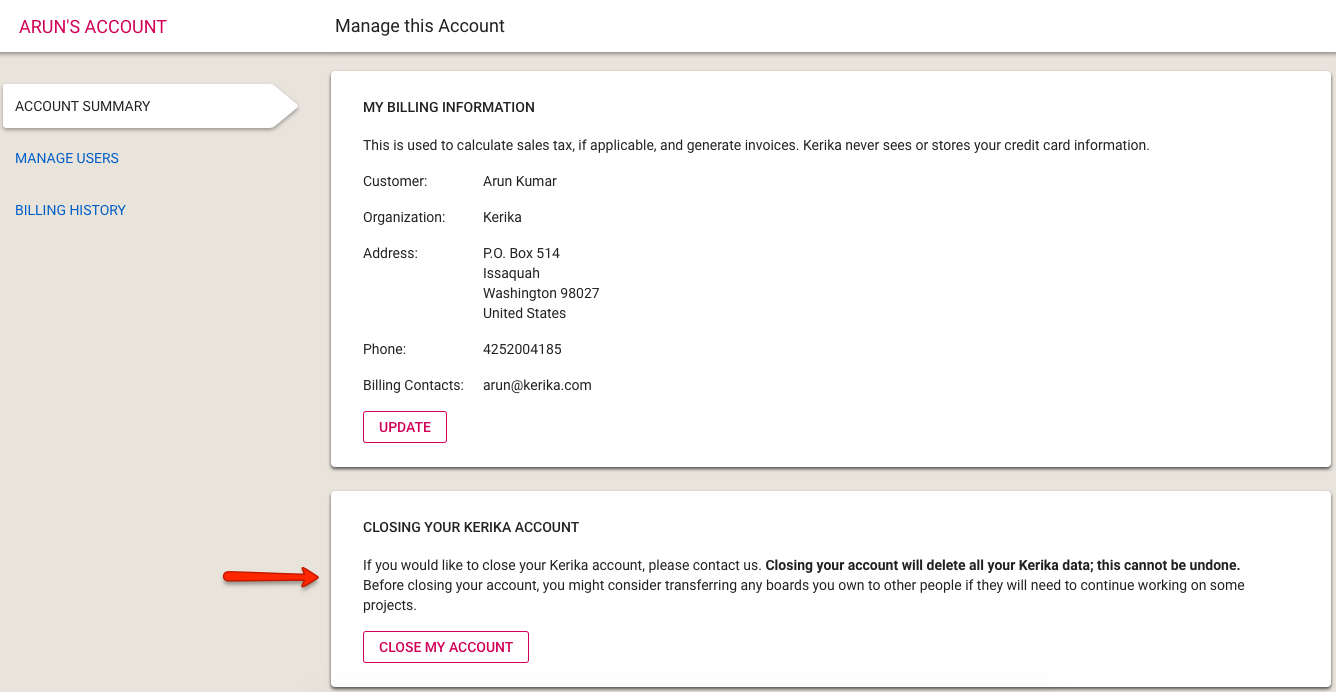
Clicking on the Close My Account button (and the subsequent confirmation dialog box) will generate an email to Kerika’s Admins, who will then manually close the account.
We have decided not to automate the actual account closure step since it is irrevocable: once your account is closed, all the boards and content on those boards are deleted and cannot be restored.
To help users, we usually wait for a few hours — up to a day at most — before actually deleting the account, in case someone wants to send us an “Oops, I didn’t mean to do that…” email.
In an effort to reduce the possibility of Kerika’s notifications ending up in your spam folder, we are making a bunch of changes: one that’s already gone into effect is that all notifications generated by Kerika — for example, when someone sends you a chat message, or you get your 6AM Task Summary email — will come from the same sender: notifications@mailer.kerika.com.
It would help us a lot if you whitelisted this sender email, either for your own personal email, or ideally for your organization’s entire domain.
Thanks.
This isn’t something that you will see, as a customer, but we have spent several months improving our internal systems for managing users, accounts, payments and invoices.
We used to do things in a very ad hoc way before, as we concentrated all our efforts on improving the Kerika app, but we realized earlier this year that we had reached the limits of ad hoc approaches and needed a lot more automation to handle growth.
Everything, pretty much, is now automated: our admin staff can quickly look up any any user or account, see which payments have been made (online or offline), and manage changes to accounts.
Our new billing system makes it much easier to manage your Kerika account, and one of the feature we built is easy online access to your Kerika transactions:
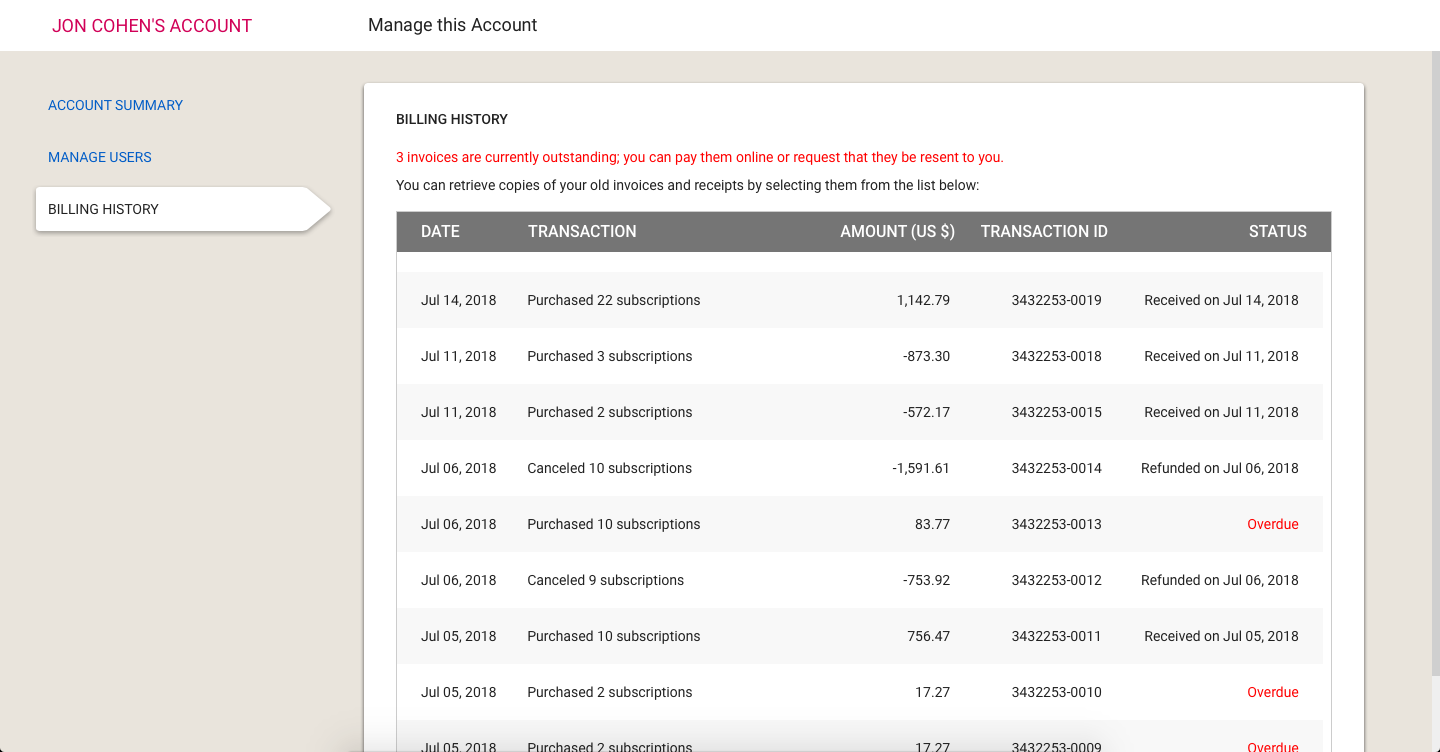
Please note that we are not showing retroactive data: only transactions entered into after August 2018, when we rolled out this feature, will show up.